Better Asset Allocation
Help teams organize their IT assets, ensuring they’re always available when and where they’re needed.

Why Is Asset Allocation Important?
Asset allocation is essential for ensuring the right resources are in the right hands at the right time. Mismanaged allocation can lead to inefficiencies, idle inventory, and increased costs.
- Optimize Resource Distribution
- Track Real-Time Availability
- Simplify Assignments
- Maintain detailed custody records
- Quickly reclaim and reassign assets
- Gain Actionable Insights
Assign Assets to Right Members
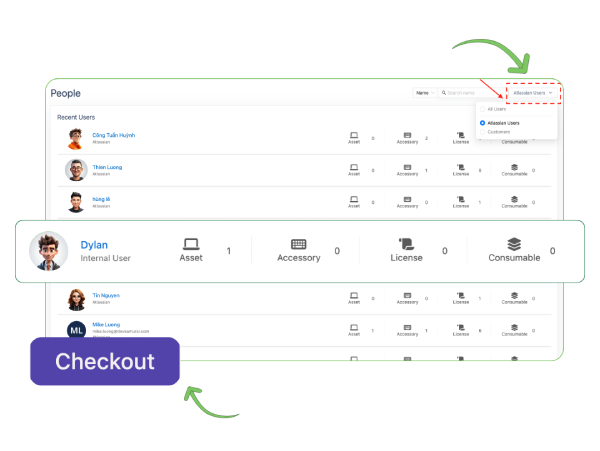
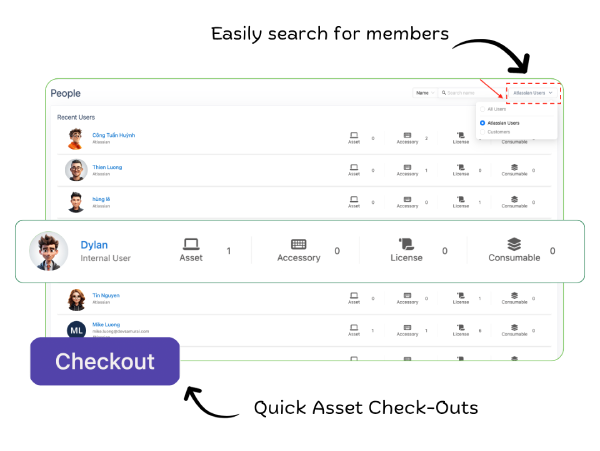
Check-Out System: Assign assets like laptops, tools, and licenses to employees with a few clicks. Assign multiple assets to several employees at once with just the Bulk check out.
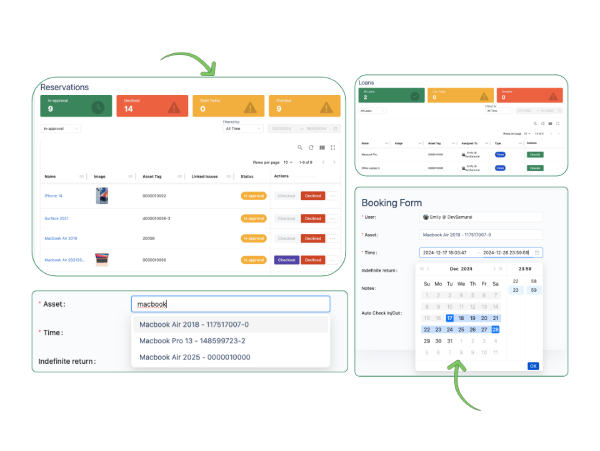
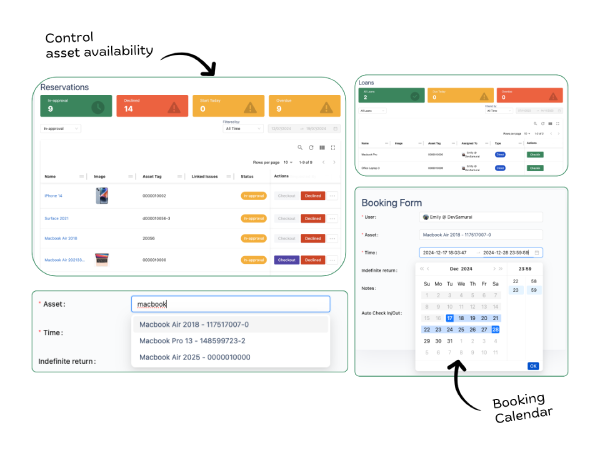
User Booking Portal: Allow employees to reserve assets. Avoid conflicts by ensuring assets are allocated based on demand and availability.
Predefined Kits: Bundle frequently used assets into kits (e.g., laptop, charger, and accessories) for fast and consistent assignments.
Detailed User Asset Profiles
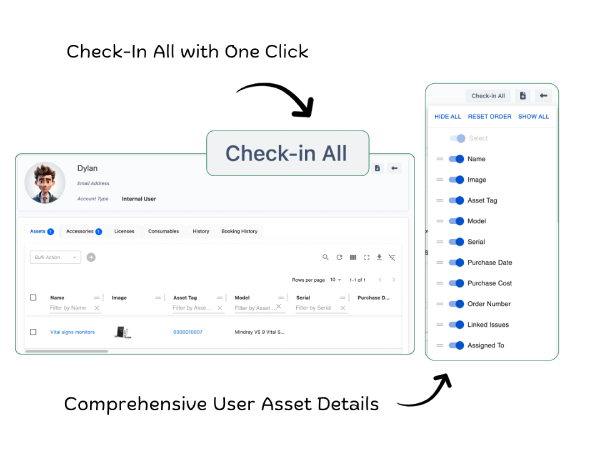
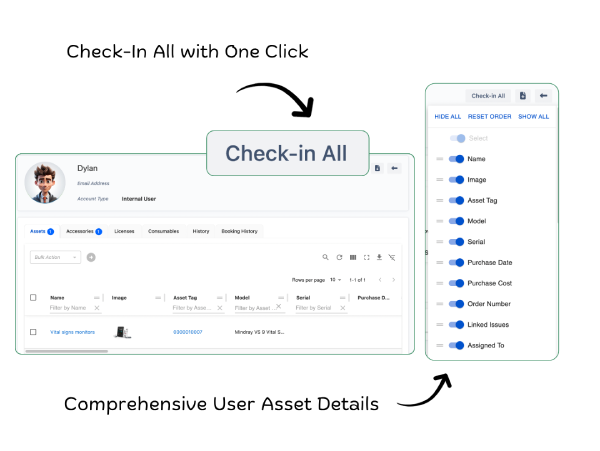
Centralized User Profiles: Store all details of team members, including their assigned assets, accessories, licenses, and consumables. View essential details such as name, contact information, assigned assets, and booking history in one place.
Booking and Usage Insights: Access booking histories and usage patterns directly from user profiles. Track all asset-related activities for each user, including check-outs, bookings, and returns.
Export Resources: Export detailed information about a user’s assigned resources for reporting or audits. Generate comprehensive reports with ease, ensuring transparency and compliance.
Manage Asset Custody Securely
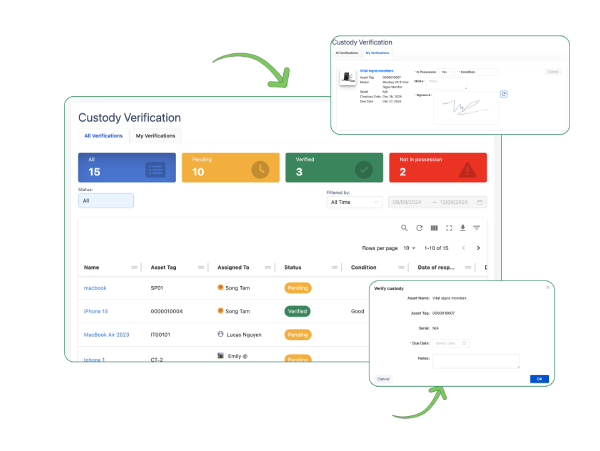
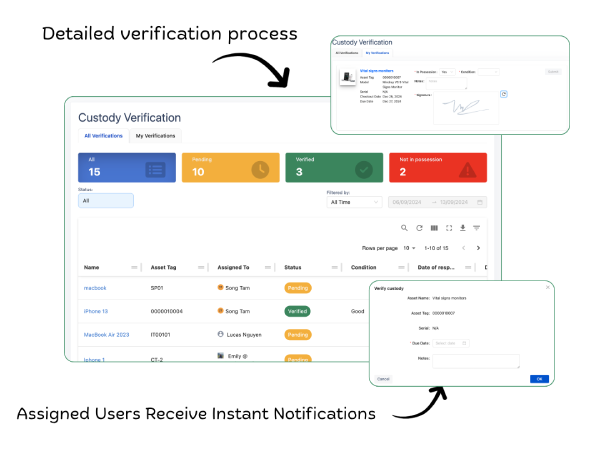
Custody Verification Requests: Automatically send custody verification requests to users, prompting them to confirm possession and condition of assets.
Detailed Condition Reporting: Enable users to report asset conditions as "Good," "Damaged," "Broken," or "Other" during verification.
Digital Signatures for Verification: Capture user signatures to confirm responsibility for the asset and the accuracy of their condition report.
Ensure Accurate Asset Check-Ins
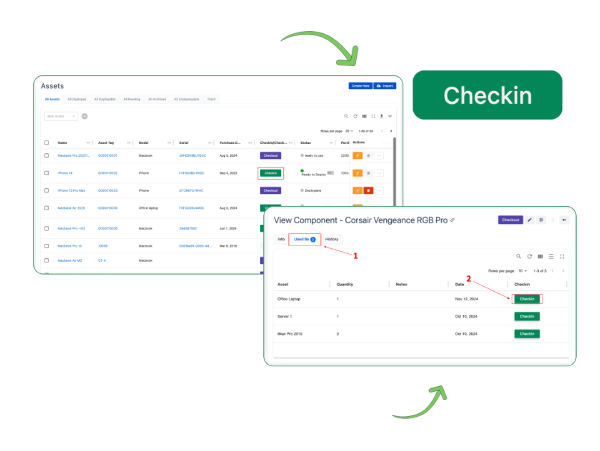
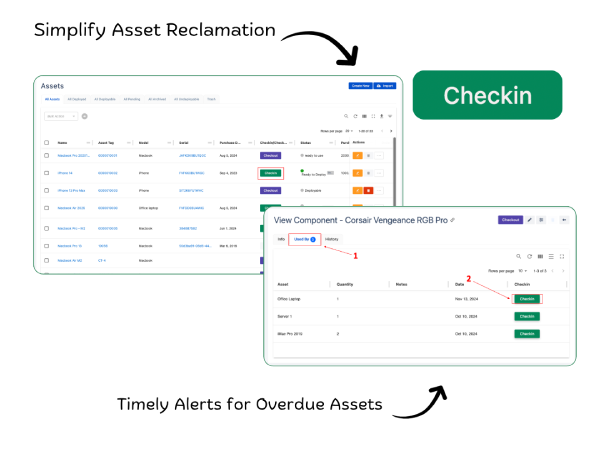
Check-In System: Return all resources assigned to a user with a single click using the Check-In All feature. Record detailed information about returned assets, including their condition, date of return, and any damages.
Overdue Alerts: Automatically notify managers and team members when assets are not returned on time.
Automated Asset Reclamation: Automatically triggers the check-in process for all assets assigned to a user when their status changes to "offboarded." Automatically revoke access to software, licenses, and organizational systems tied to the user.
Optimize Asset Reallocation
Inventory Updates: Instantly update inventory records when an asset is checked in, making it visible as available for reassignment.
Condition Verification Before Reassignment: Verify the condition of assets during check-in before assigning them to a new user.
Digital Reassignment Logs: Automatically record all asset transfers, including dates, previous users, and new assignees.
Built for All Kinds of Teams
Asset Lifecycle Management
Automate asset tracking across all lifecycle stages. Set maintenance schedules and receive notifications.
Inventory Management
Set minimum quantity thresholds to trigger restock alerts. Access detailed inventory reports for better decision-making.
Asset Allocation
Role-based assignments and predefined asset kits. Manage custody with digital logs and condition verification.
License Management
Monitor license usage and expiration dates with automated alerts. Centralize all license details for easy access.