Common Actions Upon Transition Rules
In this guide, we’ll walk you through the 3 most common actions triggered by transition rules
1. Assign an Asset (Checkout an Asset)
Required transition Rule: Checkout
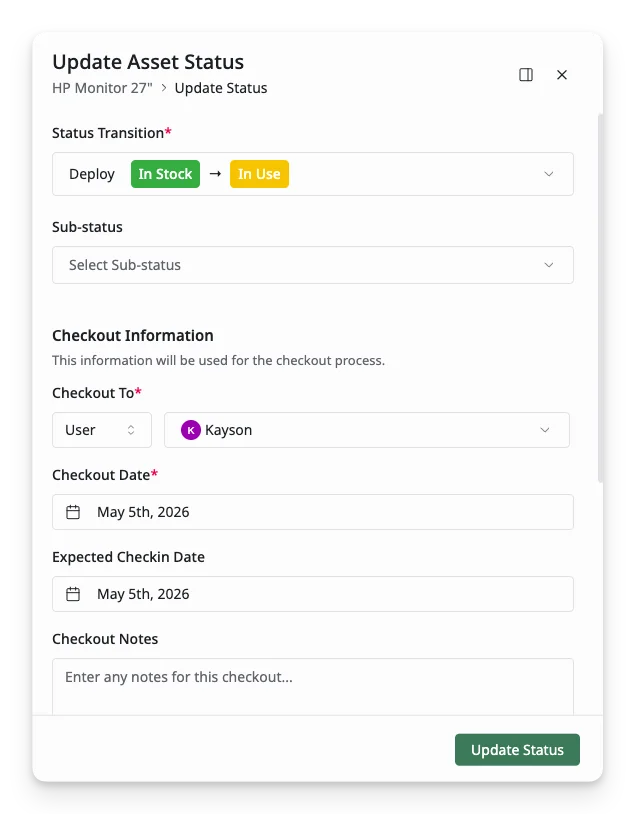
Checkout records that an asset has been assigned, deployed, or issued to a checkout target. In AssetLoom, an asset can be checked out to:
- User – assign the asset to an employee or individual user
- Asset – associate the asset with another asset
- Location – deploy the asset to a room, office, site, or storage area
What happens during the checkout process:
- Assignee Details: The asset is assigned to a specific user, location, or department.
- Assignment Date: The date the asset is checked out is recorded.
- Expected Checkin: An expected return or checkin date is added.
Example: An employee checks out a laptop for a project. The asset’s status changes to In Use, and the Checkout rule triggers the assignment details.
2. Return an Asset (Checkin an Asset)
Required transition Rule: Checkin
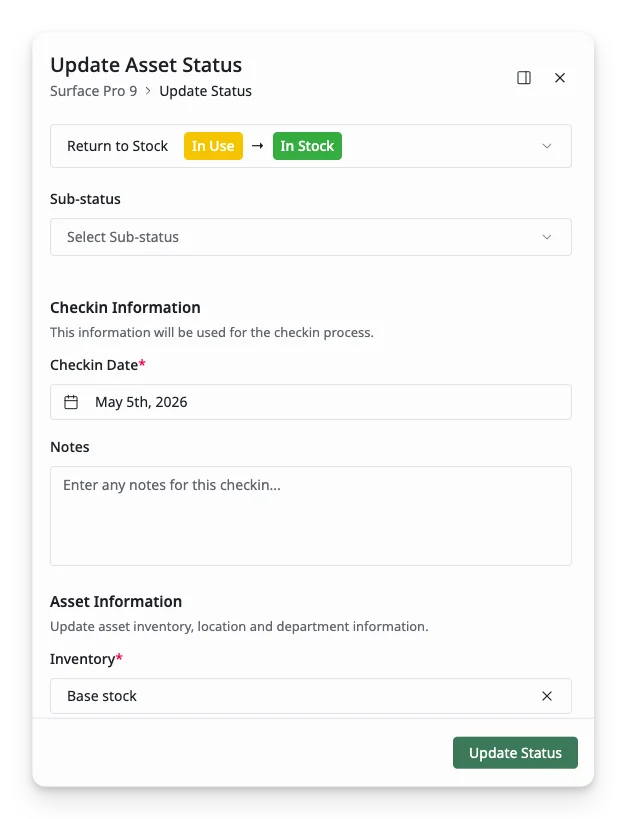
Checkin is the process of returning an asset that has been previously checked out or assigned. When you check in an asset, you record that it is no longer assigned to a user, location, or another asset, and it becomes available for reassignment or use.
What happens during the return:
- Clear Assignment: The asset’s current assignment is removed.
- Checkin Date: The date of checkin is recorded.
Example:
After finishing a project, an employee returns a laptop to the office inventory. The asset’s status is updated to In Stock, and the assignment details are cleared.
3. Log an Asset into Maintenance
Required Transition Rule: Create Maintenance
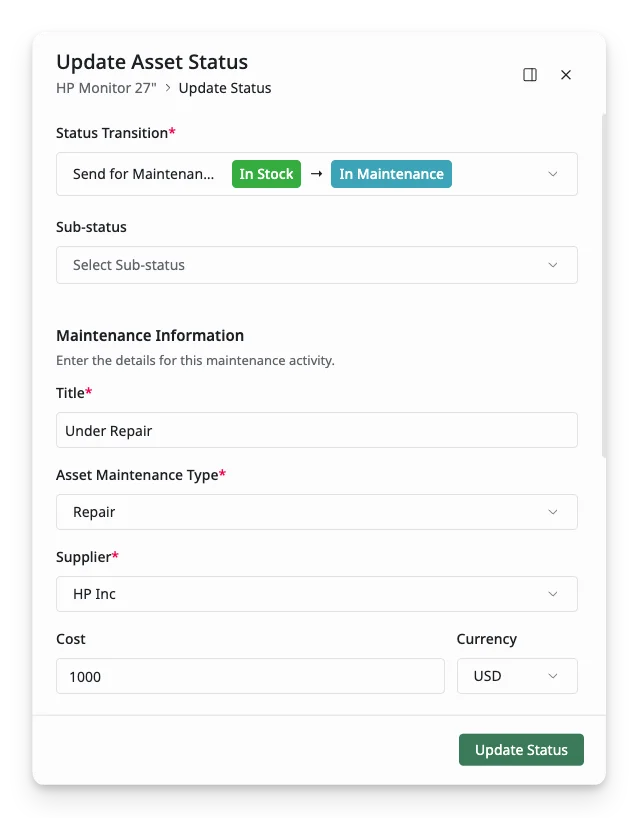
When an asset needs repairs or servicing, you can move it to the Maintenance Log by updating its status to a status that includes the Create Maintenance transition rule. This action triggers the creation of a maintenance record, ensuring that all necessary details about the maintenance are captured.
Example:
When a monitor is due for servicing, you can update its status to In Maintenance to log its maintenance record.