Capital Expenditure in IT Operations: How Laptops, Servers, and Software Costs Are Classified
Capital expenditure refers to long-term investments in owned assets like devices, infrastructure, and software that deliver value over time.
What is Capital Expenditure (CapEx)?
Capital Expenditure (CapEx) is money a company spends to buy something it owns and uses for a long period of time, usually more than one year.
The defining characteristic of CapEx is long-term value. If an asset supports the business for several years, rather than being consumed immediately, it is likely classified as CapEx.
In everyday life, this is intuitive. Buying groceries is an expense. Buying a house is an investment. You don’t “consume” a house in a month; you use it over decades. That difference is exactly how Capital Expenditure (CapEx) works in business.
In IT operations, the same logic applies. A laptop, a server, or a data center is not consumed immediately. These assets continue to provide value long after the purchase date, which is why they are CapEx, and their cost is spread across multiple years instead of being recognized all at once.
What Capital Expenditure Isn’t
Capital Expenditure is often misunderstood because it is confused with any large IT spend or anything related to technology. In reality, CapEx is not defined by how expensive something is, but by how long it provides value and whether the organization owns it.
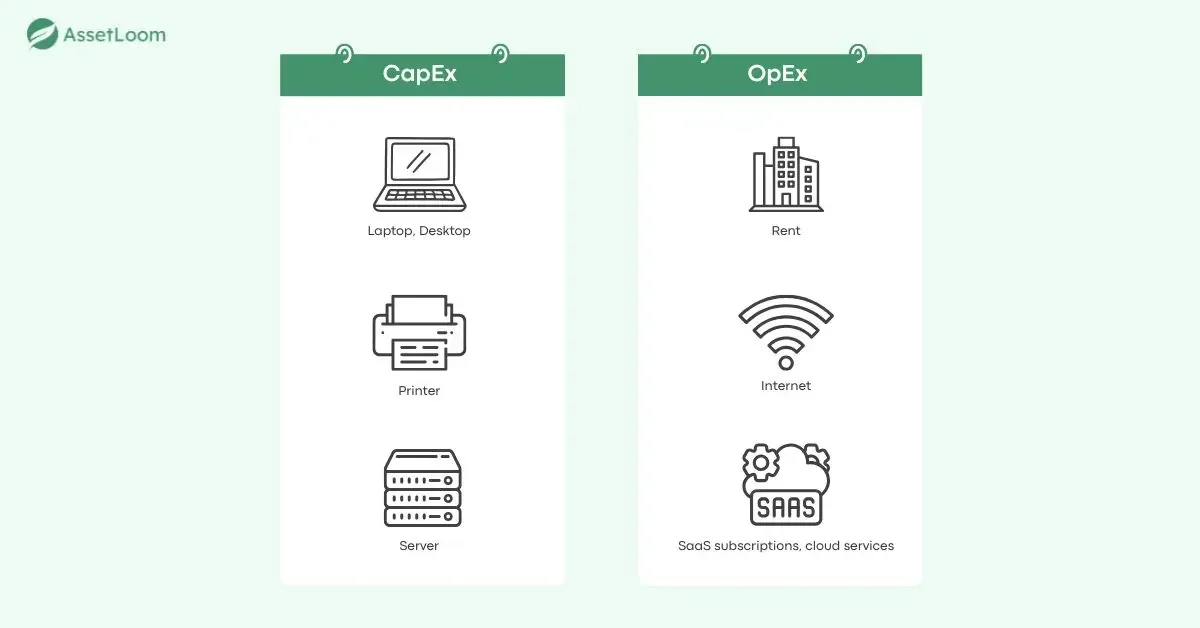
If an organization must keep paying in order to keep using something, and loses access as soon as payments stop, that cost is not CapEx. This is where OpEx (Operating Expenditure) comes in.
OpEx vs. CapEx
OpEx (Operating Expenditure) refers to money spent on day-to-day operations, where the benefit is immediate and short-lived. These costs support the ongoing running of the business rather than creating a long-term asset.
A simple way to think about it is this:
- Capital Expenditure (CapEx): Considered as an investment. The organization pays once, owns the asset, and uses it over several years.
- Operating Expenditure (OpEx): Considered as an immediate expense. The organization pays continuously, and usage stops when payments stop.
For example, paying for a SaaS subscription, cloud computing usage, internet services, or support contracts are all OpEx. These costs are tied to access or usage, not ownership. Once payments stop, the service stops.
| Aspect | CapEx (Capital Expenditure) | OpEx (Operating Expenditure) |
|---|---|---|
| Definition | Spending on assets owned by the organization and used over multiple years | Spending on services or usage required for day-to-day operations |
| Typical IT Examples | Laptops, desktops, servers, on-premises software licenses | SaaS subscriptions, cloud services, internet, support contracts |
| Investment Type | Considered a long-term investment | Considered an operating cost |
| Ownership | Organization owns the asset | No ownership, pay for access or usage |
| Accounting Treatment | Capitalized and depreciated (or amortized) over time | Fully expensed in the period incurred |
| Flexibility | Low (slow procurement cycles) | High (add/remove anytime) |
| Pros | Ownership of assets, long-term value | Lower upfront cost, immediate cost visibility |
| Cons | High upfront cost, high risk of idle assets | Ongoing recurring costs |
Common CapEx Assets in IT
In practice, IT capital expenditure usually shows up wherever the company owns physical or long-term digital infrastructure. Some common CapEx assets include:
End-User Devices
Laptops and desktops are classic examples of CapEx in IT operations. When a company purchases laptops or desktops for employees, it is acquiring assets that the company owns and expects to use over several years. These devices support daily work, productivity, and collaboration throughout their lifespan.
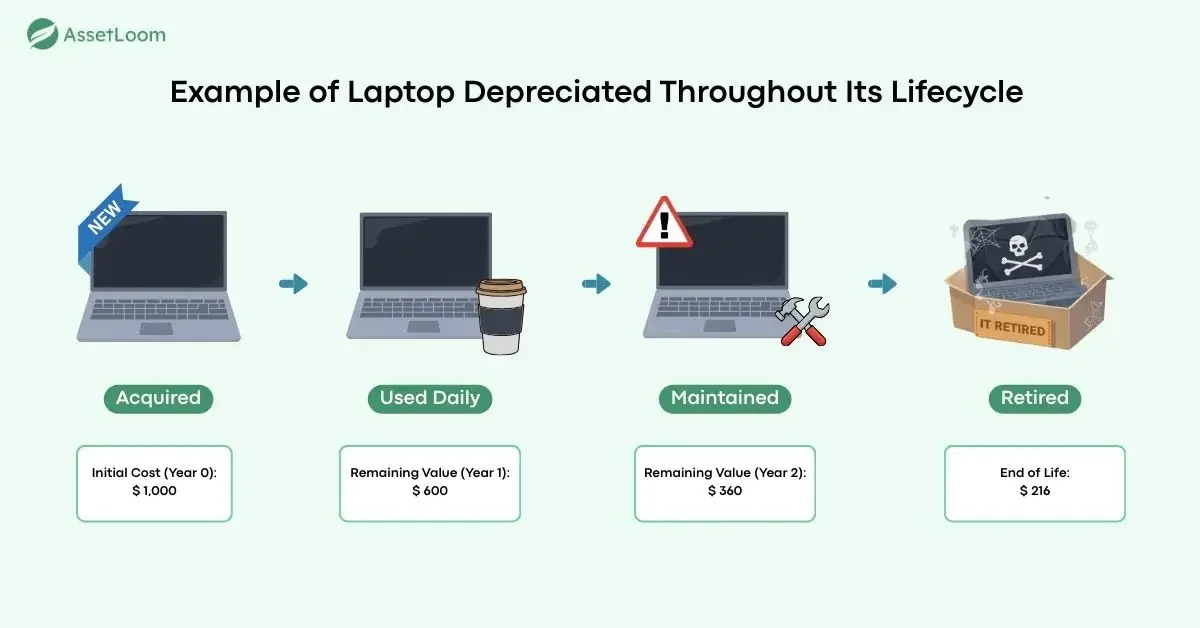
Example of Laptop Depreciated Throughout Its Lifecycle
In practical terms, this also explains why IT teams are expected to track end-user devices carefully throughout their entire asset lifecycle. Once a laptop or desktop is purchased as CapEx, it enters a lifecycle that typically includes procurement, deployment, daily use, reassignment, repair, and eventual retirement. Over time, the asset is depreciated, reflecting the fact that it is being used, aging, and moving closer to the end of its useful life.
Learn more: How to Track and Manage Depreciating Assets?.
Server Infrastructure
Server infrastructure is one of the most significant CapEx areas in IT operations because it represents long-term use rather than short-term consumption. When an organization invests in servers, it is building an environment designed to support applications and data over several years.
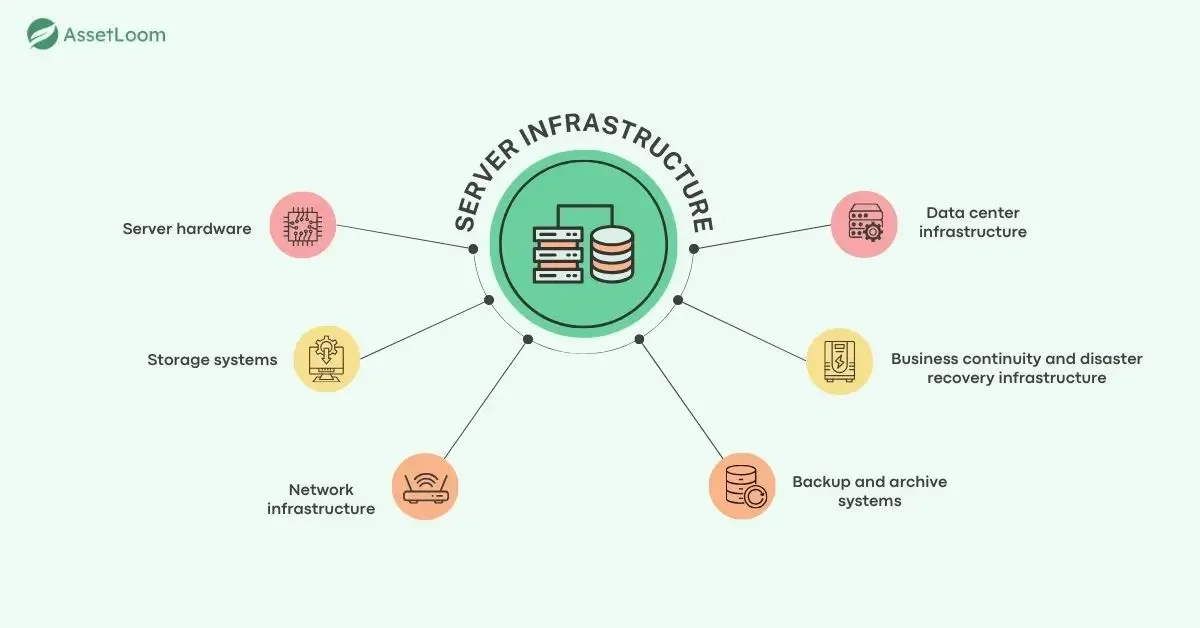
These investments typically include:
- Server hardware: Physical machines used for computing workloads, often designed with redundancy such as clustering and backup power.
- Storage systems: Hardware used to store application and business data, with costs driven by capacity, performance, and reliability needs.
- Network infrastructure: Switches, routers, cabling, access points, and wide-area connectivity that enable communication across systems.
- Backup and archive systems: Infrastructure used to copy, store, and recover data, including supporting hardware and systems.
- Business continuity and disaster recovery infrastructure: Backup sites, failover systems, and emergency power solutions designed to maintain operations during failures.
- Data center infrastructure: Power, cooling, physical space, racks, and supporting building systems that enable servers to operate continuously.
Together, these assets deliver continuous operational value over time and are therefore classified as CapEx.
Software Assets
Software classification is often confusing because it depends on whether the organization owns the software (CapEx) or is paying for access to it (OpEx).
When an organization owns software, it typically purchases a one-time or perpetual license and installs the software on its own infrastructure. The right to use the software does not disappear if payments stop, and the software can continue to be used over multiple years. Because the organization controls and retains the software, it is treated as a long-term asset.
Owning Software (CapEx)
Software owned by the organization is typically purchased through a one-time or perpetual license and deployed on company-owned infrastructure. Even if no further payments are made (excluding optional maintenance), the organization retains the right to use the software.
Common examples include:
- SAP ECC / SAP S/4HANA (on-premises): ERP systems installed and operated within the organization’s own data center
- Oracle Database (perpetual license): Database software licensed upfront and installed on company-owned servers
- Microsoft SQL Server (perpetual license): On-premises database software purchased with a one-time license
- IBM Db2: Enterprise database software deployed internally under a perpetual licensing model
- On-premises Microsoft Exchange Server: Email server software installed and managed internally
- Custom-built internal applications: Software developed in-house and fully owned by the organization
Paying for Software Access (OpEx)
When software is delivered as a subscription-based service, payments grant the right to use the software only for the period covered. If payments stop, access ends, and so you are paying for access (OpEx), not ownership (CapEx).
Common examples include:
- Salesforce: CRM software delivered entirely as a SaaS subscription
- Microsoft 365: Cloud-based productivity suite billed monthly or annually
- Google Workspace: Subscription-based collaboration and productivity tools
- Workday: Cloud-based HR and finance platform accessed via subscription
- Slack: Collaboration software paid for on a recurring basis
- Zoom: Video conferencing software billed per user or per month
The Role of IT Asset Lifecycle Tracking to CapEx
CapEx assets are not just purchases; they are long-term investments whose value is consumed over time. To understand where that value goes, organizations must track assets accurately throughout their entire lifecycle.
IT asset lifecycle management turns CapEx from a one-time purchase into a transparent, manageable investment. When end-user devices such as laptops and desktops are purchased as CapEx, their value is gradually reduced through depreciation. This process assumes that the asset exists, remains in use, and continues to provide value during its expected lifespan.
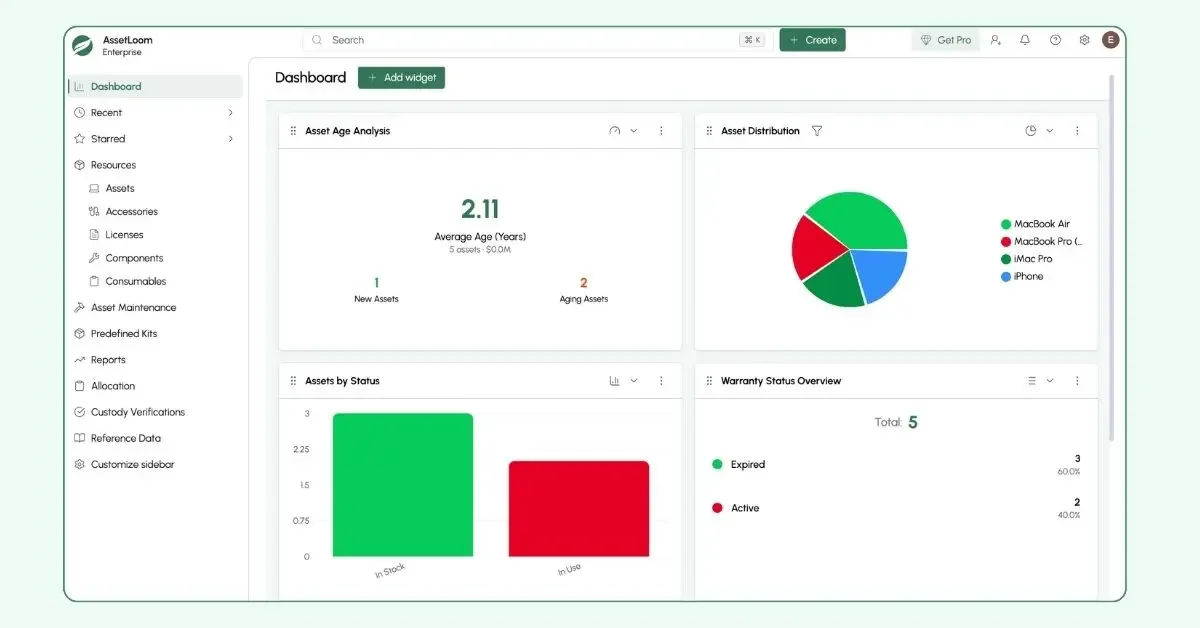
AssetLoom gives organizations a clear view of their IT asset lifecycle and associated spending.
If devices are lost, replaced early, or retired without being recorded, financial records no longer reflect reality. Assets may continue to be depreciated even though they no longer support the business, obscuring the true cost and value of IT investments.
Accurate asset lifecycle tracking keeps IT operations and financial records aligned. It ensures both IT and Finance get the ideas of how end-user devices are used, how their value is consumed over time, and when capital assets should be refreshed or retired.
Learn How to Use Computer Lifecycle Management to Predict IT Refresh Needs.
Conclusion
Capital Expenditure in IT operations is about long-term value, ownership, and time. Understanding the difference between CapEx and OpEx helps organizations make better decisions about how technology is acquired, managed, and funded.
Just as importantly, CapEx does not end at purchase. Without accurate IT asset lifecycle tracking, depreciation no longer reflects reality, and organizations lose visibility into where their capital investments are actually going. By tracking assets from procurement to retirement, IT and Finance gain a clear, truthful view of asset value over time.
Frequently Asked Questions (FAQs) about Capital Expenditure
Q1. What is Capital Expenditure (CapEx) in IT?
Capital Expenditure (CapEx) in IT refers to money spent on assets that the organization owns and uses over a long period of time, typically more than one year. Common IT CapEx assets include laptops, servers, networking equipment, and on-premises software licenses.
Q2. What is the difference between CapEx and OpEx in IT?
The main difference lies in ownership and duration of value. CapEx involves paying once to own an asset that provides value over several years. OpEx involves ongoing payments for services or usage, where access stops when payments stop, such as SaaS subscriptions or cloud services.
Q3. Are laptops considered CapEx?
Yes. Laptops or desktops are typically classified as CapEx because they are owned by the organization and used over multiple years. Their cost is spread over their useful life through depreciation.
Q4. Is software CapEx or OpEx?
Software can be either CapEx or OpEx, depending on how it is acquired. Software purchased with a one-time or perpetual license and installed on company-owned infrastructure is treated as CapEx. Subscription-based software, such as SaaS, is treated as OpEx because it provides access rather than ownership.
Q5. Why is IT asset lifecycle tracking important for CapEx?
IT asset lifecycle tracking ensures that CapEx assets are accurately recorded from purchase to retirement. Without proper tracking, assets may continue to be depreciated even after they are no longer in use, leading to inaccurate financial reporting and poor cost visibility.