Understand Scan Results
Understand each field in AssetLoom Network Scanner results, including IP, MAC, hostname, device type, open ports, discovery status, and scan details.
When your network scan is complete, you can review the discovered devices and understand how each result was identified.
Whether your scan results in CSV or JSON format, they all have the same output behavior and components.
1. Output Behavior
- The scanner creates the required parent folders if they do not already exist.
- Existing result files are not replaced unless you use
--force-output. - The scanner writes the result to a temporary file first, then moves it into the final output file when ready. This helps prevent incomplete files from being treated as completed results.
- Scan results may contain sensitive network inventory data, so the scanner applies restrictive file permissions where supported.
2. Scan Result Components
In both formats, the result file has these components:
| Column | Description |
|---|---|
IP | IPv4 address of the discovered device. |
MAC | MAC address of the device, when discovered through ARP. |
Hostname | Device hostname found through PTR, NetBIOS, or mDNS, when available. |
HostnameSource | Method used to identify the hostname, such as dns_ptr, netbios, or mdns. |
Vendor | Device vendor identified from the MAC address OUI, when available. |
DeviceType | Scanner’s estimate of the device type based on the available discovery evidence. |
Confidence | Confidence level of the device type classification: high, medium, or low. |
OpenPorts | TCP ports found open on the device during the scan. |
TTL | ICMP Time To Live (TTL) value returned by the device, when available. |
RTT_ms | ICMP round-trip time between the scanner and the device, measured in milliseconds. |
DiscoveredBy | Discovery protocols that successfully provided evidence for the device, such as icmp, arp, tcp, or dns. |
DiscoveryLimited | Shows true when only limited device information could be collected. |
ProtocolStatuses | Status and reason for each discovery protocol attempted on the device, such as icmp=failed(icmp_no_reply); arp=success; tcp=success; dns=failed(dns_no_hostname). |
FirstSeen | Time when the scanner first detected the device during this scan. |
LastSeen | Time when the scanner last detected the device during this scan. |
ScanID | Unique identifier assigned to the local scan run. |
IP
IP is the IPv4 address where the device was discovered.
For example:
192.168.1.25
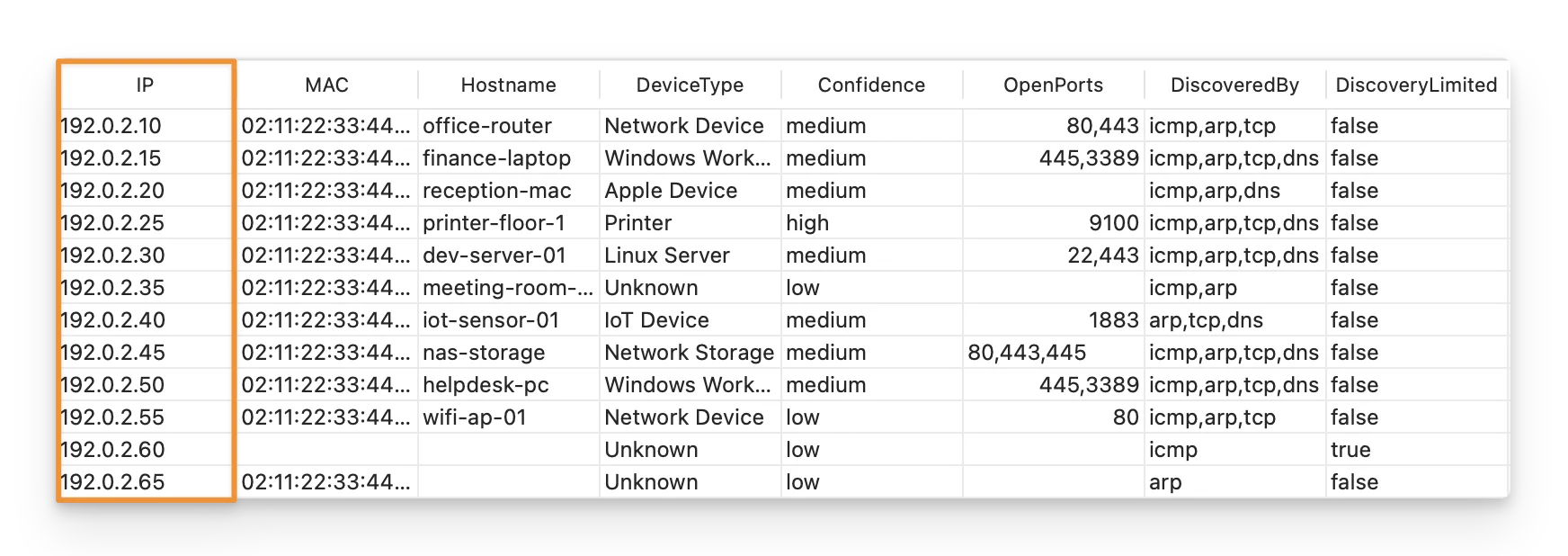
This is the primary network address used to identify the device during the scan. Every discovered device record includes an IP address.
MAC
MAC is the device’s MAC address when it can be discovered through ARP.
For example:
02:11:22:33:44:25
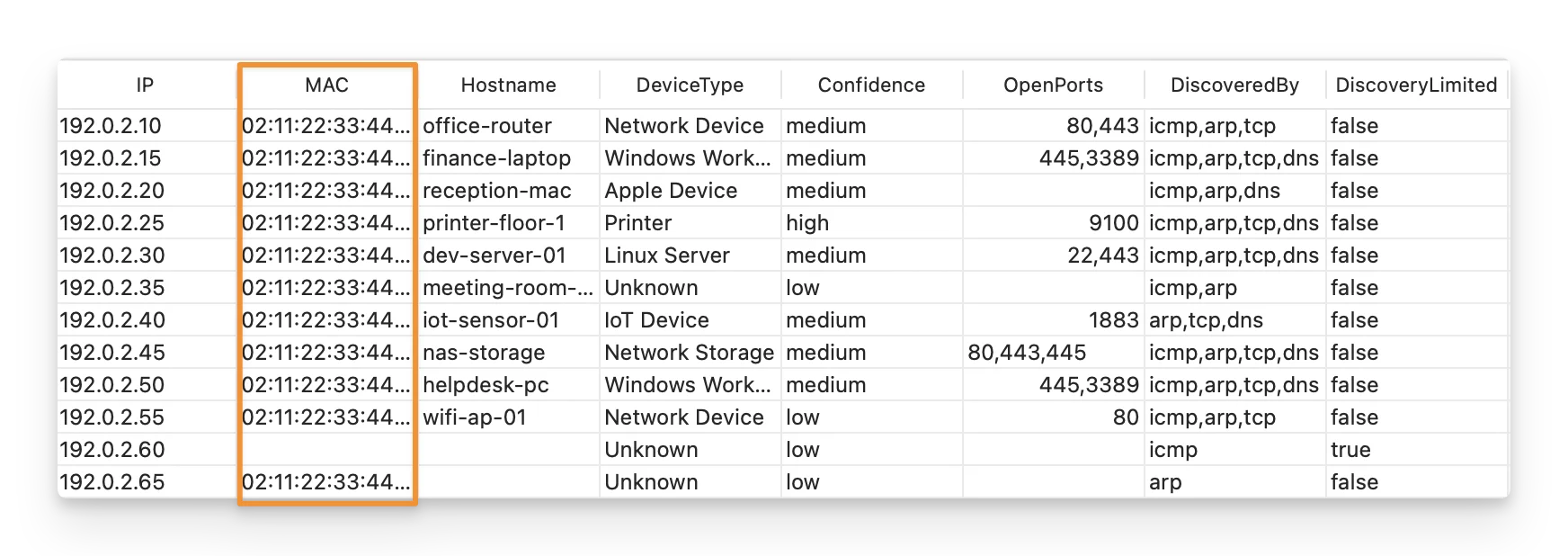
A MAC address helps distinguish devices on the local network and can also be used to identify the device vendor.
The field may be empty when:
- the device is outside the local Layer 2 network;
- ARP is unavailable or disabled;
- the device does not respond to ARP.
A missing MAC address does not mean the device was not discovered. It may still have been found through ICMP, TCP, or another discovery method.
Hostname
Hostname is the network name discovered for the device.
For example:
printer-floor-1
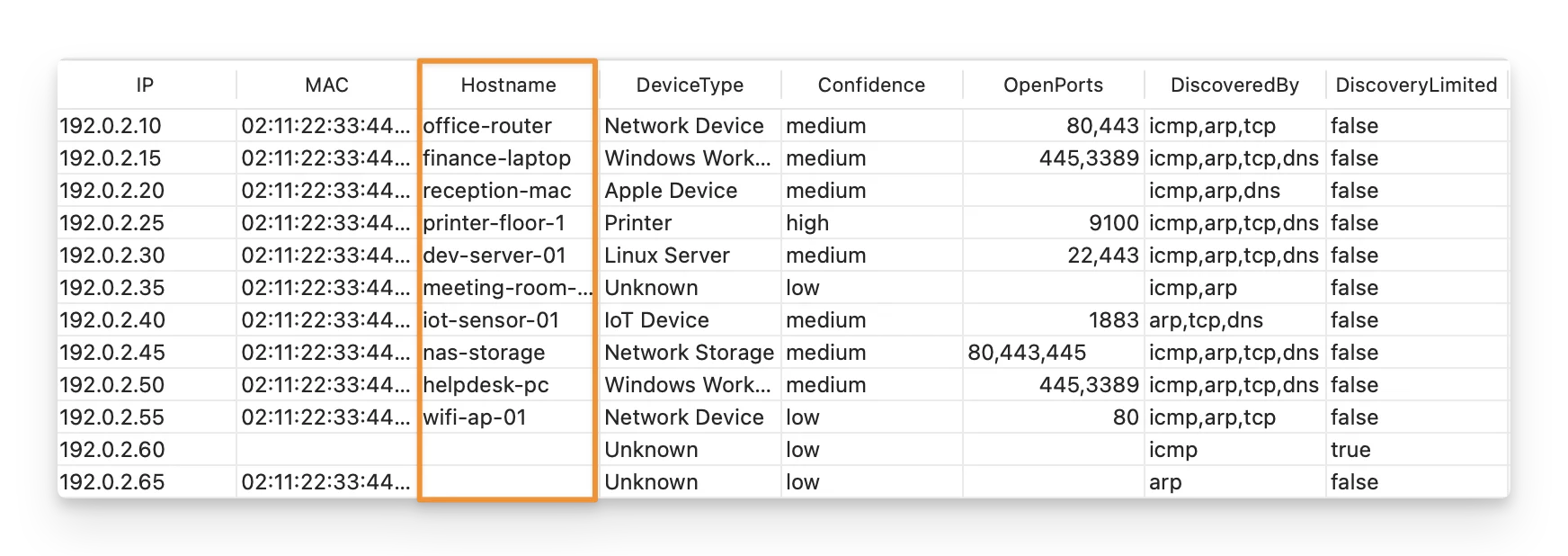
The scanner attempts to retrieve a hostname using available hostname discovery methods such as PTR lookup, NetBIOS, or mDNS.
This field may be empty when the network does not provide a hostname for the device. An empty hostname does not mean that discovery failed.
HostnameSource
HostnameSource indicates how the scanner determined the hostname.
Possible values include:
dns_ptr— hostname found through a reverse DNS/PTR lookup;netbios— hostname found through NetBIOS;mdns— hostname found through mDNS.
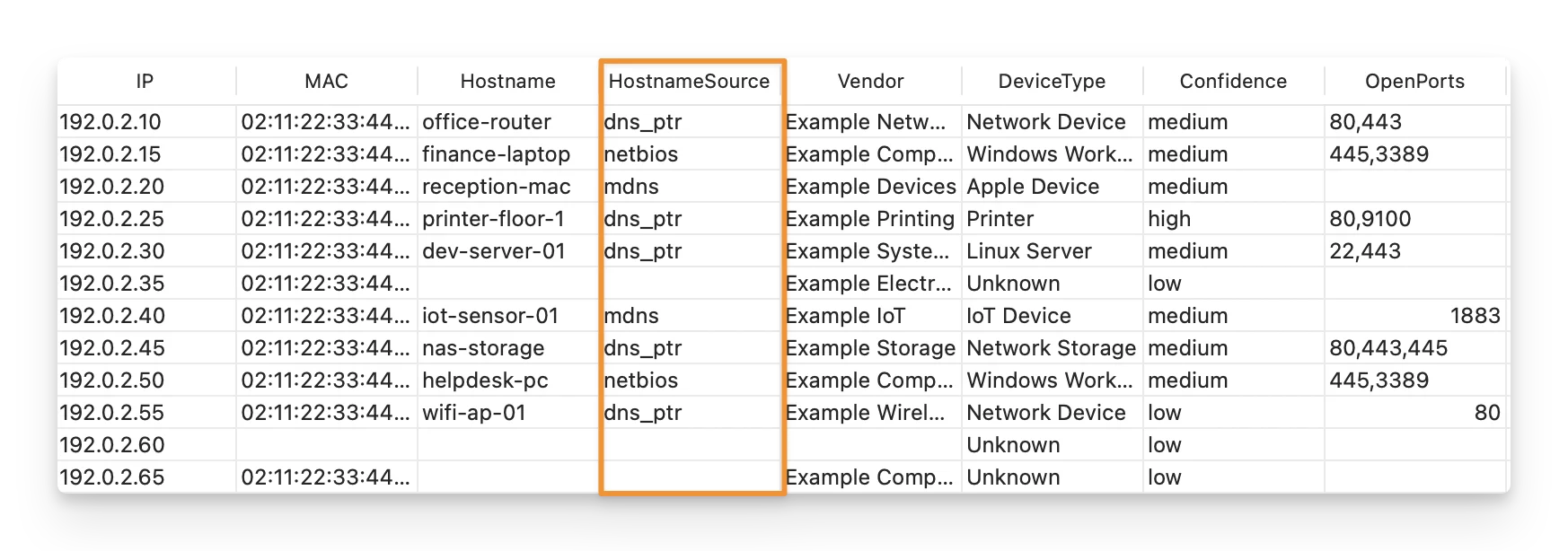
For example, if you see:
Hostname: printer-floor-1
HostnameSource: mdns
It means the scanner identified printer-floor-1 through mDNS.
If no hostname is available, this field may also be empty.
Vendor
Vendor shows the manufacturer or vendor inferred from the device’s MAC address, such as Apple, Dell, or Lenovo.
The scanner uses the MAC OUI information when a MAC address is available.
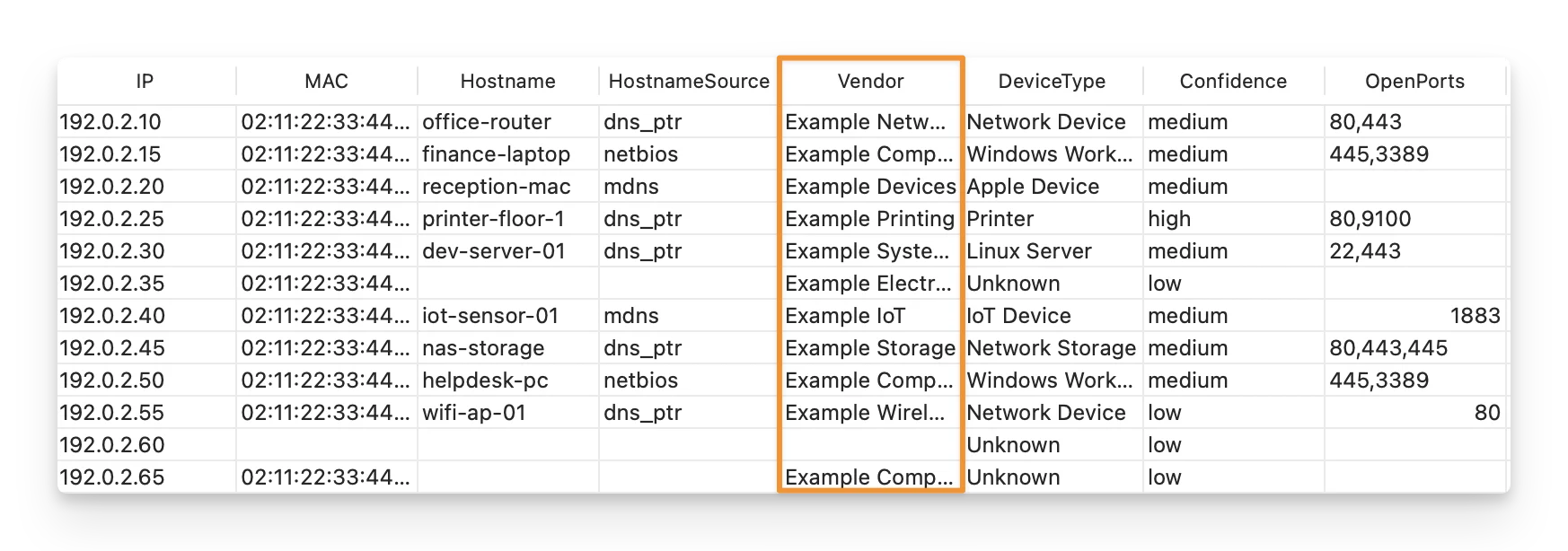
The vendor may be missing when:
- no MAC address was discovered;
- the device uses a locally administered or randomized MAC address;
- the OUI is not available in the scanner’s vendor data.
Vendor information should therefore be treated as additional identification evidence rather than the only way to identify a device.
DeviceType
DeviceType is the scanner’s best estimate of what kind of device was discovered, such as a printer or Apple device.
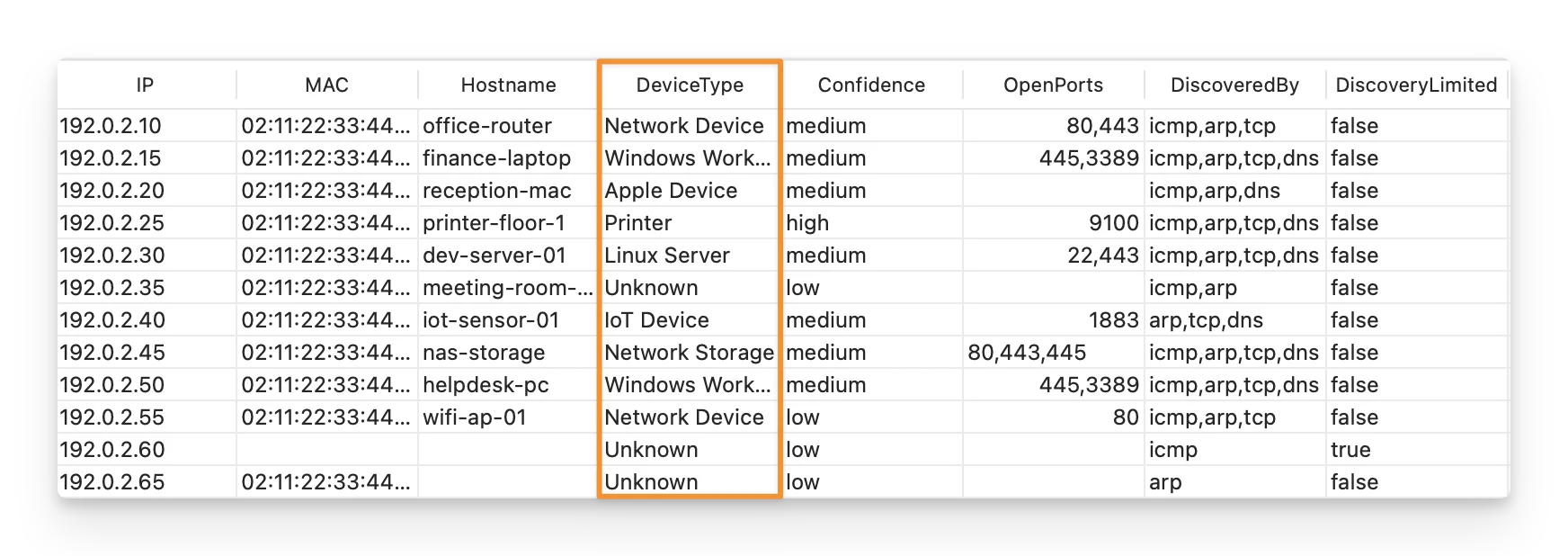
The scanner determines the device type from available evidence such as:
- open TCP ports;
- vendor information;
- hostname;
- other network evidence collected during discovery.
For example, a device with TCP port 9100 open may provide evidence that it is a printer.
If the scanner does not collect enough evidence to make a useful classification, the value is:
Unknown
Device classification is best-effort and should be used as a starting point for reviewing the device rather than as confirmed proof of its identity.
Confidence
Confidence indicates how strongly the available discovery evidence supports the value shown in DeviceType.
Possible values are:
highmediumlow
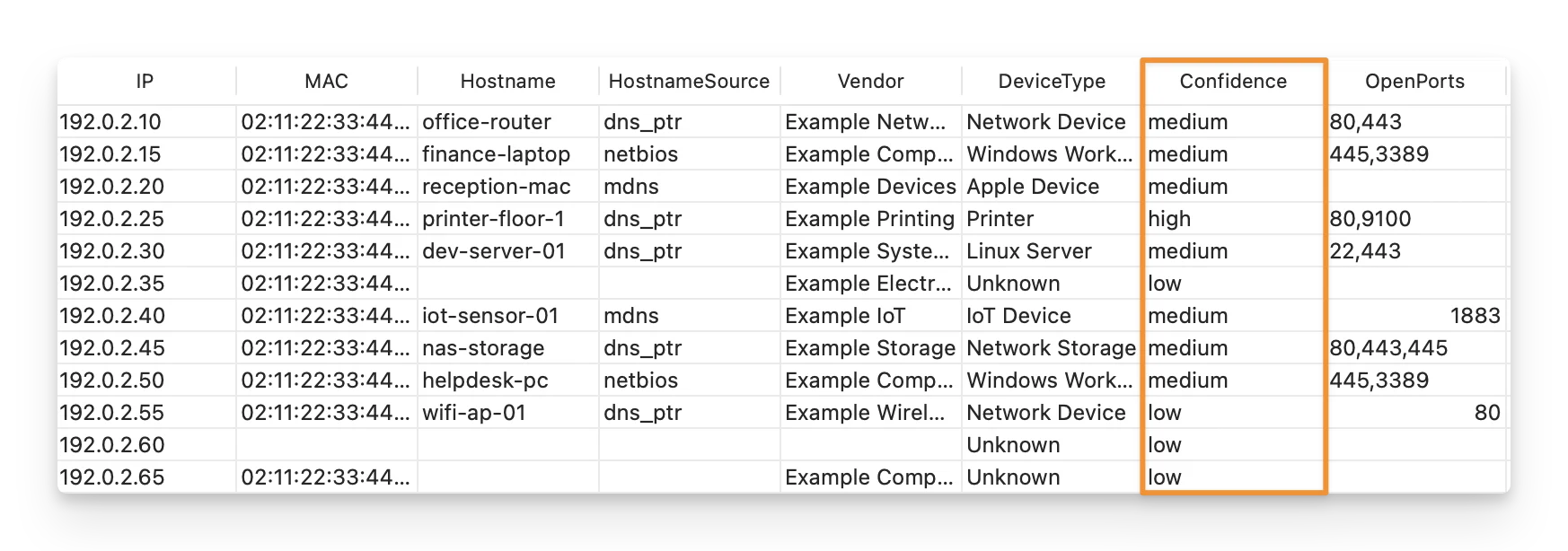
A result such as:
DeviceType: Unknown
Confidence: low
means there was not enough useful evidence to identify the device more specifically.
You should review Confidence together with DeviceType, OpenPorts, Vendor, and DiscoveredBy for better accuracy rather than using it alone.
OpenPorts
OpenPorts lists the configured TCP ports that accepted a connection during the scan.
For example:
80, 443
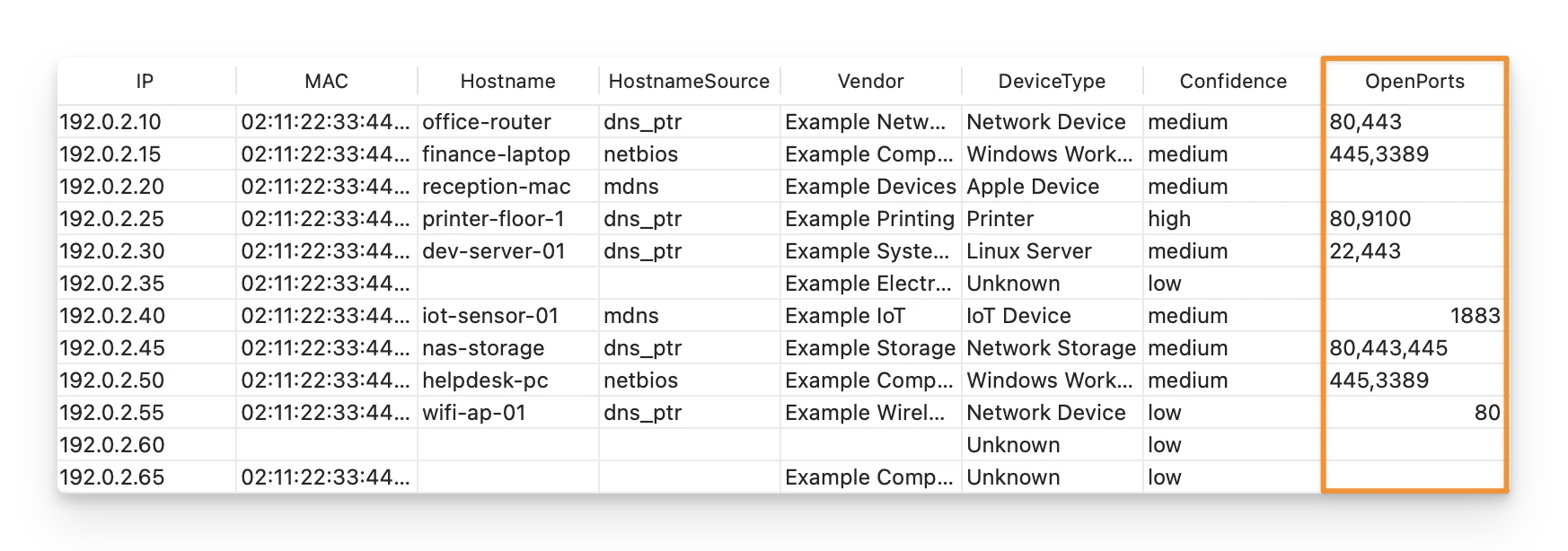
An open port can provide additional clues about the device or services running on it.
For example:
22may indicate SSH;445may indicate Windows SMB;3389may indicate Remote Desktop;9100may indicate a network printer.
If the field is empty, this does not necessarily mean that the device has no open ports.
It only means that none of the ports included in your configured tcp_ports list produced positive evidence.
TTL
TTL shows the ICMP Time To Live value returned by the device when ICMP information is available.
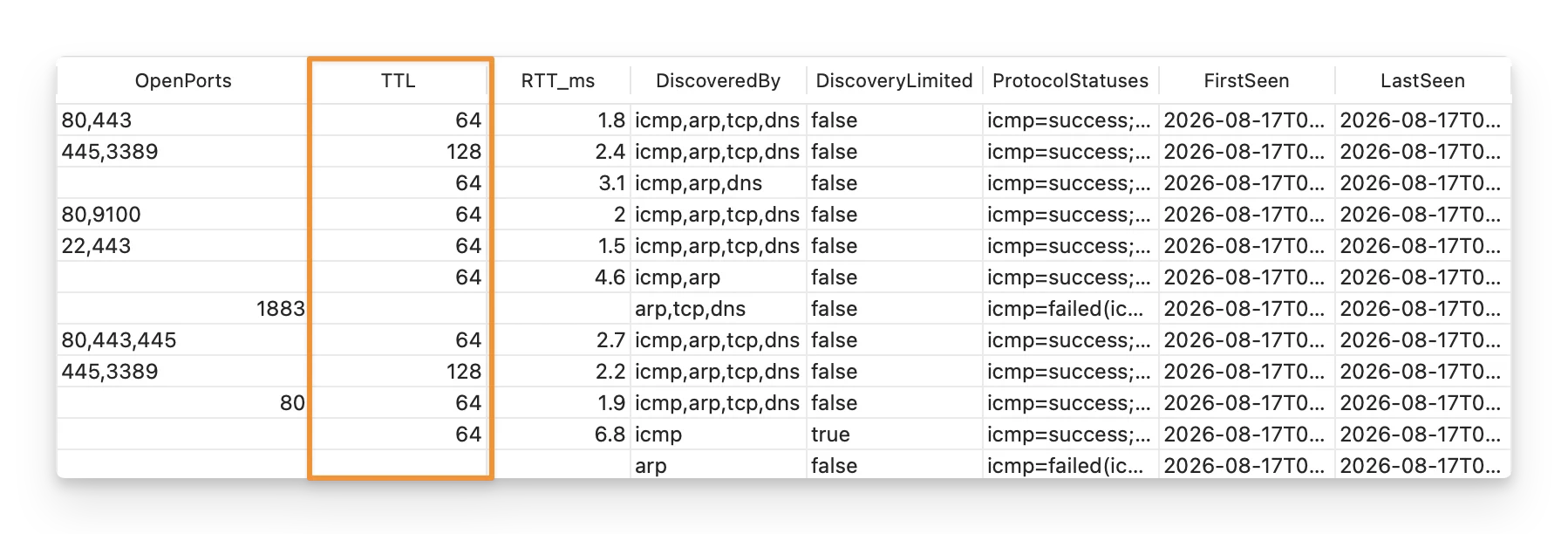
TTL can help you:
- Understand whether a device is nearby or reached through other network segments: TTL decreases each time the response passes through a router, so a lower value can indicate a longer network path.
- Give the scanner another clue about the device type: Different operating systems and network devices may start with different default TTL values.
- Spot unexpected network behavior: A TTL that differs significantly from similar devices may indicate that the device is being reached through a different route or network segment.
The field may be empty when the device does not answer ICMP or when ICMP discovery is unavailable.
RTT_ms
RTT_ms shows the ICMP round-trip time between the scanner host and the discovered device, measured in milliseconds.
It represents how long the ICMP request and response took during discovery.
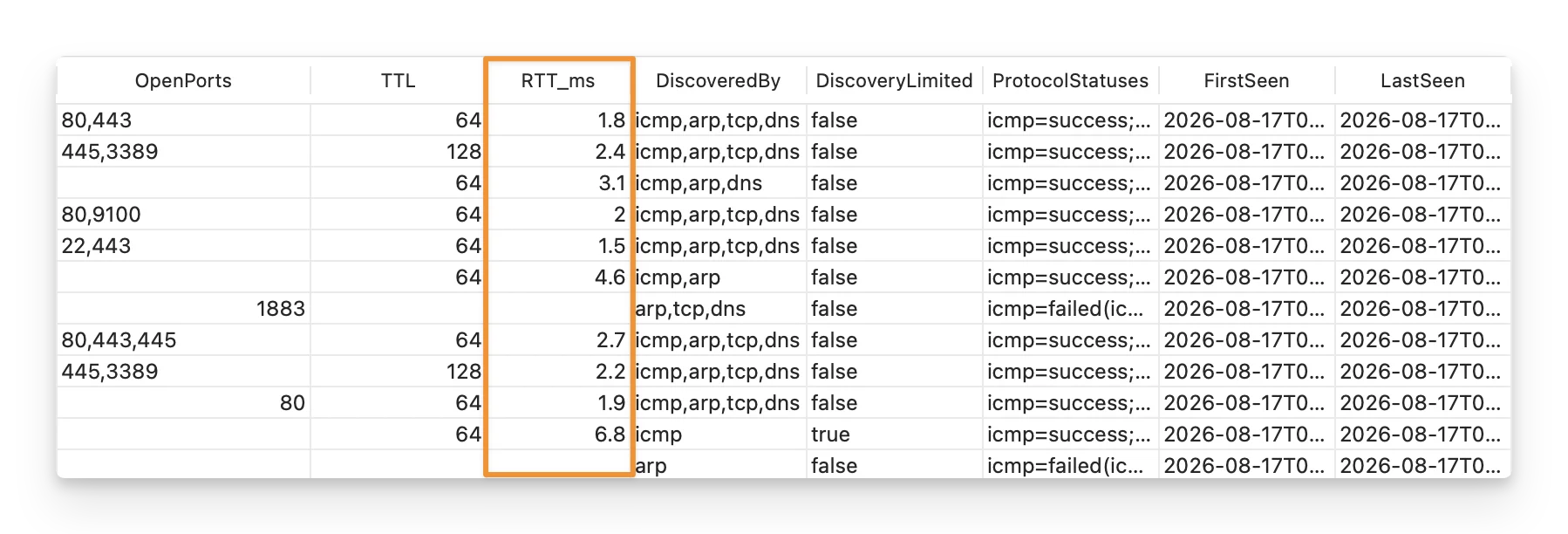
The field may be empty if the device was discovered through another method but did not provide an ICMP response.
DiscoveredBy
DiscoveredBy shows which discovery methods produced positive evidence for the device.
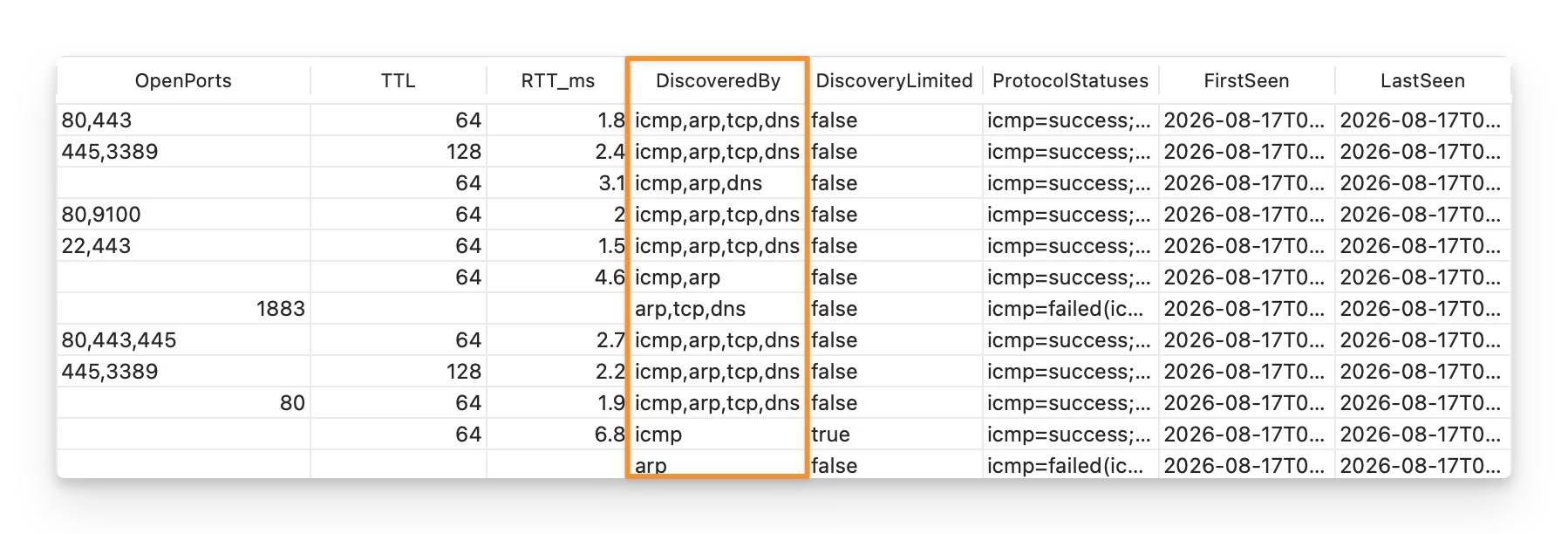
For example, a device with:
icmp, arp, tcp
means:
- the device responded to ICMP;
- ARP discovered its MAC address;
- at least one configured TCP port accepted a connection.
A device can therefore appear in the results even when only one discovery method succeeds.
Read more:
Explore how to configure the discovery methods for network scanning.
DiscoveryLimited
DiscoveryLimited tells you whether the scanner was able to collect meaningful information beyond simply detecting that the device exists.
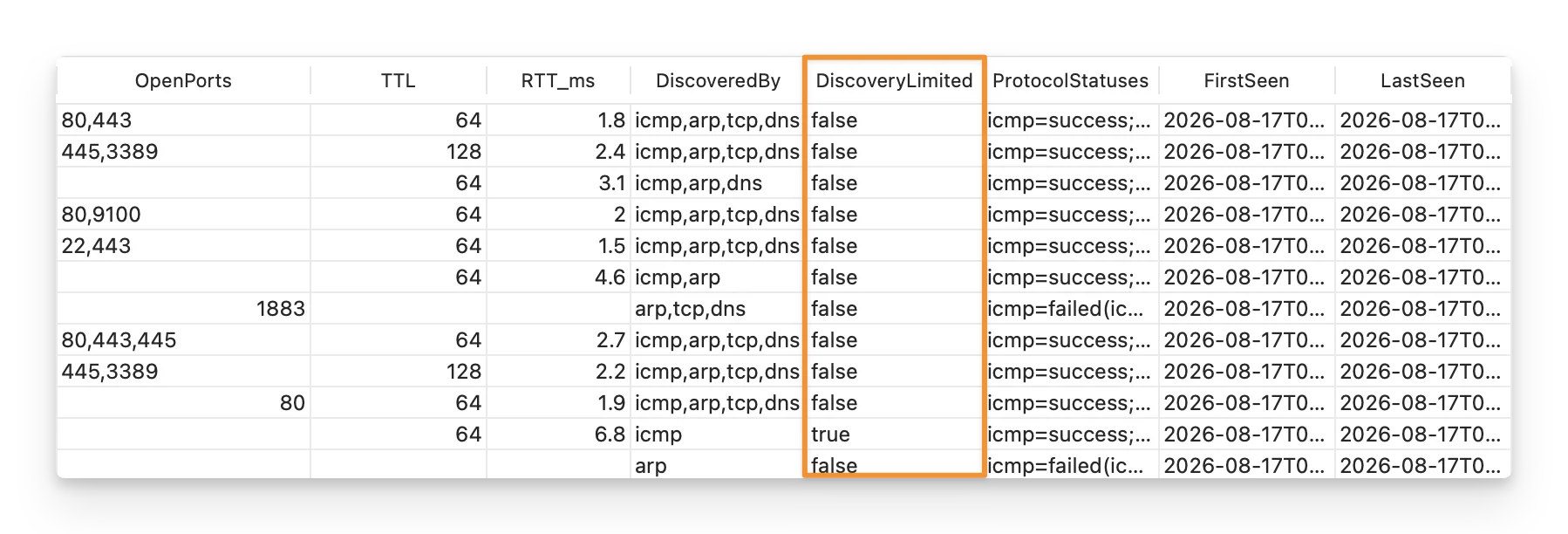
Available values are:
truefalse
true means the device was detected, but little additional information could be collected.
false means the scanner collected useful enrichment such as a MAC address, hostname, or open TCP port.
ProtocolStatuses
ProtocolStatuses gives you a more detailed view of what happened with each discovery protocol.
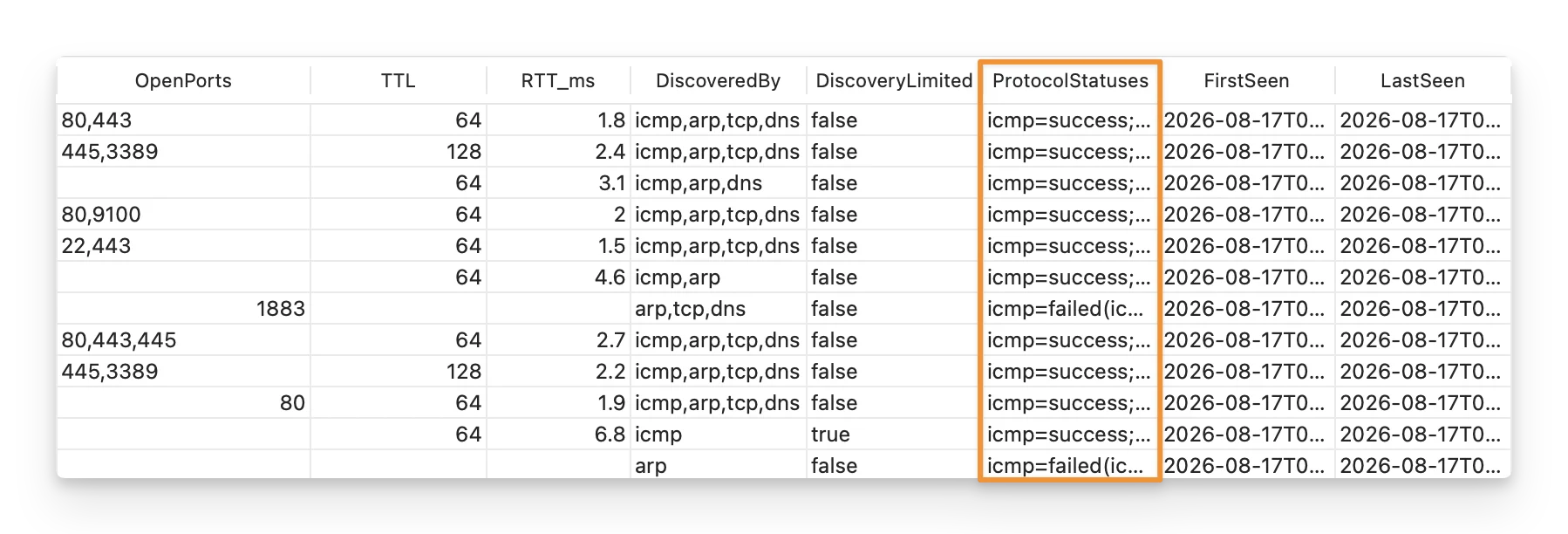
For example:
icmp=failed(icmp_no_reply); arp=success; tcp=success; dns=failed(dns_no_hostname)
This tells you that:
- ICMP was attempted but received no reply;
- ARP successfully produced evidence;
- TCP successfully found an open port;
- hostname discovery ran but did not find a usable hostname.
Common statuses include:
success: the protocol produced useful evidence;partial: the protocol ran but produced incomplete evidence;failed: the protocol ran but did not produce useful evidence;skipped: the protocol was not attempted for that device or target.
The reason shown with a status can help explain incomplete results, including:
| Reason | Description |
|---|---|
icmp_no_reply | The device did not respond to the ICMP ping request. |
arp_not_local_subnet | ARP was skipped because the target is not on the scanner’s local Layer 2 network. |
dns_no_hostname | The scanner could not find a usable hostname for the device. |
tcp_no_open_ports | None of the configured TCP ports responded as open. |
icmp_permission_denied | The scanner does not have enough system permission to perform ICMP discovery. |
arp_unavailable | ARP discovery could not run on the current device, operating system, or network setup. |
Use ProtocolStatuses when you want to understand why a particular field is missing or why a device was only partially identified.
Read more:
Learn how to troubleshoot common protocol failures.
FirstSeen
FirstSeen records when the scanner first observed the device during the current scan run.
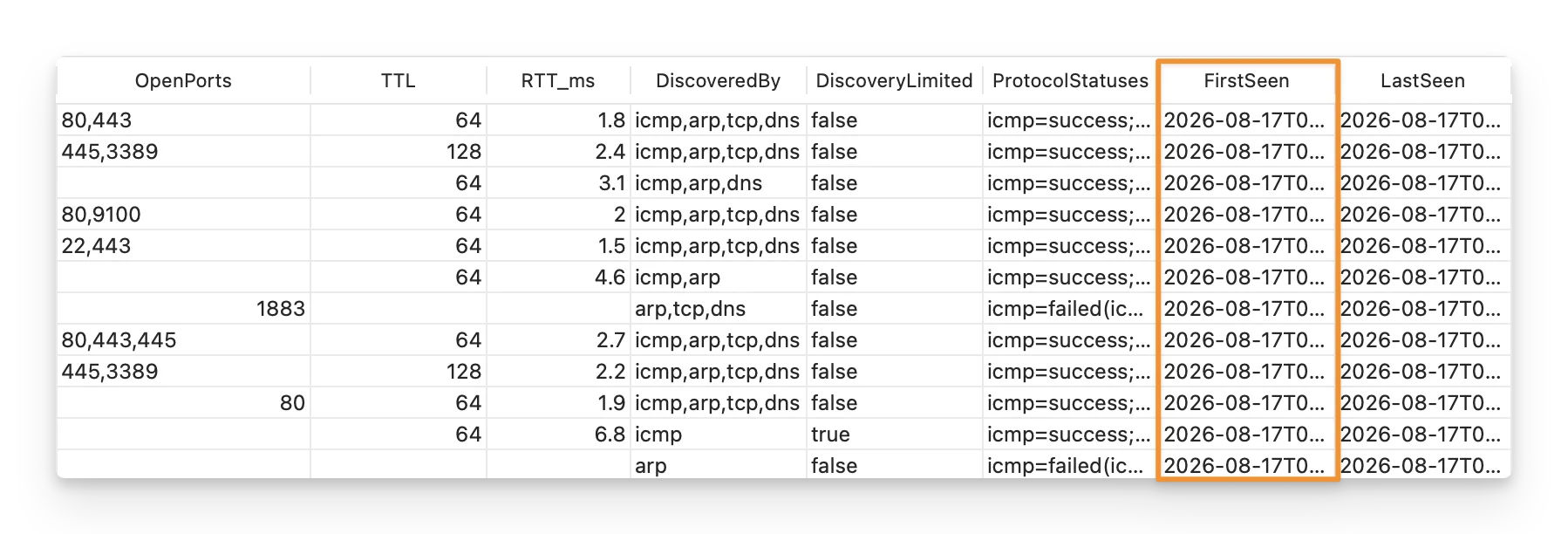
This timestamp applies to the current scan result. It does not represent the first time the device ever appeared on your network.
LastSeen
LastSeen records when the scanner last observed the device during the current scan run.
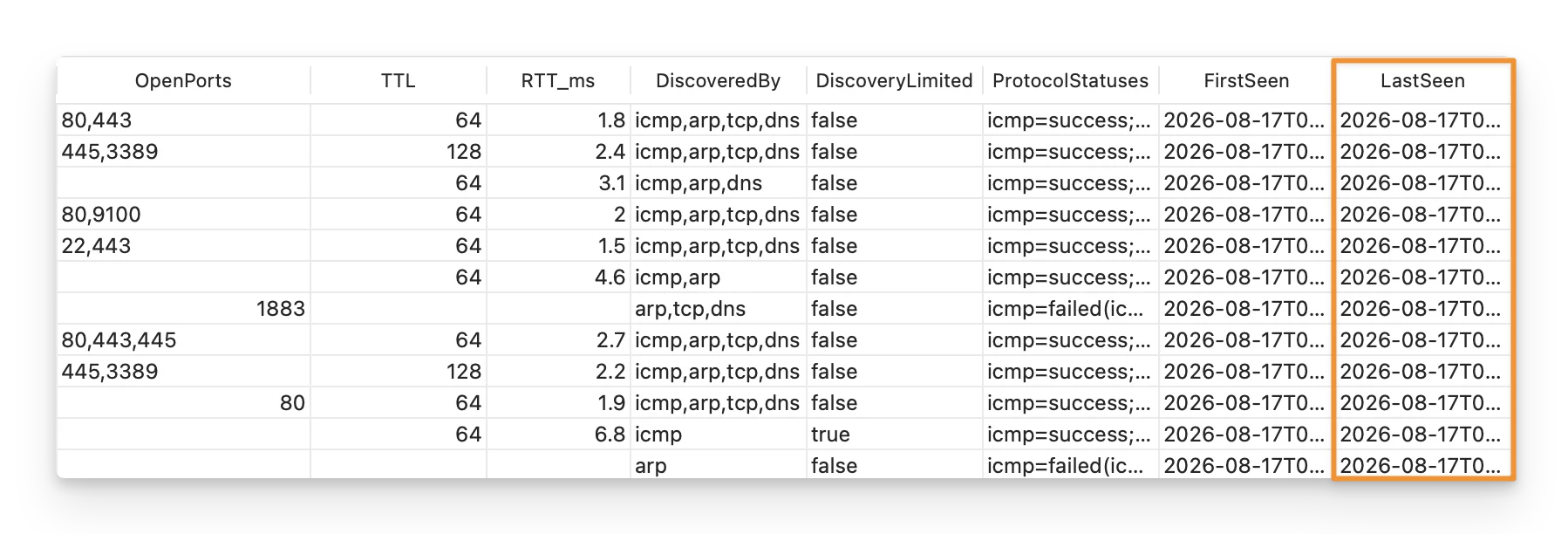
For a device observed only once during a scan, FirstSeen and LastSeen may be the same.
These timestamps help show when the device was observed while that particular scan was running.
They can also help you understand how far the scan progressed before it was stopped or interrupted.
ScanID
ScanID is the unique local identifier assigned to the scan run.
For example:
8f4c2e15-3b72-4e5a-91d8-5c6a7b2f1049
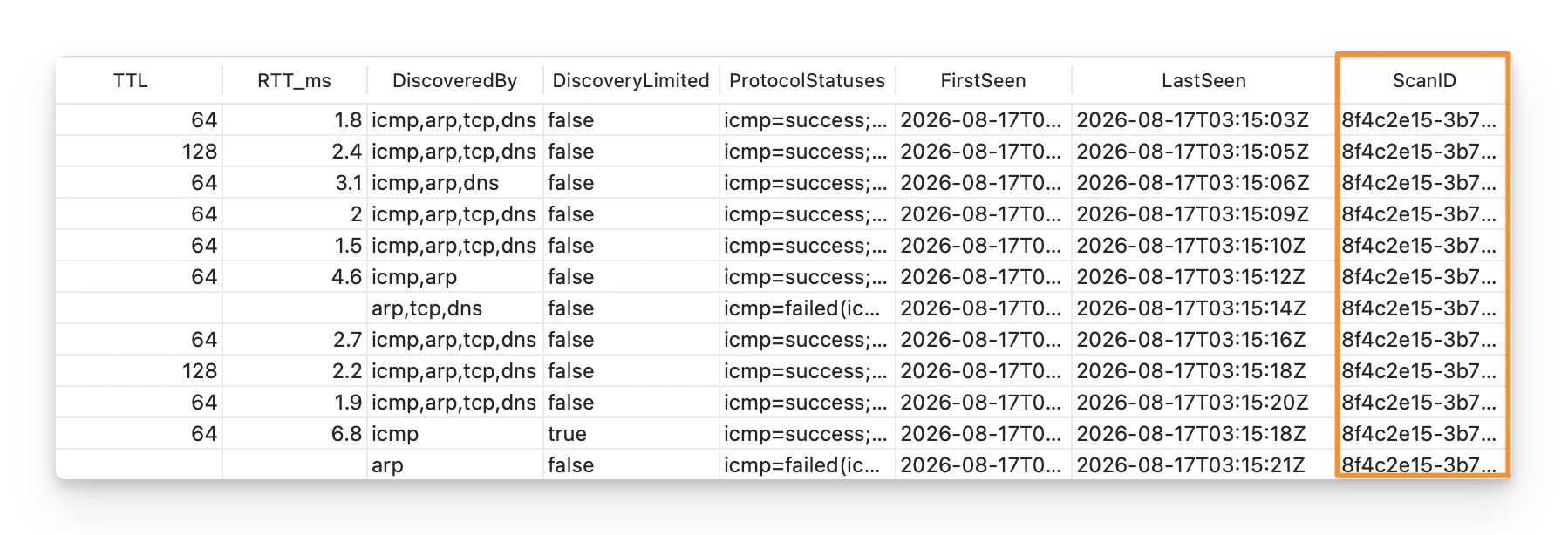
Devices discovered during the same scan share the same ScanID, allowing you to group devices from the same run when comparing results across multiple scans over time.