Policy Settings
Learn how to manage policy settings with AssetLoom
The Policies page allows configuring rules that control how you and other members interact with AssetLoom. These settings define how certain in-app actions behave, such as onboarding, asset assignment, and verification requirements.
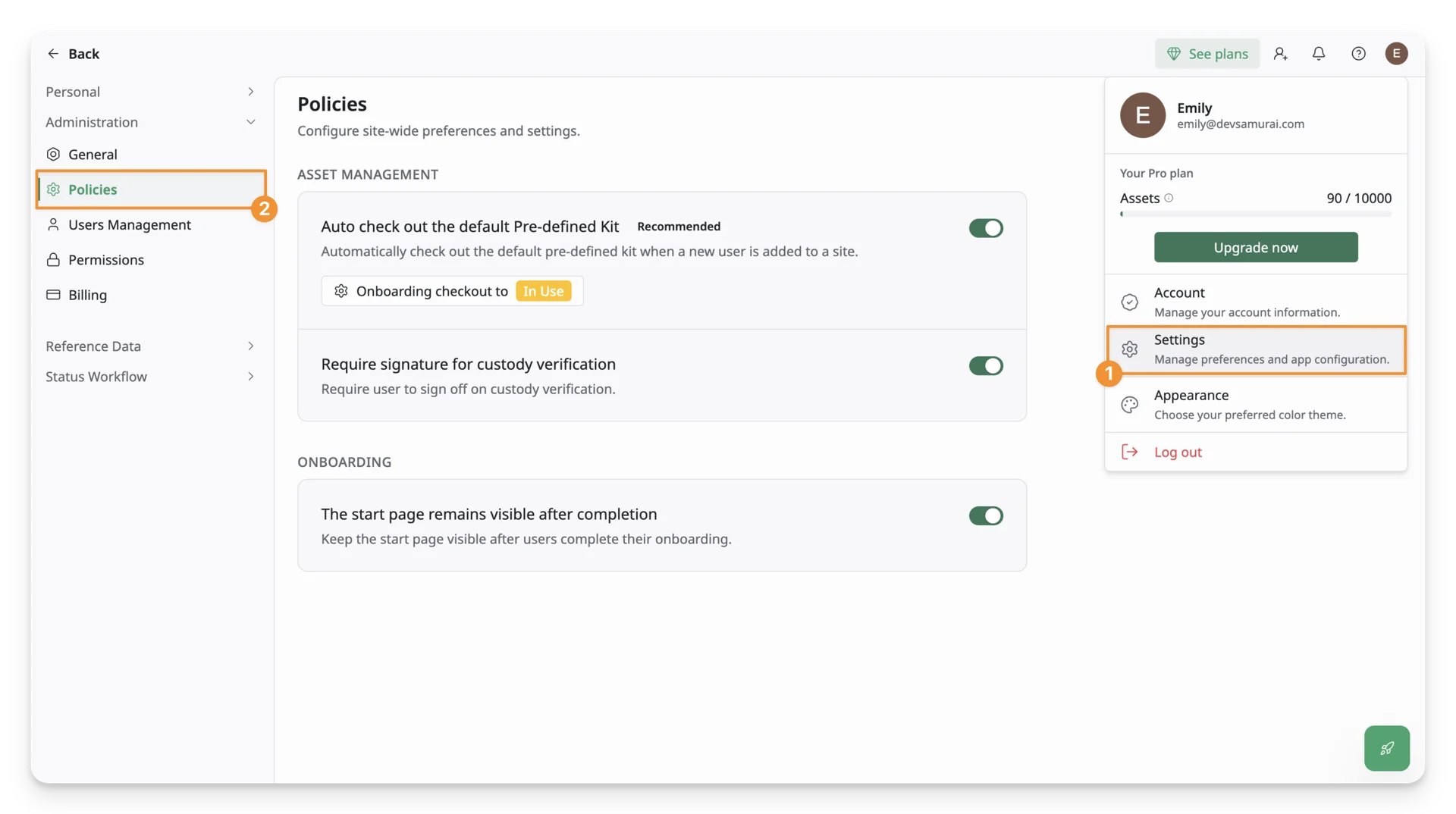
The Policy Settings located under Administration in Settings.
Only users with the Admin role can access and manage Policy Settings.
Asset Management
Auto-assign Onboarding Kit
This setting controls whether the predefined kit, which was marked as Onboarding Kit, is automatically assigned to new users.
An Onboarding Kit in AssetLoom is a predefined set of assets that is automatically assigned to new users when they join a site.
This is particularly useful when you want to ensure every new member receives a standard set of assets as part of their onboarding process, such as laptops, accessories, or other required equipment.
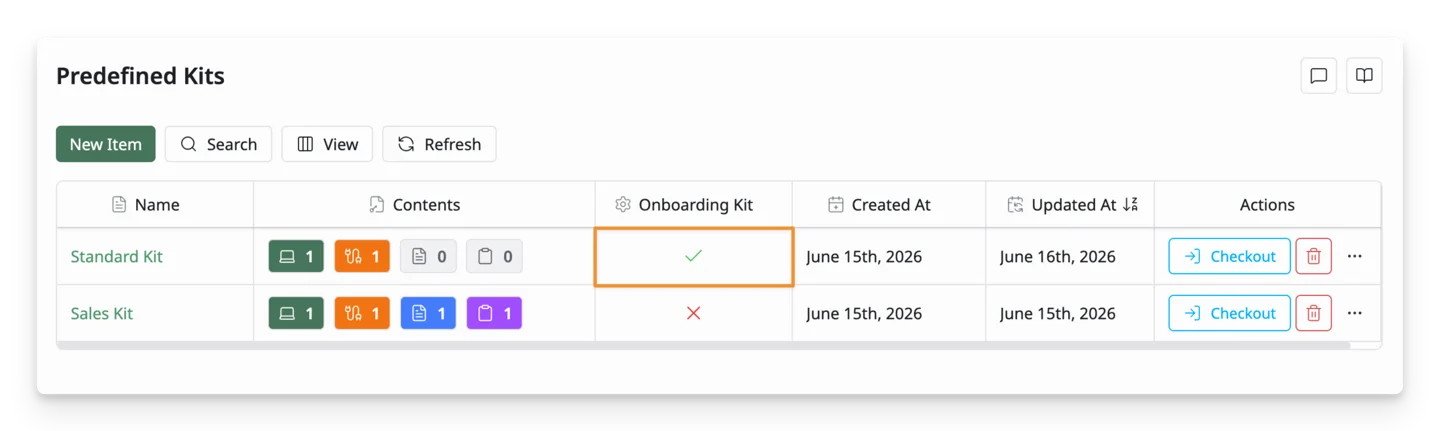
- When enabled, the system automatically checks out the predefined kit marked as the onboarding kit when a user is added to the site.
- When disabled, onboarding kits are not assigned automatically, and site admins must assign them manually.
Require signature for custody verification
This setting controls whether users must confirm responsibility for assigned assets with a signature. 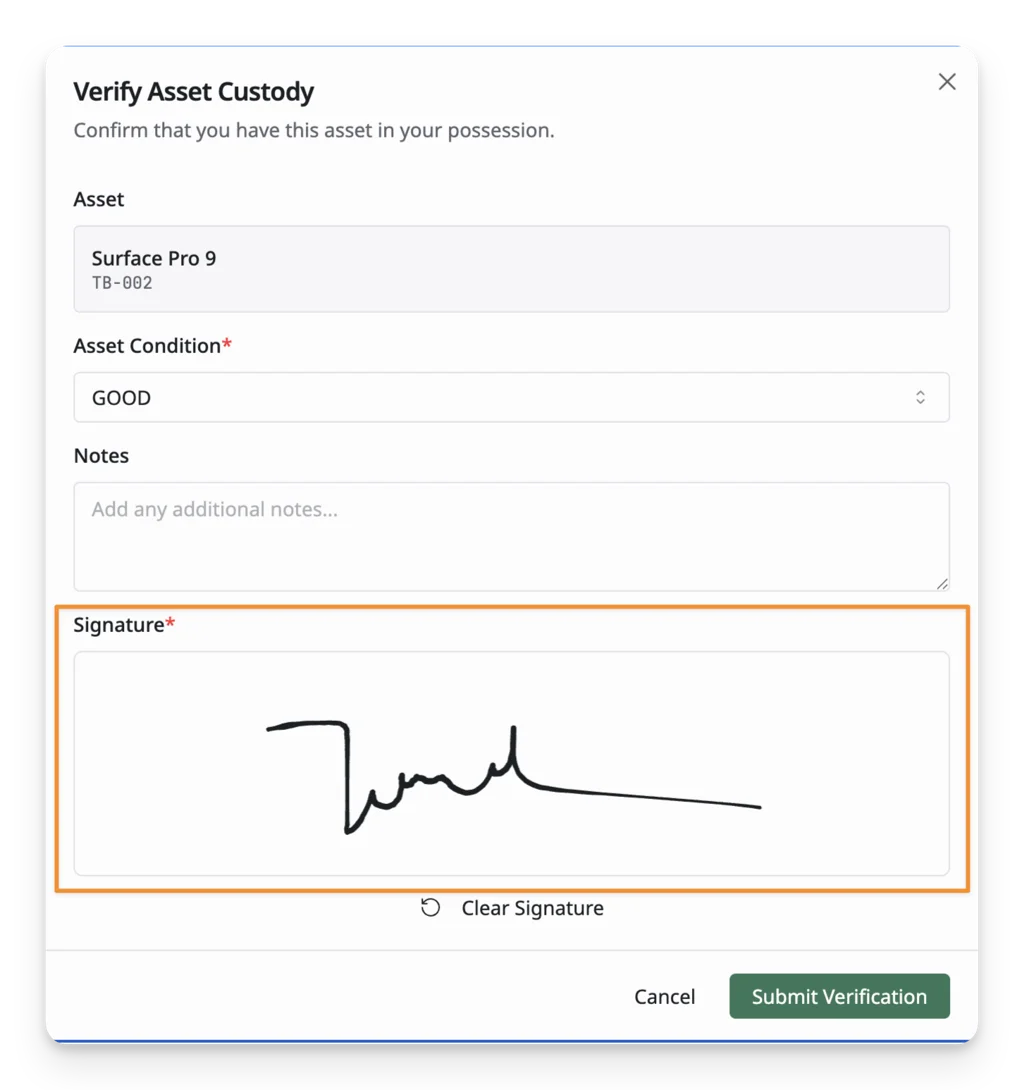
- When enabled, users must complete a signature before the asset assignment is finalized.
- When disabled, assets can be assigned without requiring a signature confirmation.
Onboarding
Show onboarding start page
This setting controls whether the onboarding start page remains visible after users complete onboarding.
- When enabled, users can still access the Get Started page even after finishing onboarding.
- When disabled, the onboarding start page is no longer shown once onboarding is completed.