Send a Custody Verification Request
Learn how to send a custody verification request
Admins and authorized users can send custody verification requests for assets that are currently assigned to users. A custody verification request asks the assignee to confirm whether they still have the asset and report its current condition.
Only users with the Admin Role or users with the Custody Verification Management permission can send custody verification requests.
An asset must be assigned to a user before custody verifications can be sent out. This confirms who is responsible for responding to the verification request.
Send a Custody Verification Request
To send out an asset custody verification:
-
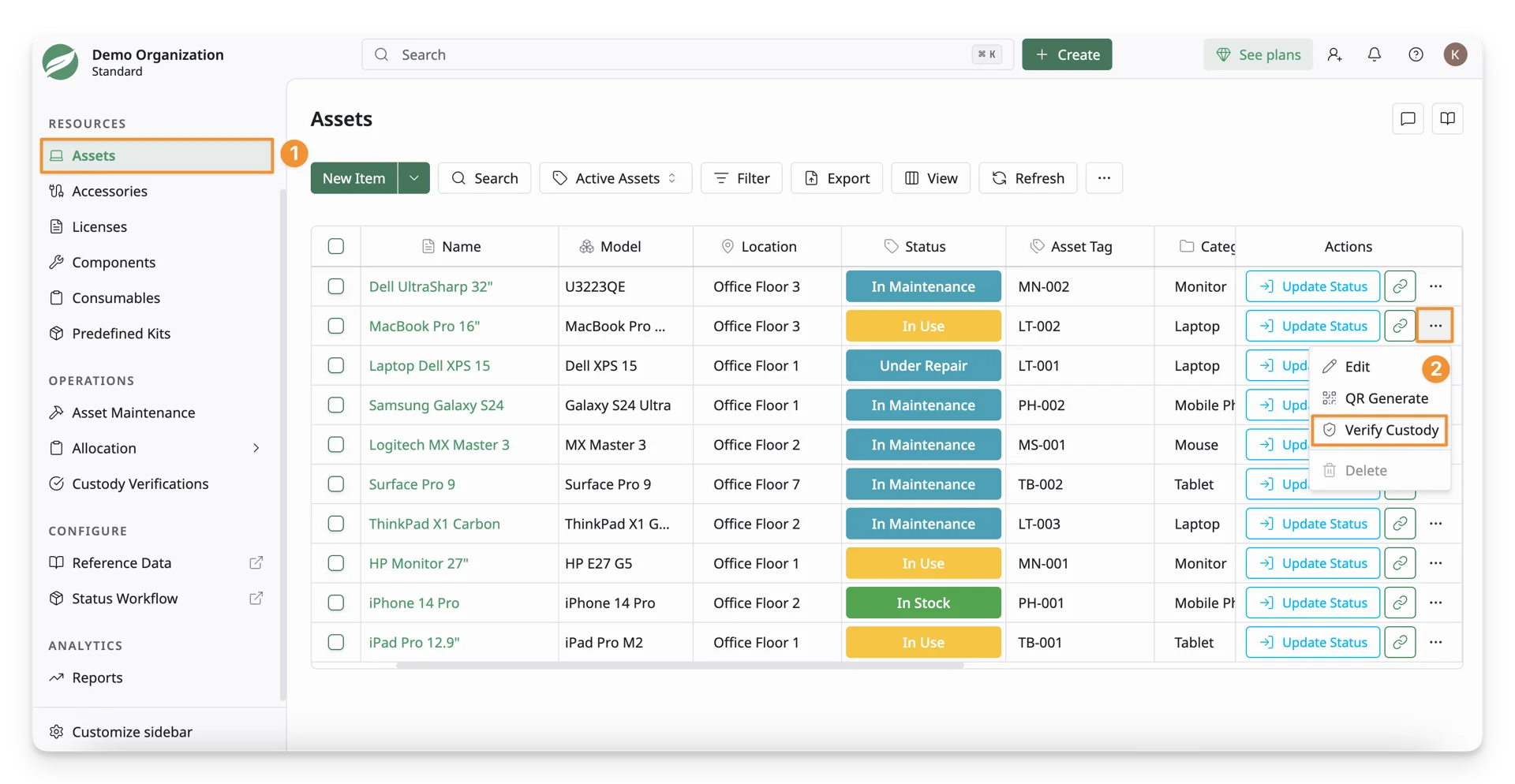
Go to the asset list and find the asset that requires custody verification. Ensure it is currently assigned to a user.
-
Click the More Options button for the asset and select Verify Custody.
-
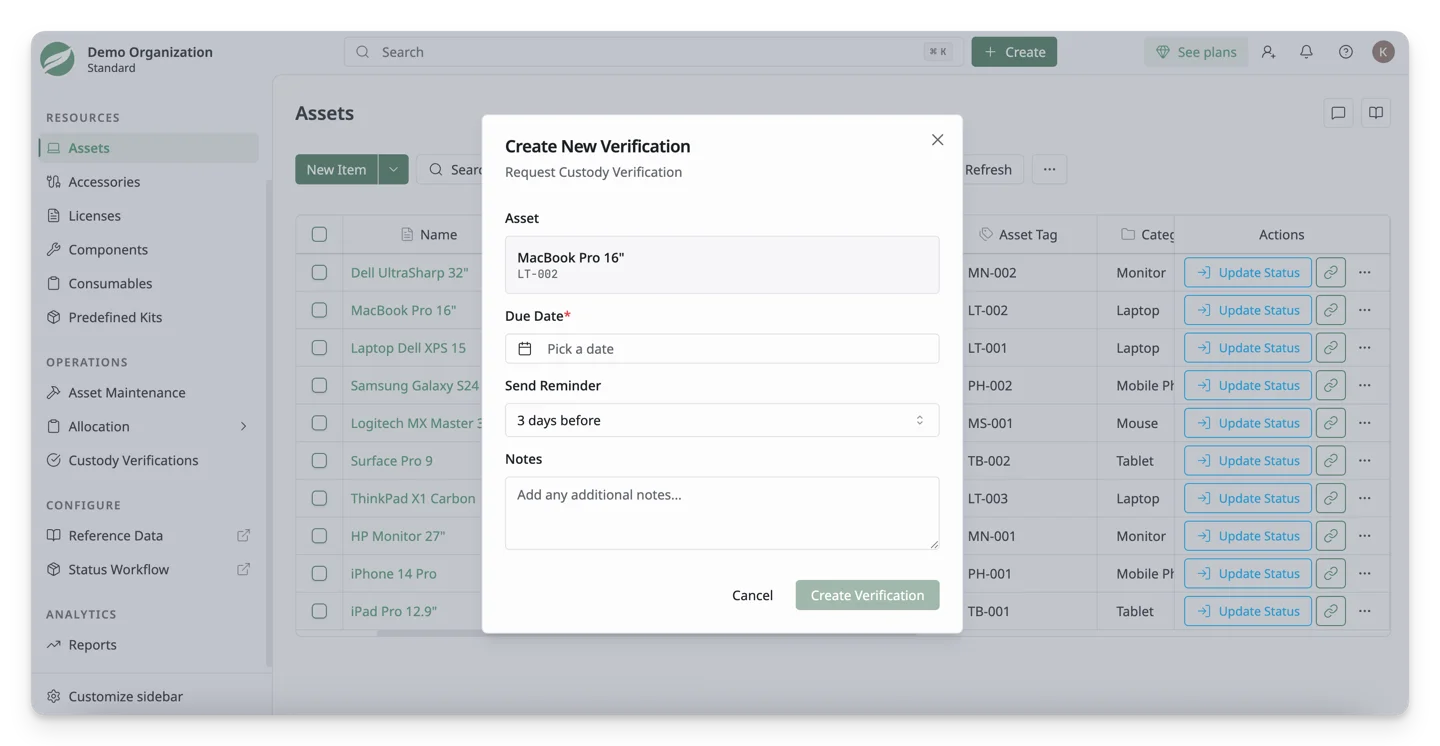
In the Create New Verification dialog, complete the required details:
- Asset: Shows the selected asset and asset tag.
- Due Date: Select the date by which the assignee must complete the verification.
- Send Reminder: Select when AssetLoom should send a reminder to the assignee before the due date. Available options include:
- 1 day before: Sends the reminder 1 day before the due date.
- 3 days before: Sends the reminder 3 days before the due date.
- 1 week before: Sends the reminder 1 week before the due date.
- 2 weeks before: Sends the reminder 2 weeks before the due date.
- Notes: Add any instructions or details the assignee should review before responding.
-
Select Create Verification to send the custody verification request.
After the request is sent, the assigned user receives an email notification asking them to verify custody of the asset.
You can choose whether assignees must provide a signature or not when responding to custody verification requests.
The signature requirement is managed in Admin Configurations.
What’s Next?
- Respond to a Custody Verification Request: Learn how to verify the possession of your assigned assets