AssetLoom v1.1.0: Jamf & Intune Integrations
[Introducing AssetLoom’s Jamf and Intune integration, bringing automated device discovery and centralized IT asset visibility to your asset management workflow. 🚀
This September v1.1.0 release introduces Jamf Pro and Microsoft Intune integrations, helping teams connect their endpoint management platforms with AssetLoom and bring managed device data into their IT asset workflows.
With Jamf and Intune integration, AssetLoom can automatically sync device information from your endpoint management systems, helping teams maintain up-to-date records for managed devices while continuing to track ownership, lifecycle, and operational details in one place.
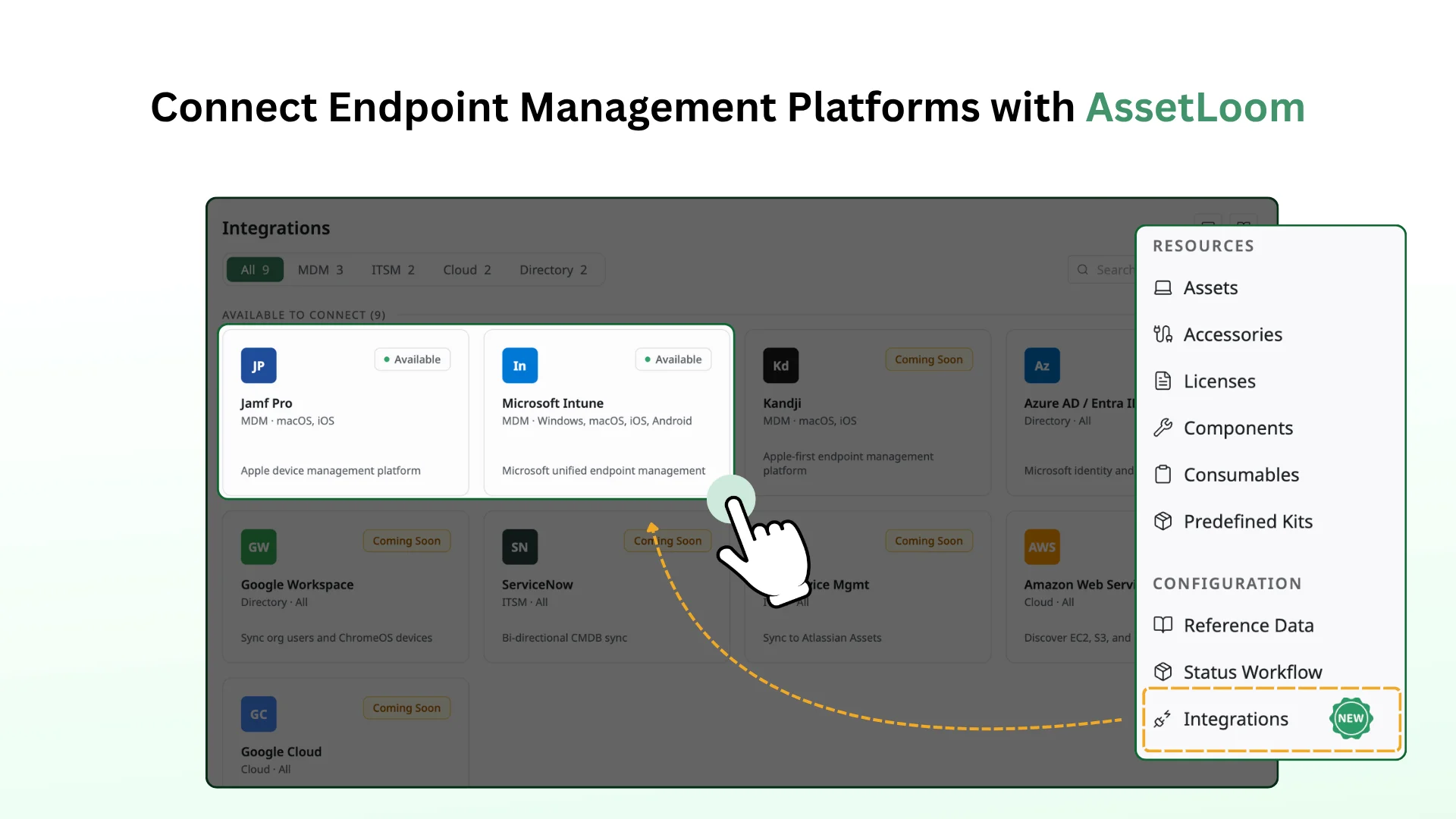
See what’s new in the latest AssetLoom release.
⚙️ 1. Device Data Synchronization
AssetLoom connects with Jamf Pro and Microsoft Intune to automatically sync managed device information into your IT asset inventory.
- Jamf Pro is a device management platform designed for managing Apple devices, including macOS and iOS devices.
- Microsoft Intune is a cloud-based endpoint management platform that helps organizations manage and secure devices, applications, and corporate data.
The integration can sync different types of device information, including:
- Asset general information: Sync basic asset details such as device name, serial number, asset tag, device type, manufacturer, model, and operating system information.
- Network information: Bring in network-related details such as MAC address, IP address, and other connectivity information available from the endpoint management platform.
- Other information: Sync additional device details such as status, last check-in time, hardware specifications, user assignment, and other available system information.
- Custom fields: Map additional data fields from Jamf Pro or Microsoft Intune to AssetLoom custom fields, allowing teams to keep asset records aligned with their existing tracking requirements.
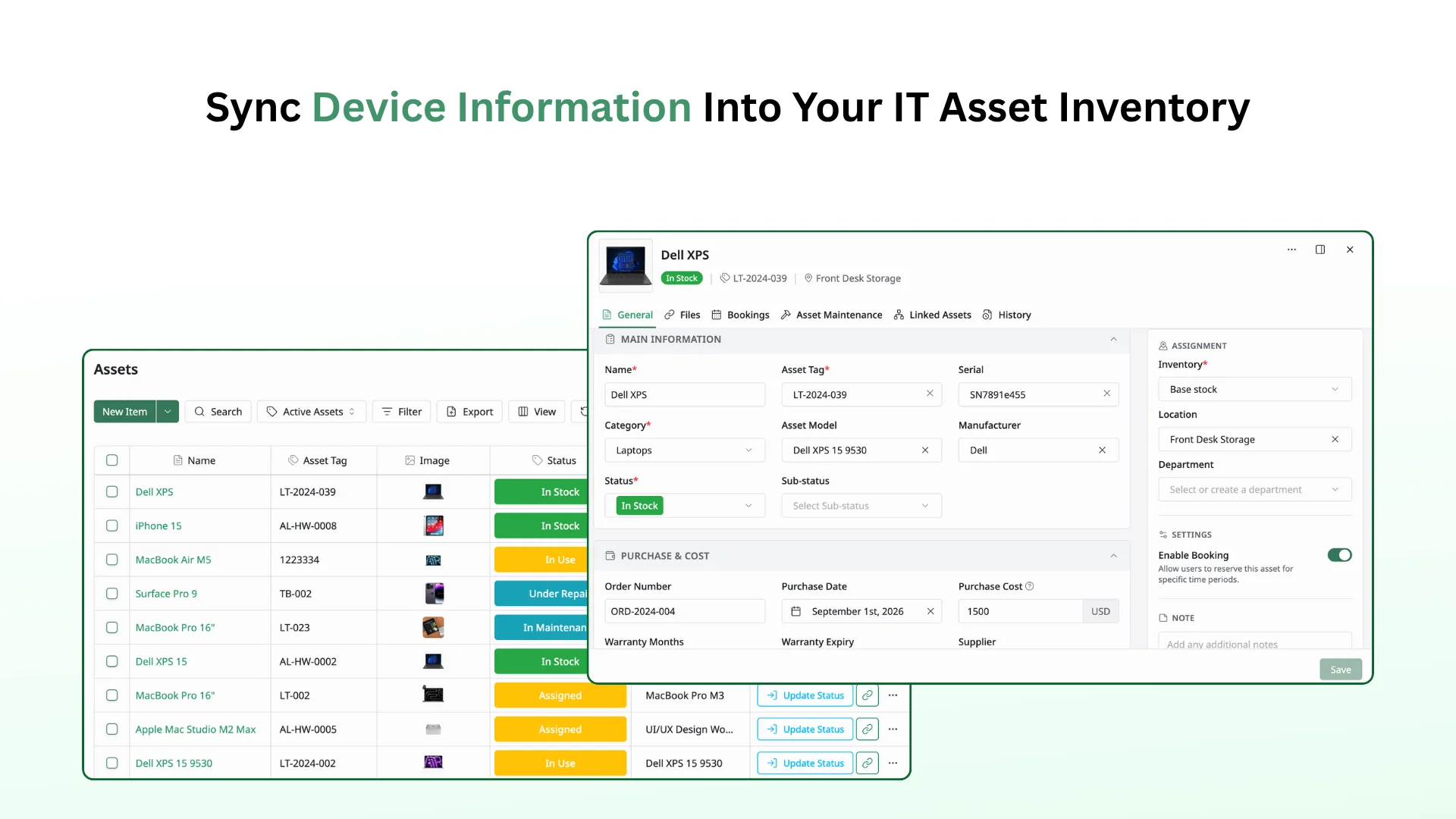
Once synchronized, device information becomes part of your AssetLoom inventory, helping teams manage ownership, lifecycle changes, and IT operations from a centralized platform.
💡2. How Jamf Pro and Microsoft Intune Integrations
The integration works by securely reading device information from Jamf Pro and Microsoft Intune, then creating or updating the corresponding asset records in AssetLoom.
To connect with these platforms, AssetLoom requires read-only access to retrieve device inventory data. AssetLoom does not write any changes back to Jamf Pro.
Once connected, AssetLoom keeps inventory updated through:
- Scheduled syncs: Automatically update device information based on your configured schedule.
- Manual syncs: Trigger an immediate update using Sync Now.
- Jamf Pro webhooks: Receive device events such as enrollment, device additions, and inventory updates for faster synchronization.
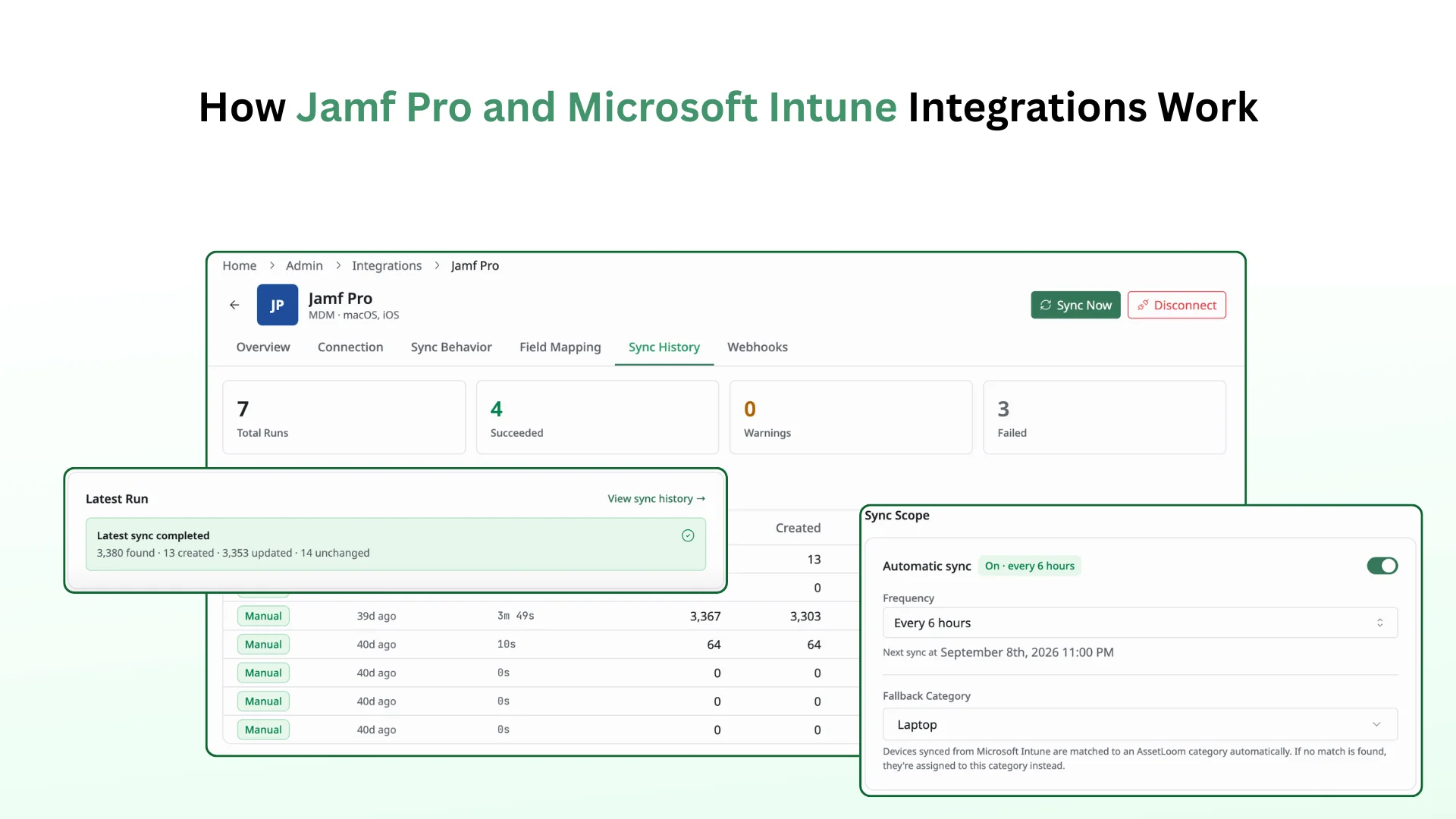
Administrators can also configure how synced data is handled by choosing whether the provider value, AssetLoom value, or only empty fields should be updated.
You can also control how data from Jamf Pro and Microsoft Intune is mapped to AssetLoom fields, ensuring synced information is organized correctly and aligned with existing asset records.
Learn more about setting up the Jamf Pro integration and Microsoft Intune integration.
AssetLoom is continuously growing to help teams simplify IT asset operations. This release brings deeper integration with endpoint management platforms, making it easier to keep device inventory accurate and connected.
We appreciate your feedback and support as we continue building the future of IT asset management.
📩 Contact Support
🌐 Visit www.assetloom.com