AssetLoom v1.0.0: First Release
Introducing AssetLoom v1.0.0, the first release of our IT Asset Management platform. This release includes core capabilities to help teams track, manage, and optimize their IT assets in one place. 🚀
See what shipped in the first release of AssetLoom.
AssetLoom v1.0 brings IT asset management together in one place. This first release covers five resource types: Assets, Accessories, Licenses, Components, and Consumables, along with the daily operations needed to keep them accountable after checkout, plus reporting and role-based access control.
1. Asset & Inventory Management
Every resource type follows the same flow: import it, track its stock or status, then check it out and back in with rules designed for how each resource is used.
💻 Assets
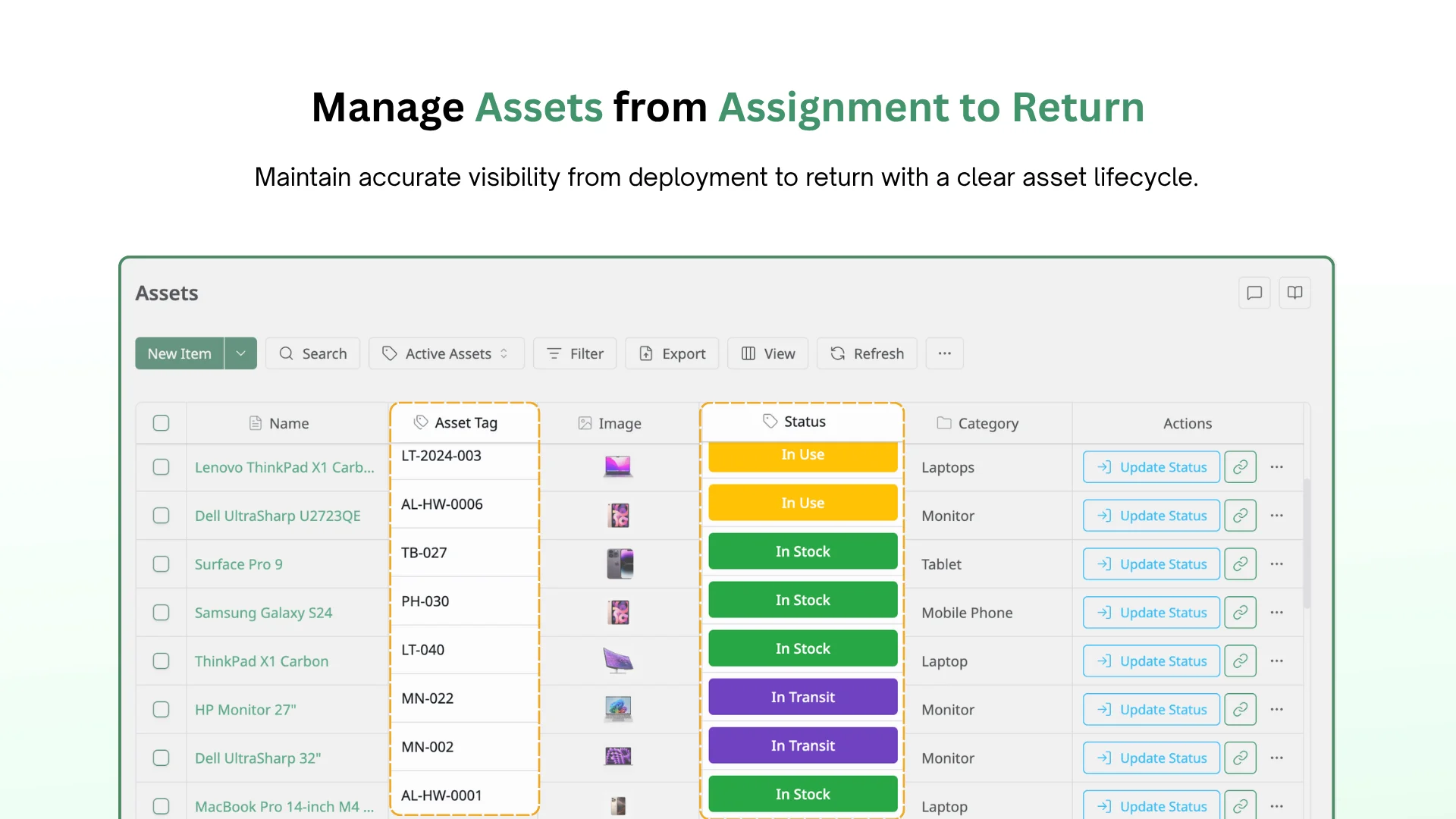
Assets are tracked by status, moving through a workflow you define yourself. Add your own statuses and the transition rules between them, so the board matches how your organization actually moves equipment.
Each asset can carry a custom asset tag, with a generated QR code or barcode for fast physical identification. Use Checkout to assign an asset to a person, and Check-in to get it back.
🎙️ Accessories
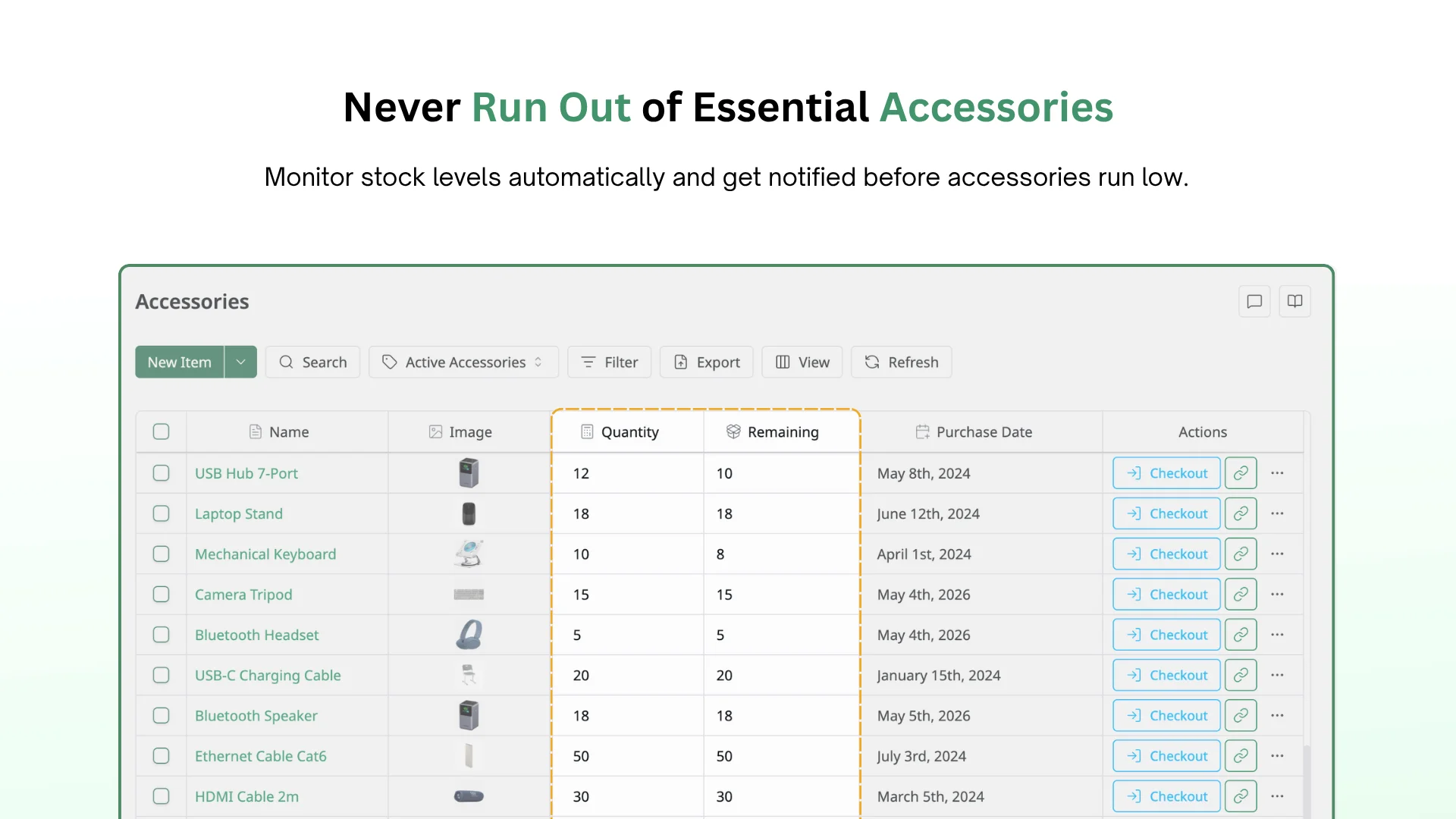
Accessories track stock quantity automatically as items are checked out and returned. Set a low-stock threshold to get notified by email, in-app, or in your browser the moment you cross it. Check out an accessory to a person or attach it to an asset.
Accessories and Licenses support auto-depreciation. Once a depreciation rule is assigned, AssetLoom calculates depreciation based on cost and purchase date.
📄 Licenses
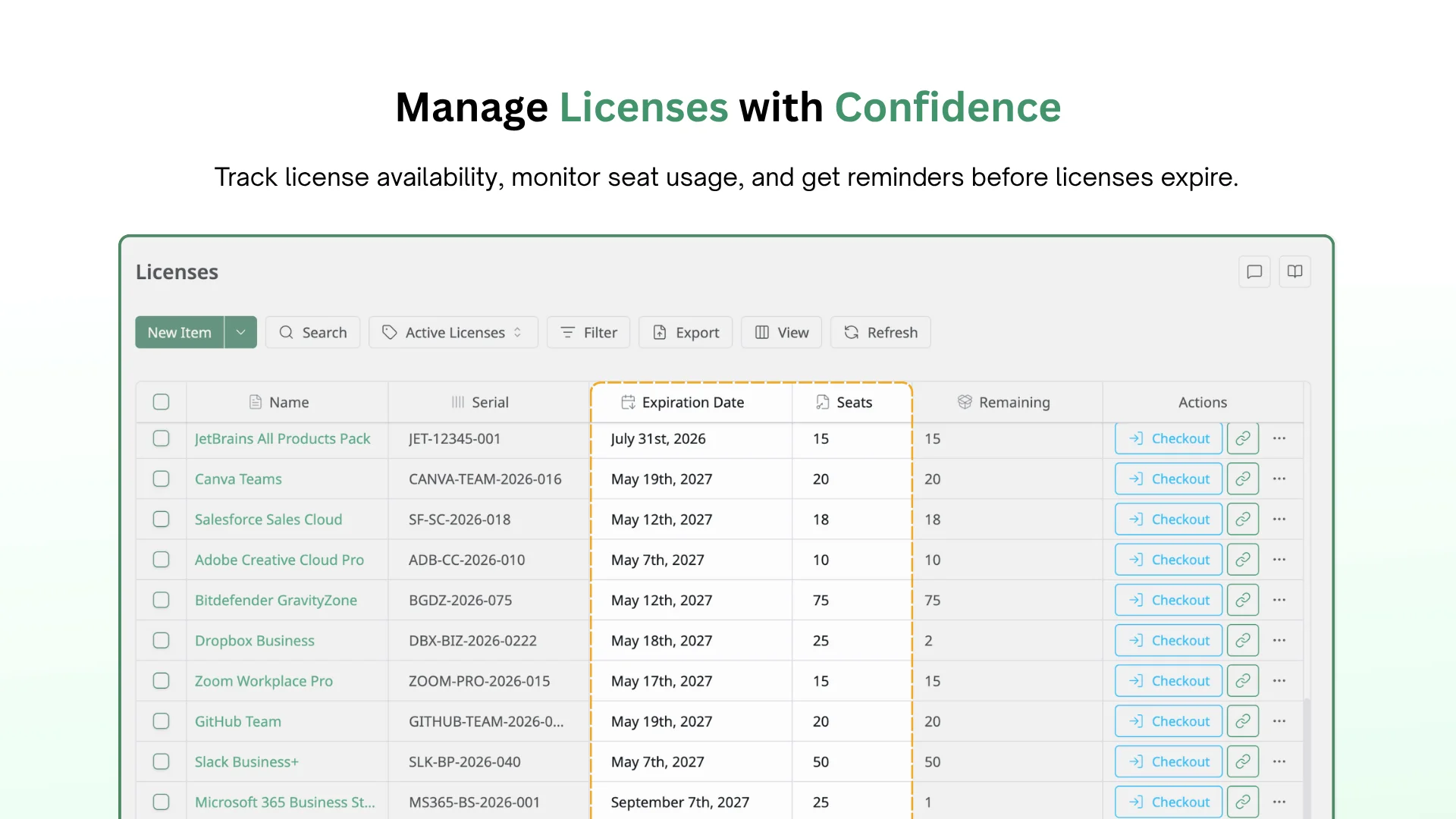
Licenses are tracked by seat instead of unit. Check a seat out to a person or an asset, and remaining seats update live. Set a near-expiration threshold to get reminded by email, in-app, or browser before a license lapses.
🖥️ Components
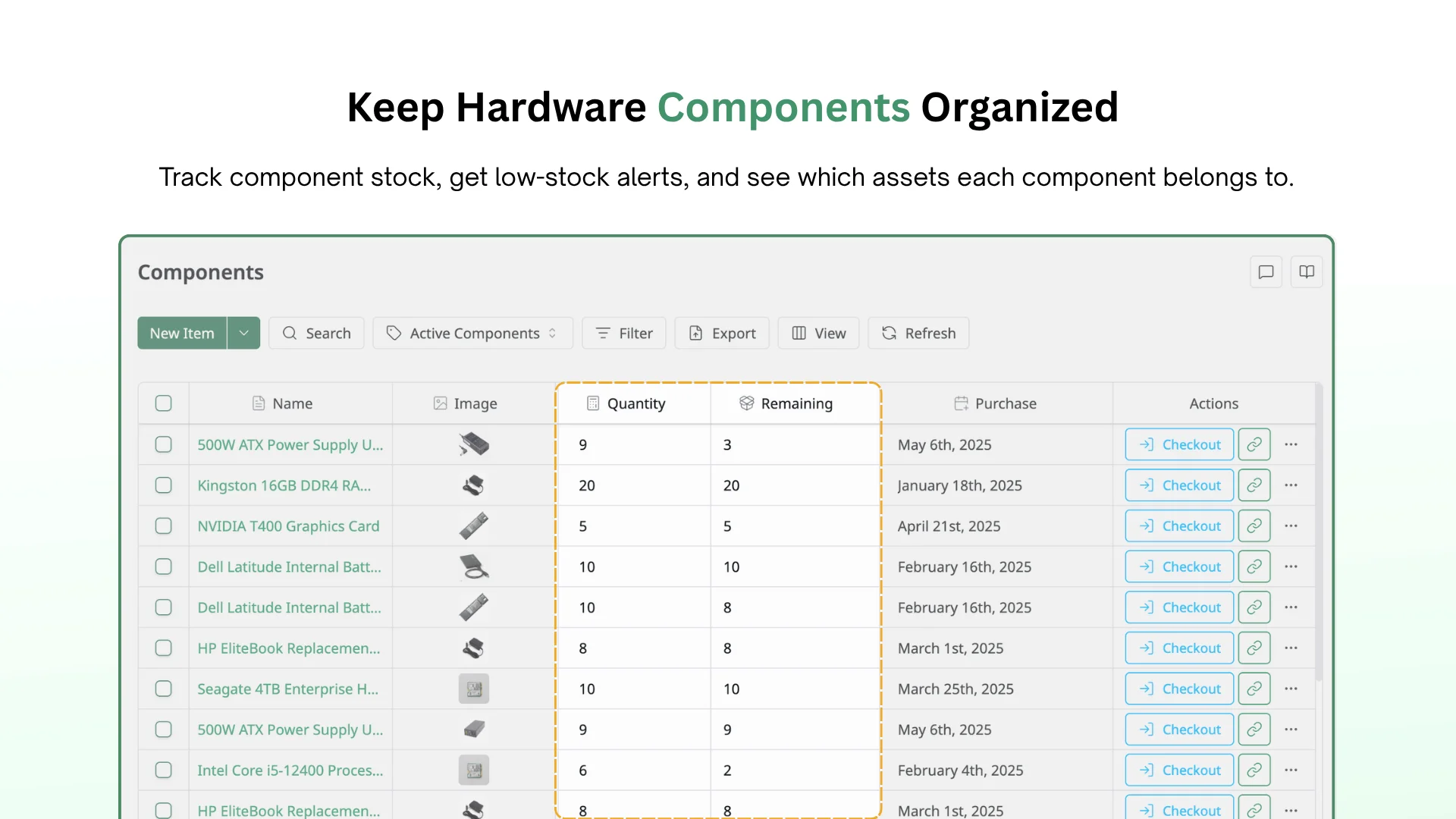
Components track stock quantity and low-stock alerts the same way accessories do. The difference is checkout: components are scoped to assets, since they live inside something else rather than with a person.
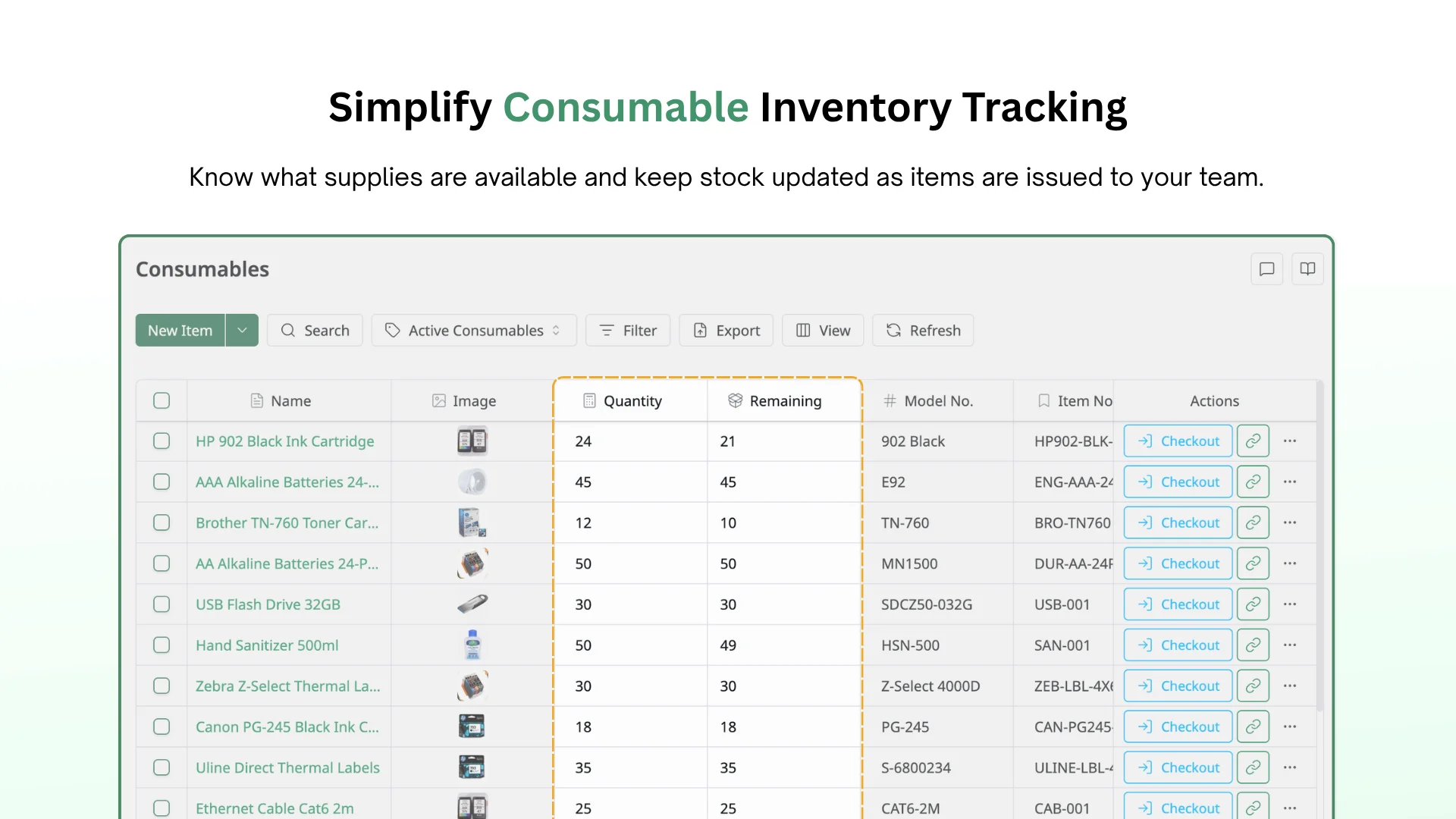
📦 Consumables
Consumables also track stock quantity and low-stock alerts. They check out to a person only, with no check-in expected — consumables are meant to run out.
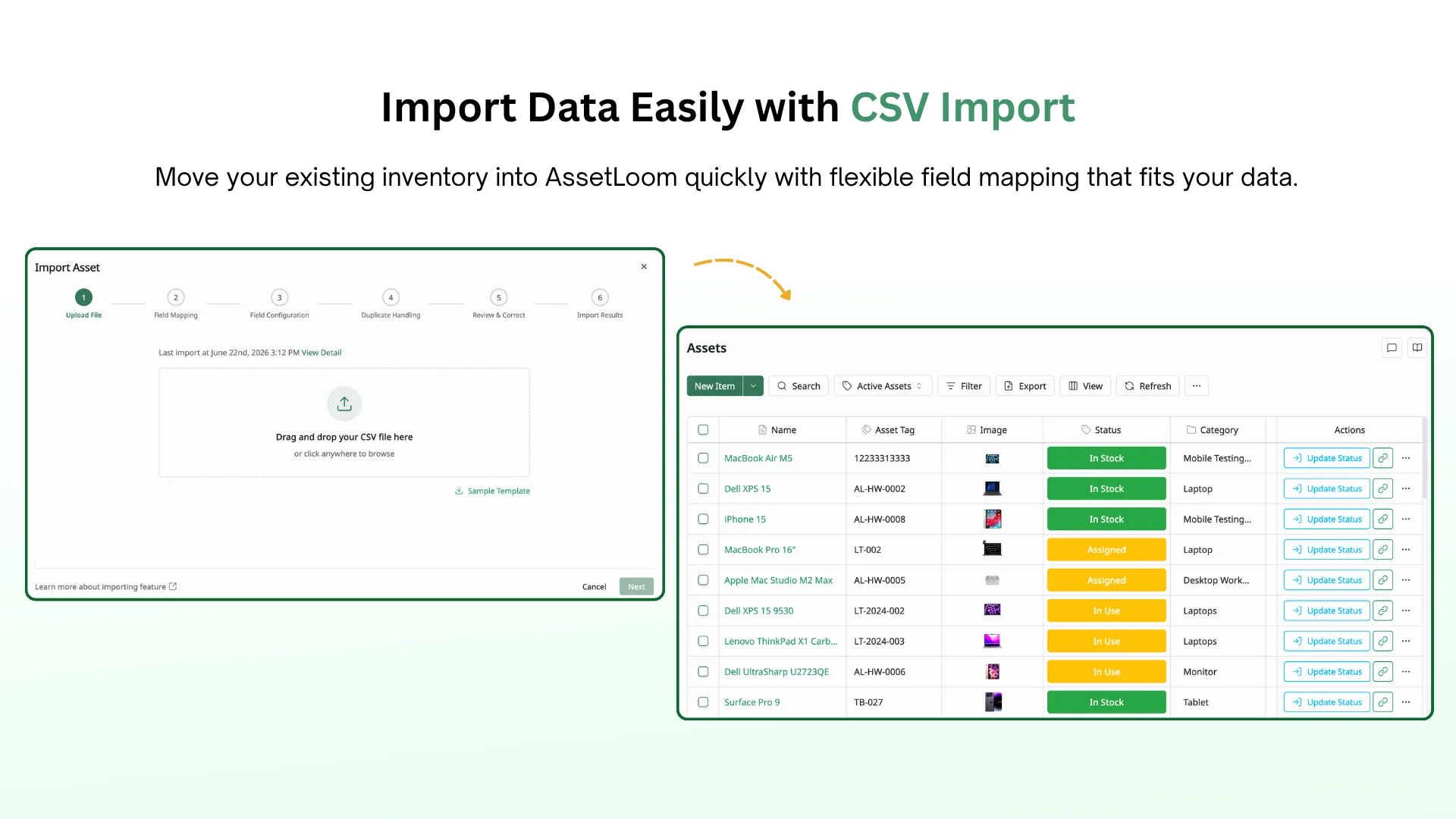
📥 CSV Import
Import Assets, Accessories, Licenses, Components, and Consumables directly from a CSV file. You map your own columns to AssetLoom’s fields, so data comes in the way you already have it.
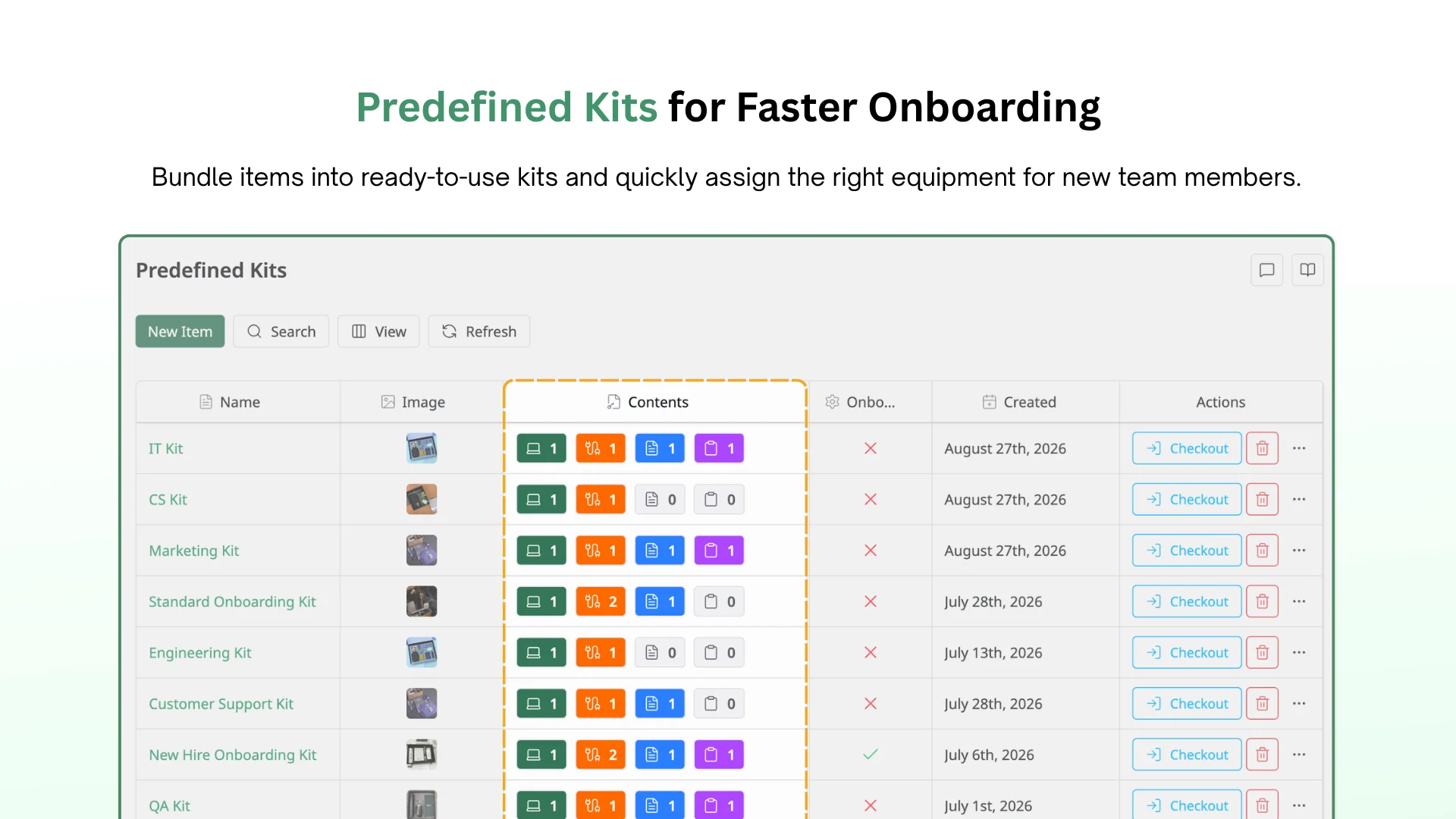
🧰 Predefined Kits
Bundle a set of items into a kit that’s ready to check out as a single unit. Mark a kit as an onboarding kit, and it checks out automatically the moment a new account is added to the site.
2. IT Asset Operations
What keeps things accountable once an asset leaves the shelf.
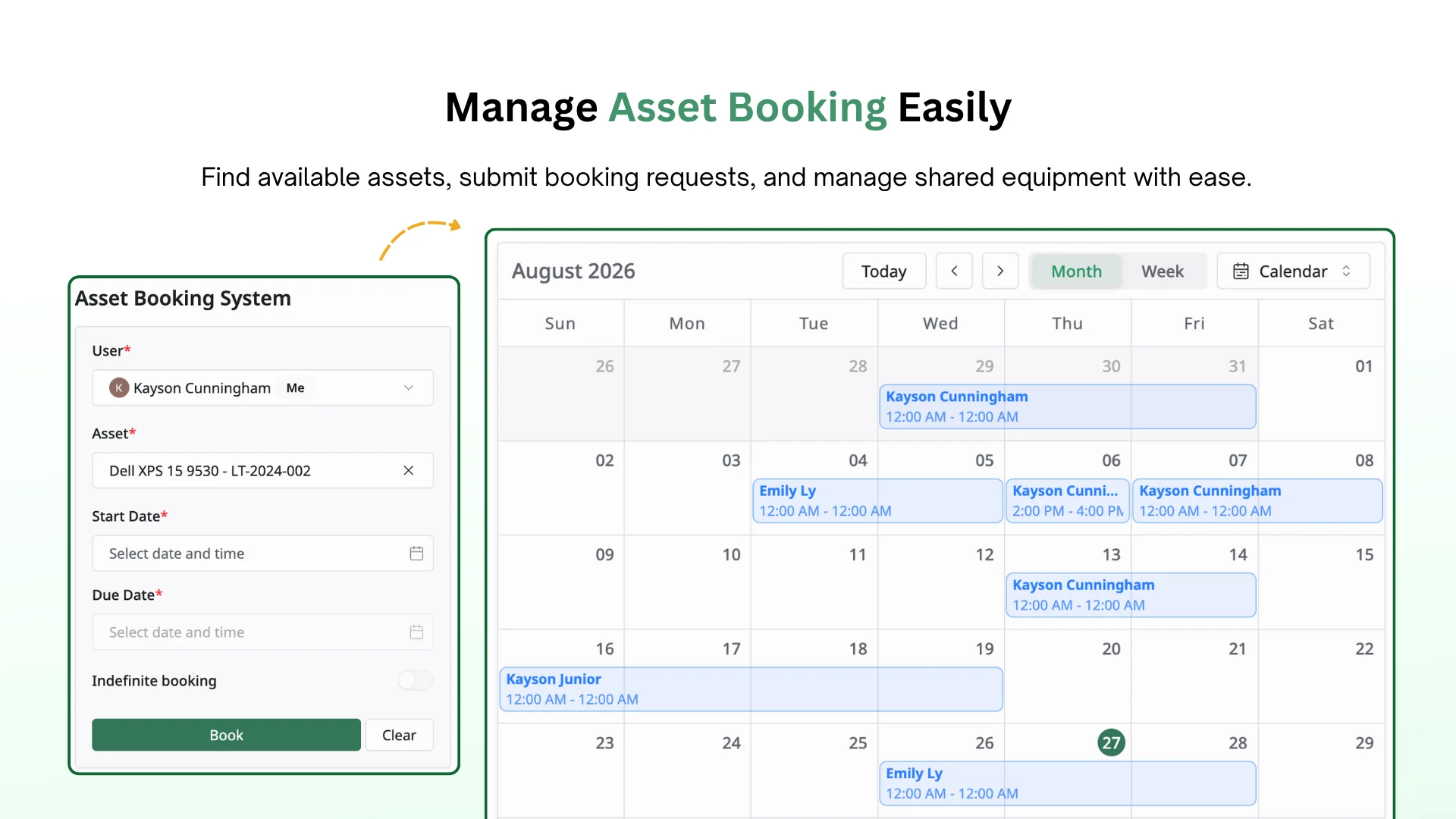
📅 Asset Booking
Request an asset against a calendar, and check its availability first, to prevent booking conflicts.
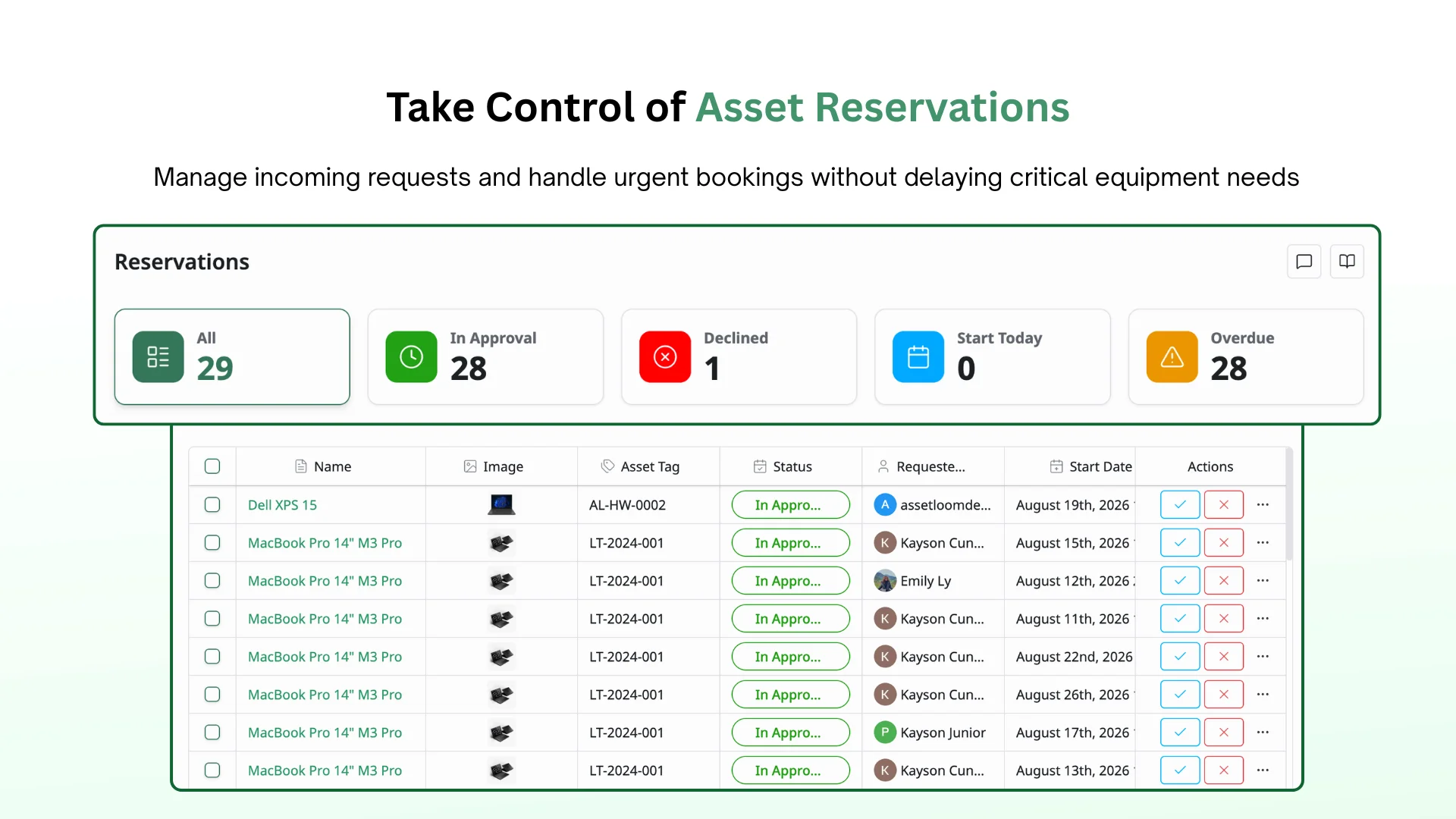
🗓️ Reservation Management
Review every booking request, then approve or decline it. Urgent requests can be prioritized through a dedicated 4-hour window instead of waiting behind routine bookings.
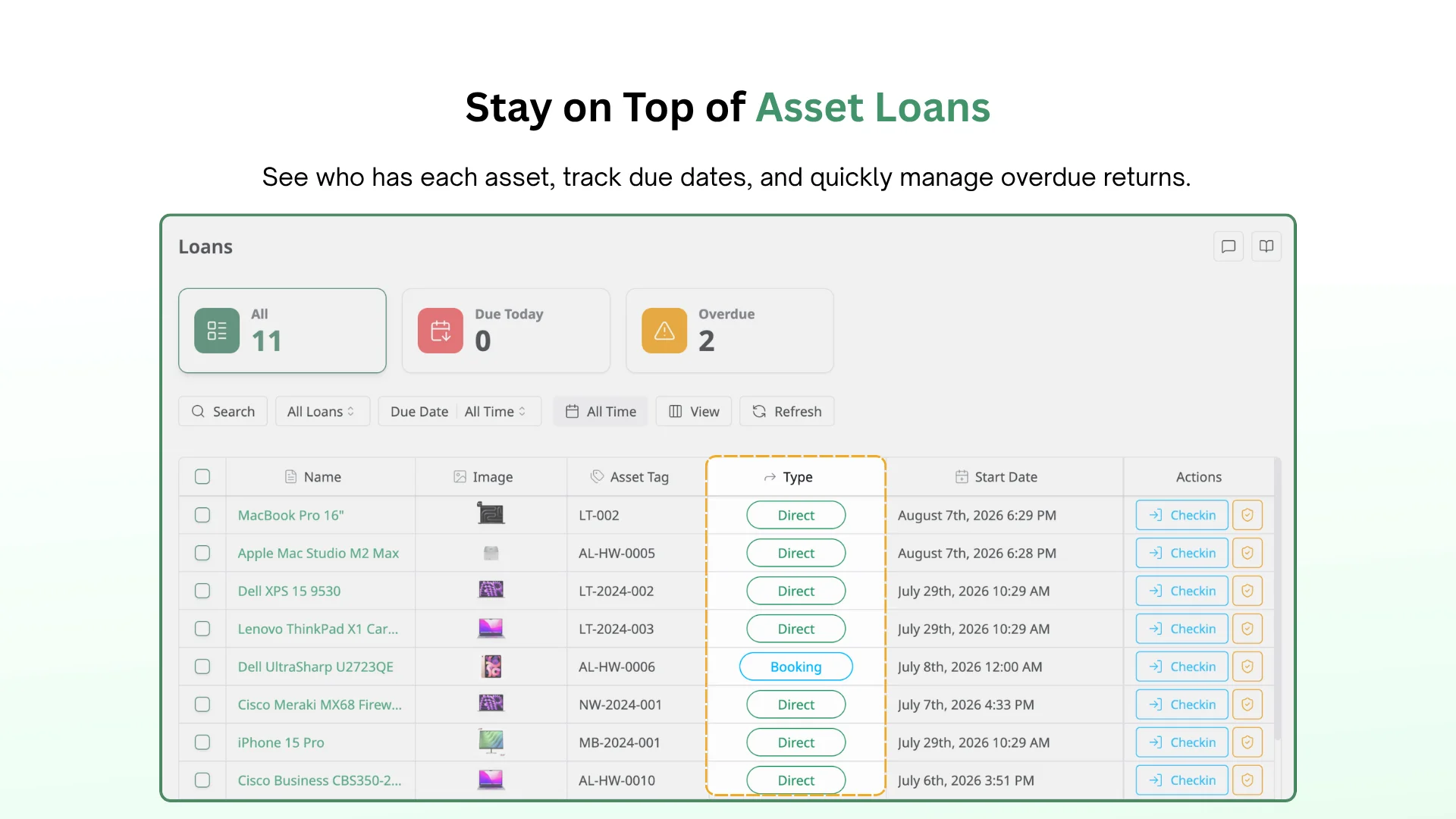
🔄 Loan Management
See who has what asset at a glance, and check in anything that’s overdue for return.
✅ Custody Verification
Send a custody verification request to whoever holds an asset. They confirm it’s in good condition, flag it as broken, or report it’s no longer in their possession — so accountability doesn’t rely on memory.
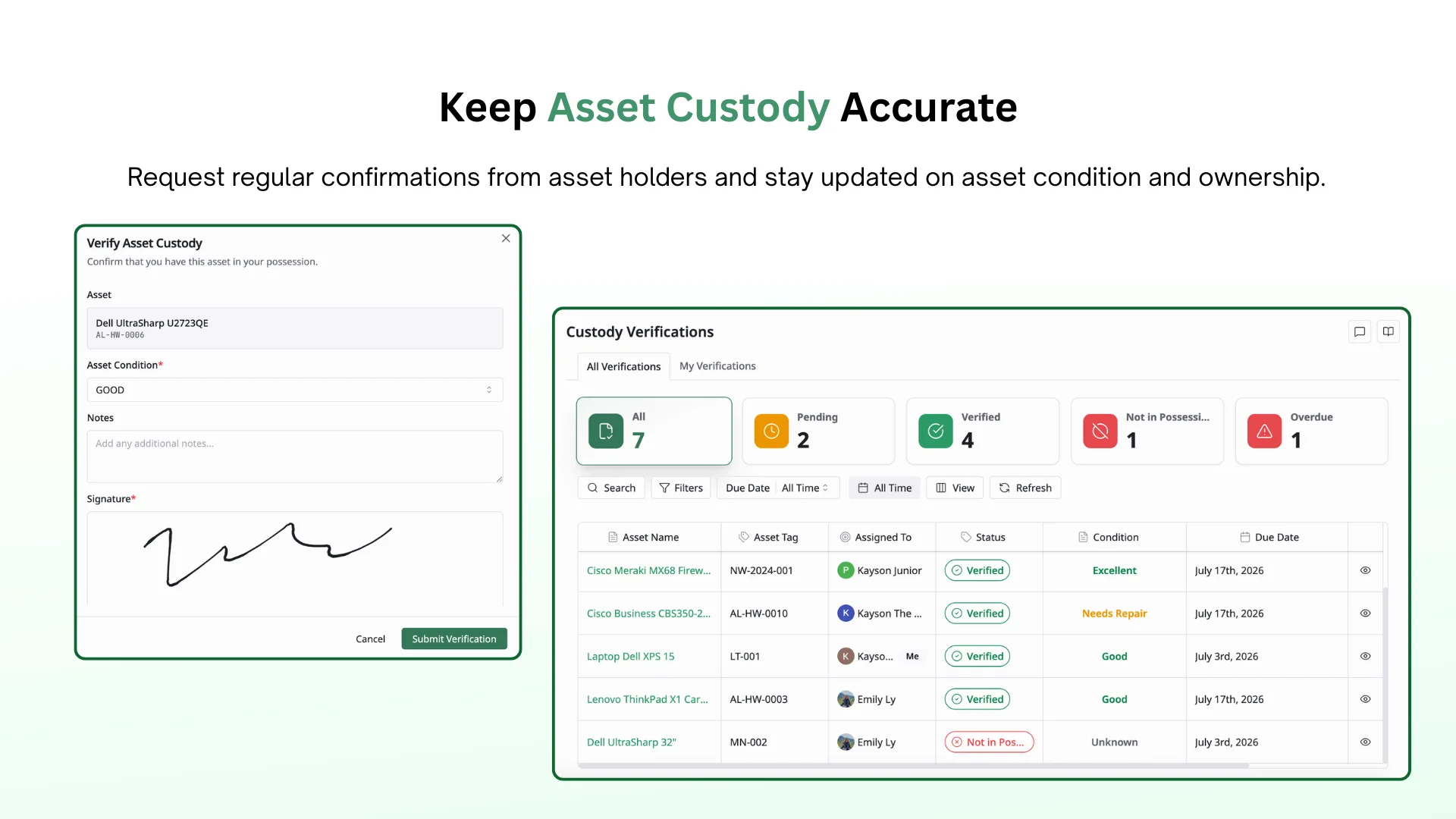
Custody verification requests are sent to the current holder of the asset, not the asset’s original owner or admin.
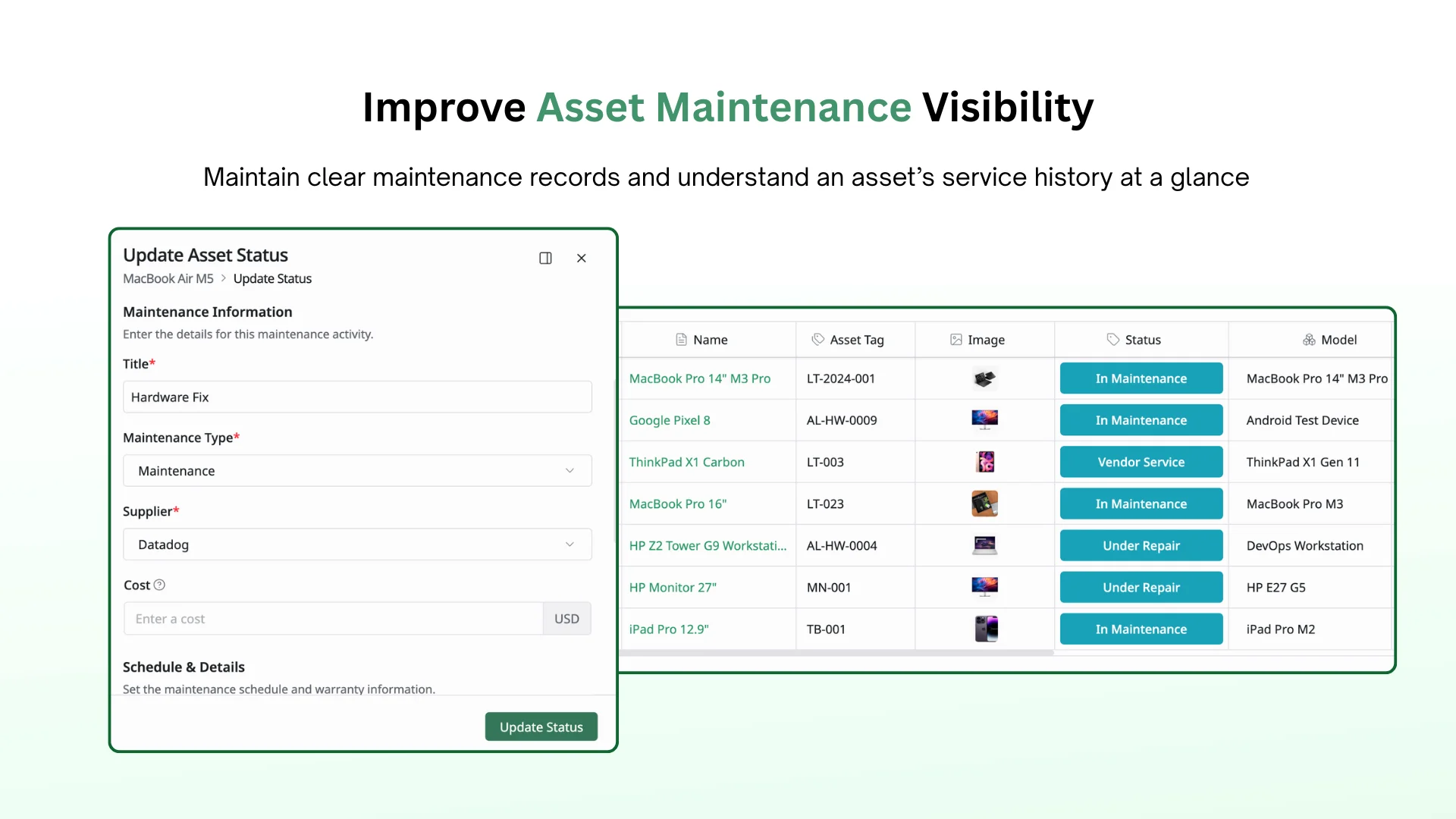
🔧 Asset Maintenance
Log maintenance periods directly against an asset’s record, so service history travels with the item.
3. Reports & Dashboards
Turn asset data into visibility for daily operations and decision-making.
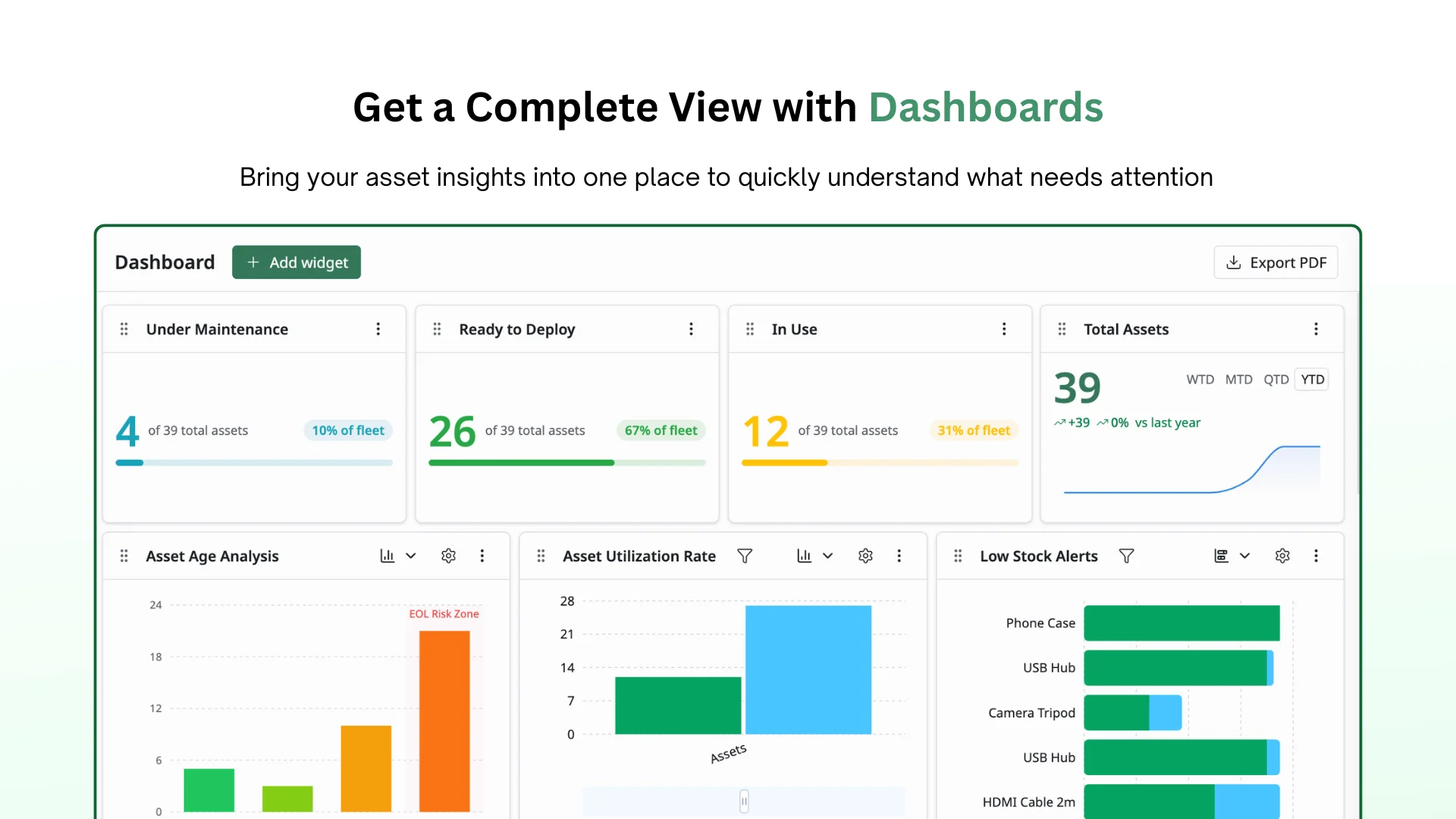
📊 Dashboards
A dashboard view brings key information from every resource type into one place: financial metrics, asset management, compliance & security, operational metrics, and inventory management.
Instead of checking multiple lists, you can quickly understand your inventory status and identify what needs attention.
📑 Reports
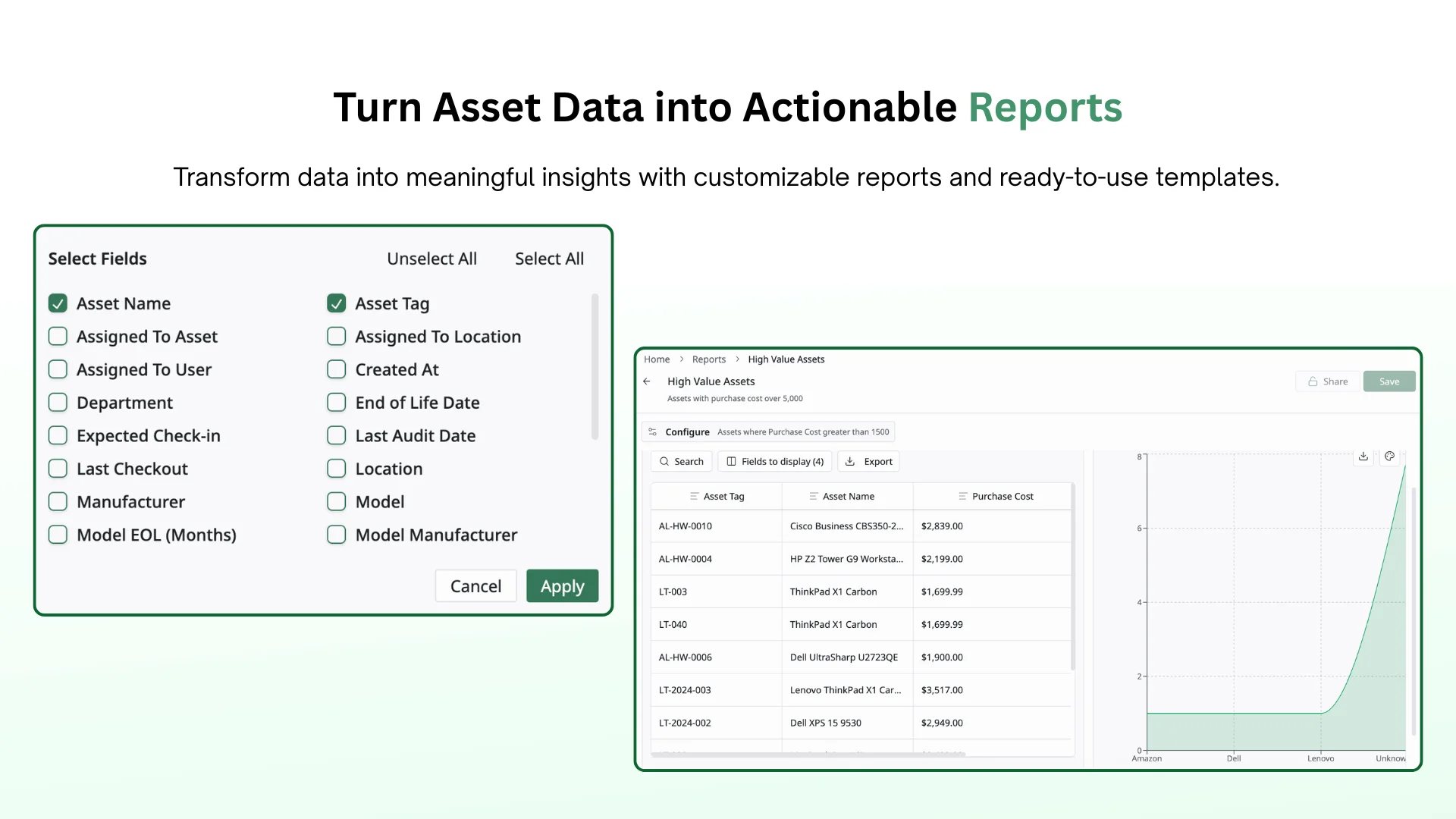
A report helps you turn asset data into actionable insights. You can either apply ready-to-use report templates or create custom reports with flexible filters and configuration options.
Gain visibility into your assets, accessories, components, consumables, users, licenses, analytics, and financial data to better understand your inventory and resource usage.
4. Roles & Permissions
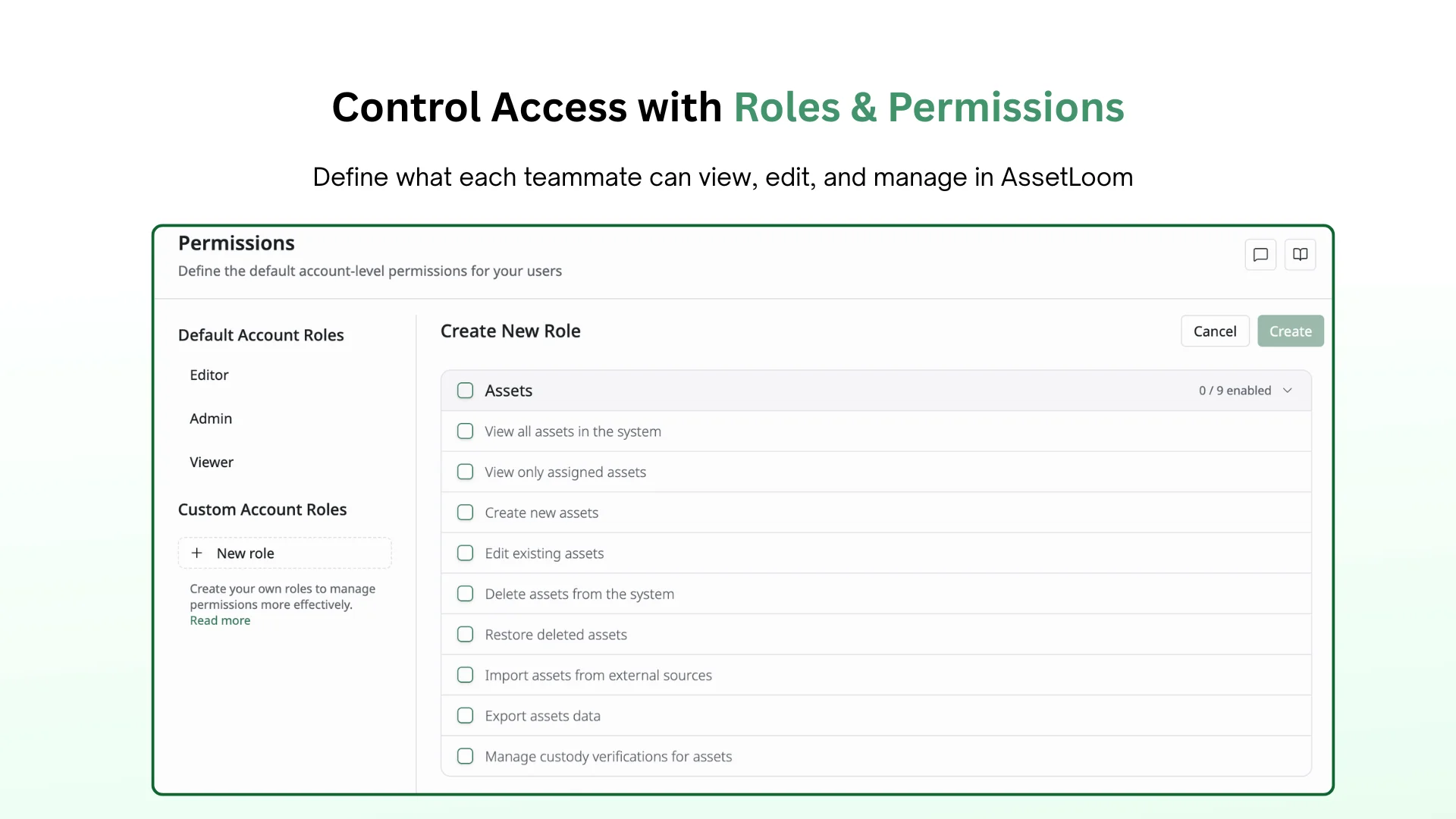
Access is controlled by role. Assign each teammate a role that determines which resources they can view, edit, or check out, so people only see and touch what’s relevant to their job.
Roles
AssetLoom includes built-in roles:
- Admin: Full access to manage resources, settings, users, and permissions.
- Editor: Create, update, assign, and maintain asset records.
- Viewer: Read-only access to view resources and reports.
Permissions
- Control resource access: Define who can view, edit, and manage inventory information.
- Match access with responsibilities: Provide the right level of access for IT teams, administrators, and stakeholders.
AssetLoom v1.0 introduces the foundation for managing your IT assets in one place. Explore the platform, bring your workflows into AssetLoom, and share your experience with us.
Your feedback helps us improve the product and prioritize what comes next.
📩 Contact Support
🌐 Visit www.assetloom.com