Accept the Invitation and Join a Site
This guide helps you learn how to accept the invitation and join a site
As a team member, you will be invited by the site admin (this could be your team leader, manager, or another admin) to join your company’s AssetLoom site and start collaborating with your team.
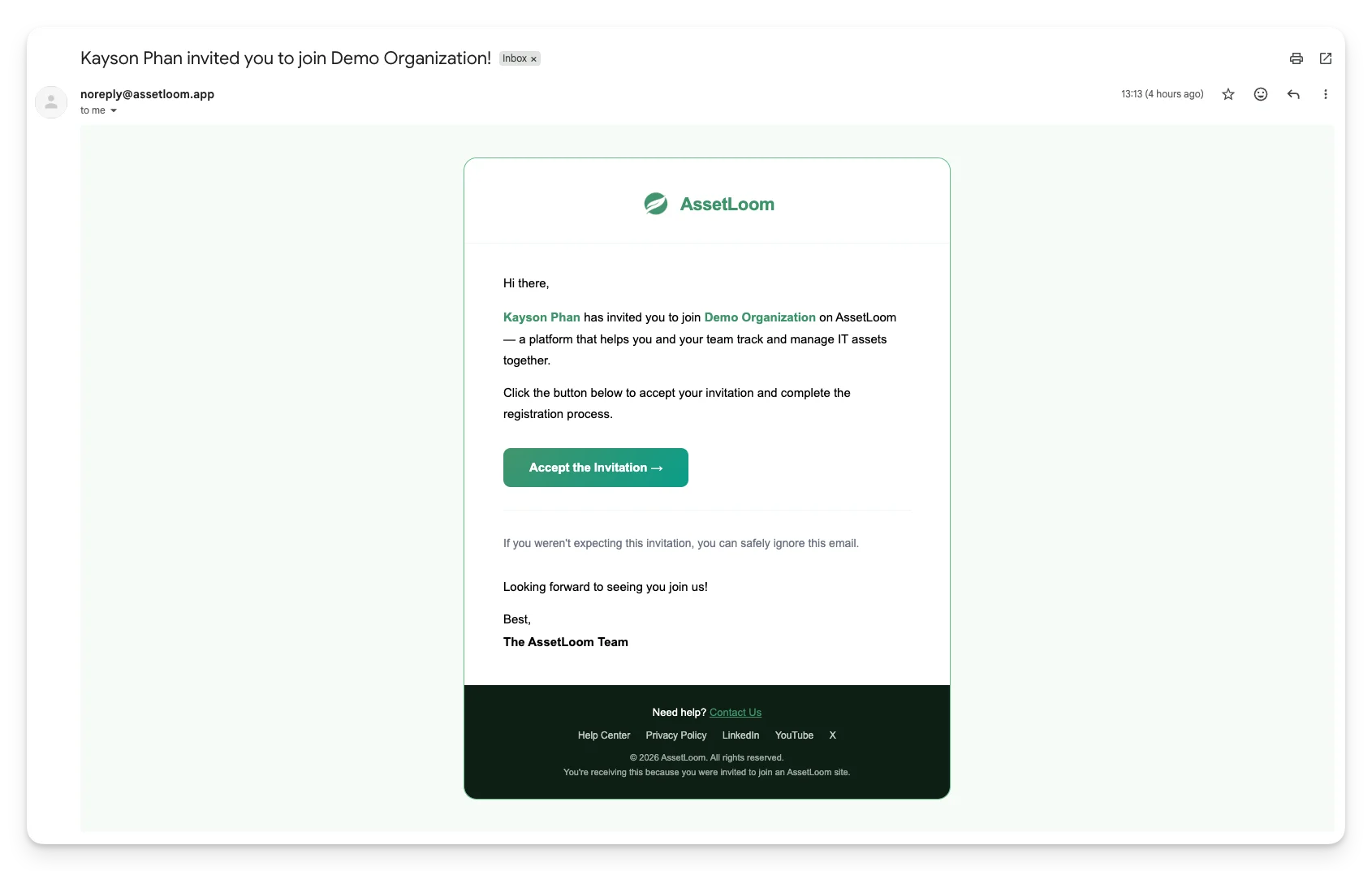
How to Accept the Invitation?
Follow these steps to accept your invitation and get started:
- Accept the Invitation Check your email for the invitation to join AssetLoom. Click on the Accept Invitation button.
- Log In to Your Account
- You’ll be redirected to the AssetLoom sign-in screen. Fill in your sign-in details. If you haven’t had an account, click “Create an account.”
- Once your account is set up, log in to AssetLoom using your credentials. You will be able to view and access data according to the permissions granted to your role.
What’s Next?
- Request an asset: Submit a request when you need equipment such as a laptop or a monitor.
- Check asset information: Review warranty details and assignment records for transparency.