Software Contracts: What They Cover and How to Manage Them
From license terms to SLAs, software contracts cover more than most teams realize. Here's what to look for and how to manage them properly.
It is inevitable that most businesses today rely on software in their daily operations. From accounting tools that manage finances to project management platforms that organize tasks, software has become central to how companies work. Customer relationship systems, communication apps, and cloud storage solutions are now just as critical as traditional office equipment.
Behind every one of these applications sits an agreement between the software provider and the user. These agreements, known as software contracts, define the rules of access, cost, responsibilities, and protections for both sides. They are essential frameworks that govern how businesses can use the technology they depend on.
Knowing what software contracts cover, how to handle them, and when to end them can save money, reduce conflicts, and guide better decisions.
What are software contracts?
Software contracts are legally binding documents between software vendors and customers. They explain the conditions for using the software, including what you pay, how you can use the product, and the responsibilities of each party.
For example, if your company signs up for a cloud-based accounting tool, the contract might cover:
- How many employees can use it.
- What kind of support is included.
- How much you will pay and on what schedule.
- When the software contracts end.
- What happens if the vendor fails to meet service standards.
The contract ensures that expectations are clear. Without one, there is a higher risk of misunderstandings, hidden costs, or service disruptions. For vendors, it protects against misuse. For customers, it provides a level of accountability and clarity.
Learn more about vendor management.
Key Components of Software Contracts
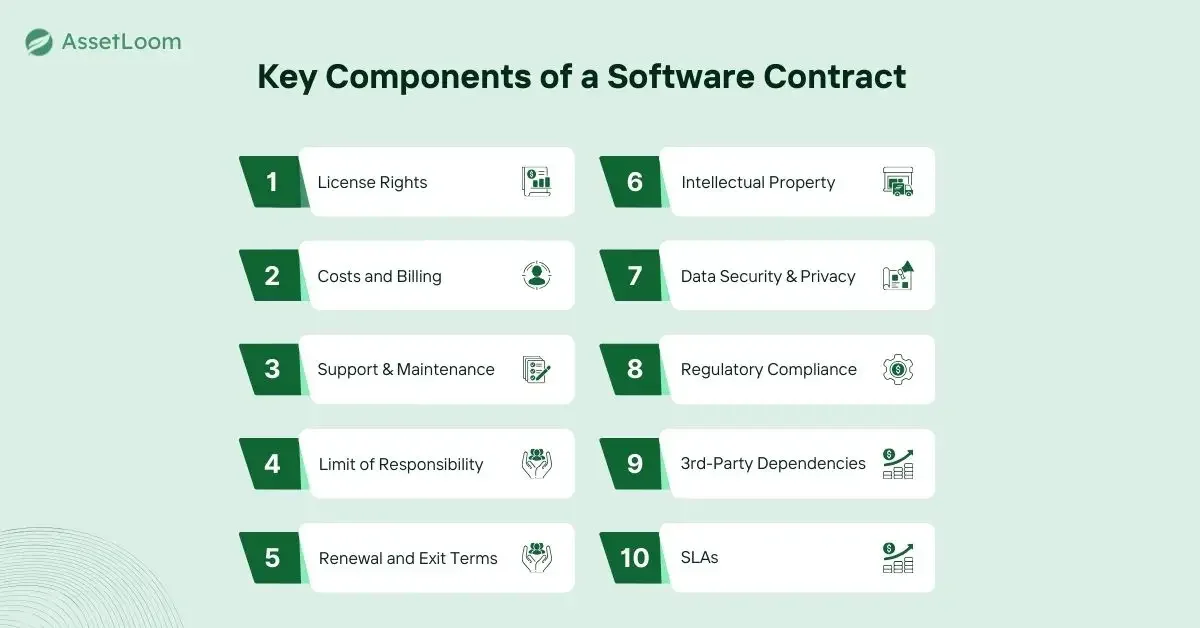
Most software contracts include similar building blocks, even if the details differ. Understanding these parts makes it easier to review agreements before signing.
1. License Rights
This section specifies how you can use the software. Some licenses are limited to a single user, while others cover an entire organization. They can be permanent or time-limited. The more people or devices covered, the more valuable the license becomes.
2. Costs and Billing
The financial section explains whether the software is purchased outright or accessed through recurring fees. Many modern tools use a subscription model. Extra costs, such as fees for upgrades or adding users, should also be listed.
3. Support and Maintenance
Contracts often explain what kind of help you will receive. This may be limited to email during business hours or include full-time support. Maintenance can cover bug fixes and regular updates.
4. Limitation of Responsibility
This clause protects the vendor by limiting how much they can be held liable for. If the software fails and your business loses money, the contract may state that you can only recover an amount equal to what you have paid under the contract.
5. Renewal and Exit Terms
Some contracts renew automatically. Others require you to act if you want to continue. Exit terms explain how to end the agreement and whether any penalties apply.
6. Ownership and Intellectual Property
Vendors usually keep ownership of the software. Customers receive the right to use it under specific conditions. This section may also cover whether customization or integration is allowed.
7. Data Security and Privacy
Modern contracts often focus heavily on security. Look for clauses about data encryption, backups, and procedures if a breach occurs. These commitments are critical for protecting customer or company information.
8. Legal and Regulatory Compliance
If your company must follow strict rules, such as privacy laws, the contract should confirm that the vendor supports compliance. Examples include GDPR for European data or HIPAA for healthcare records.
9. Third-Party Dependencies
Some applications rely on outside tools. The contract should state who is responsible for those parts and what happens if they stop working.
10. Service-Level Agreements (SLAs)
An SLA sets performance promises. For example, a cloud service might guarantee 99.9 percent uptime. If the vendor fails to meet these standards, the agreement may provide compensation.
Types of Software Contracts
Not all software contracts are the same. Here are the main types of business models encountered:
- Perpetual license: You buy it once and can use it forever. Often used for on-premises software.
- Subscription contract: You pay monthly or yearly to continue access. This is the most common for SaaS platforms.
- End-user license agreement (EULA): Typically short, designed for individuals, and focused on restrictions.
- Enterprise agreement: A large-scale contract that covers multiple products or services, often with discounts or custom terms.
- Support and maintenance contract: Sometimes separate from the main license, covering updates and technical help.
Each type has its pros and cons. Subscription agreements often spread out costs and include updates, while perpetual licenses avoid ongoing payments but may leave you without support unless you pay extra.
Managing Software Contracts Without Losing Track of Them
Signing the contract is the easy part. Managing it throughout its lifecycle is where the real savings happen.
The challenge grows quickly as companies accumulate dozens or even hundreds of software contracts, each with different renewal dates, license counts, and owners. Many contract problems happen not because someone was careless, but because ownership gets lost after the original signer moves on.
A few habits help prevent this:
- Assign a contract owner. Someone should be responsible for tracking renewals, reviewing usage, handling vendor communication, and involving legal or finance when needed.
- Store contracts centrally. Keep agreements and amendments in one place instead of scattered across inboxes and personal drives.
- Set renewal reminders early. Missing a cancellation window can result in unwanted automatic renewals and unexpected expenses. Learn more about software renewal management and how to avoid missed deadlines.
- Review terms regularly. A tool that works for a 20-person team may not fit a 200-person organization.
- Monitor actual usage. Track whether licenses are being used effectively to avoid unnecessary costs or compliance issues.
- Check vendor performance. Compare actual service delivery against the SLA you agreed to.
The difficulty is not managing one contract. It is maintaining visibility across all of them.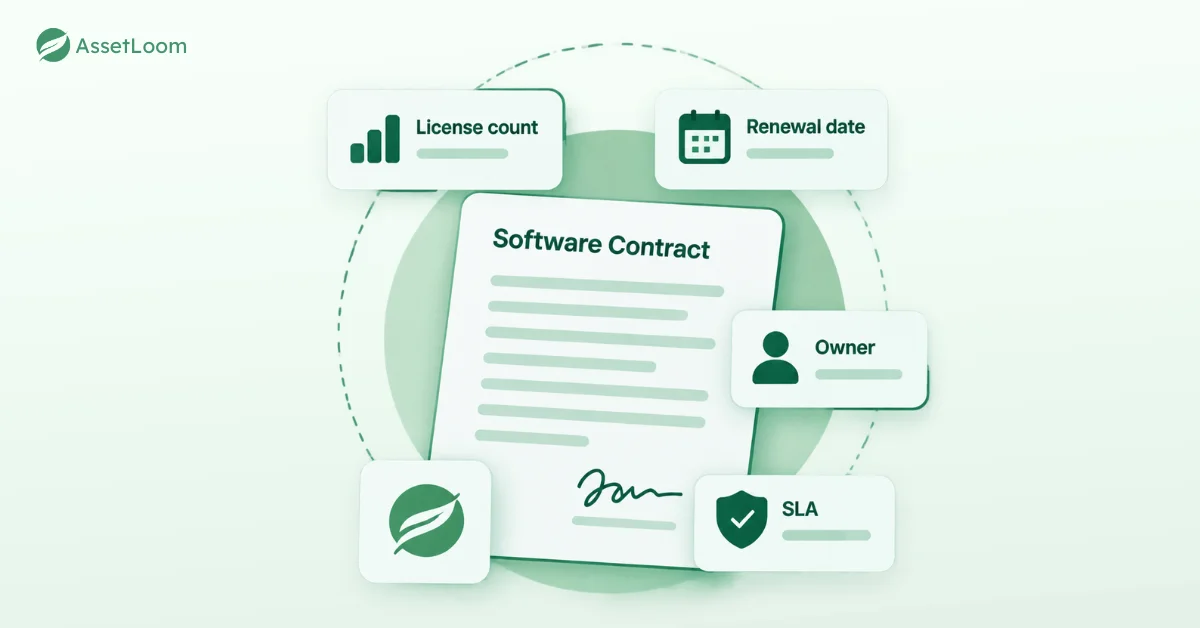
How to Negotiate a Software Contract
Good negotiation starts with understanding what your organization actually needs. Before signing, consider:
- Define required users, features, and support levels.
- Review pricing, seat counts, and contract flexibility.
- Pay close attention to renewal and cancellation terms.
- Match support levels with the importance of the software.
- Get every agreement documented in writing.
Cancelling a Software Contract
Ending a software agreement requires the same attention as starting one:
- Review exit terms, notice periods, and penalties.
- Notify the vendor before the cancellation deadline.
- Export any required data before access ends.
- Confirm final billing and close the agreement properly.
Handled correctly, cancellation becomes a planned transition instead of a last-minute scramble.
How AssetLoom Helps Improve Software License Visibility
Managing software licenses manually often creates the same visibility problems as hardware tracking: scattered information, outdated records, and uncertainty about ownership.
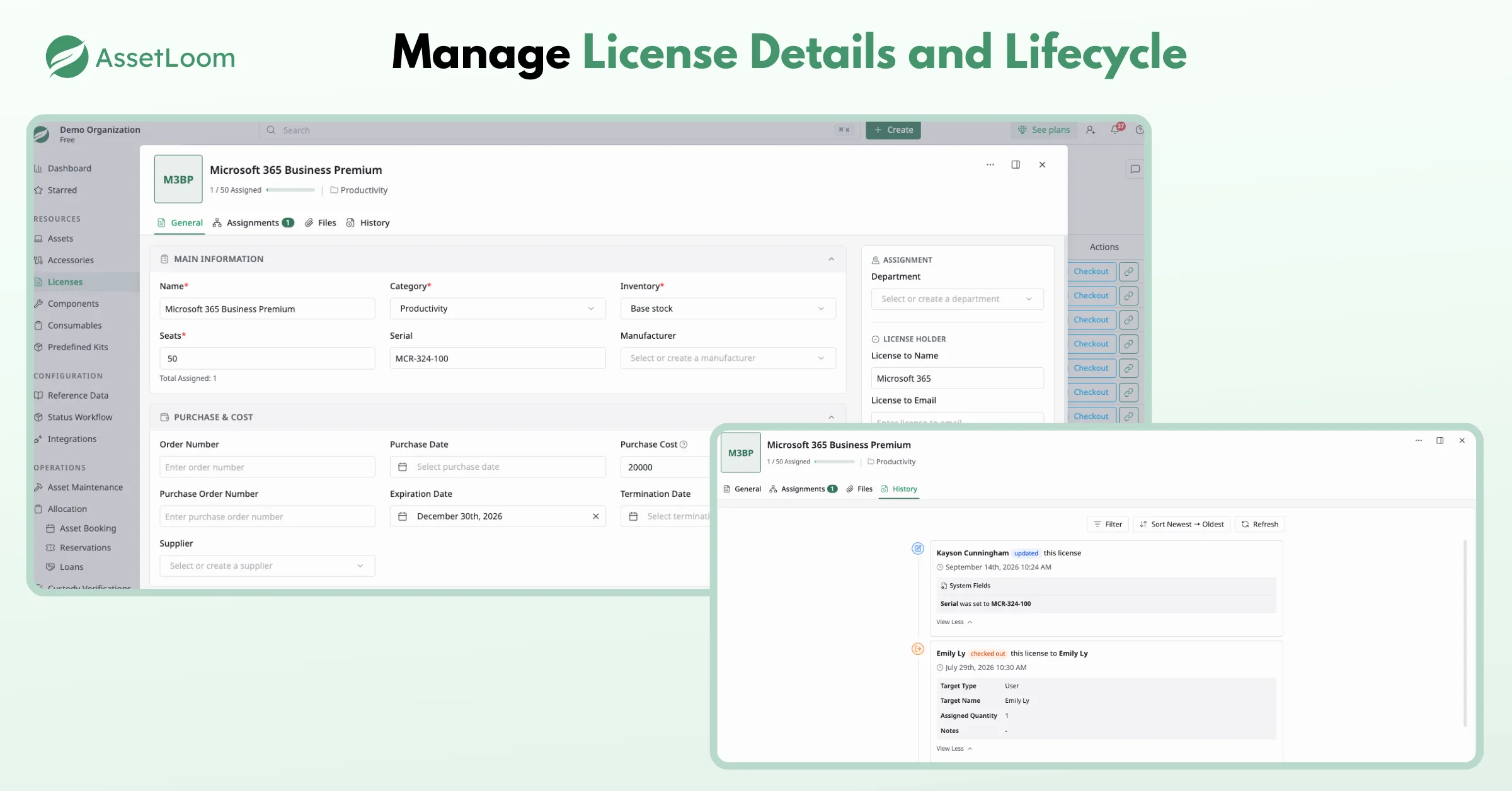
AssetLoom helps IT teams centralize their hardware, software licenses, and asset information in one place. Instead of searching through spreadsheets or email threads, teams can quickly see what they own, who it is assigned to, and important license details.
With integrations for Microsoft Intune and Jamf Pro, AssetLoom also helps connect device information with asset records, giving IT teams a clearer picture of their environment.
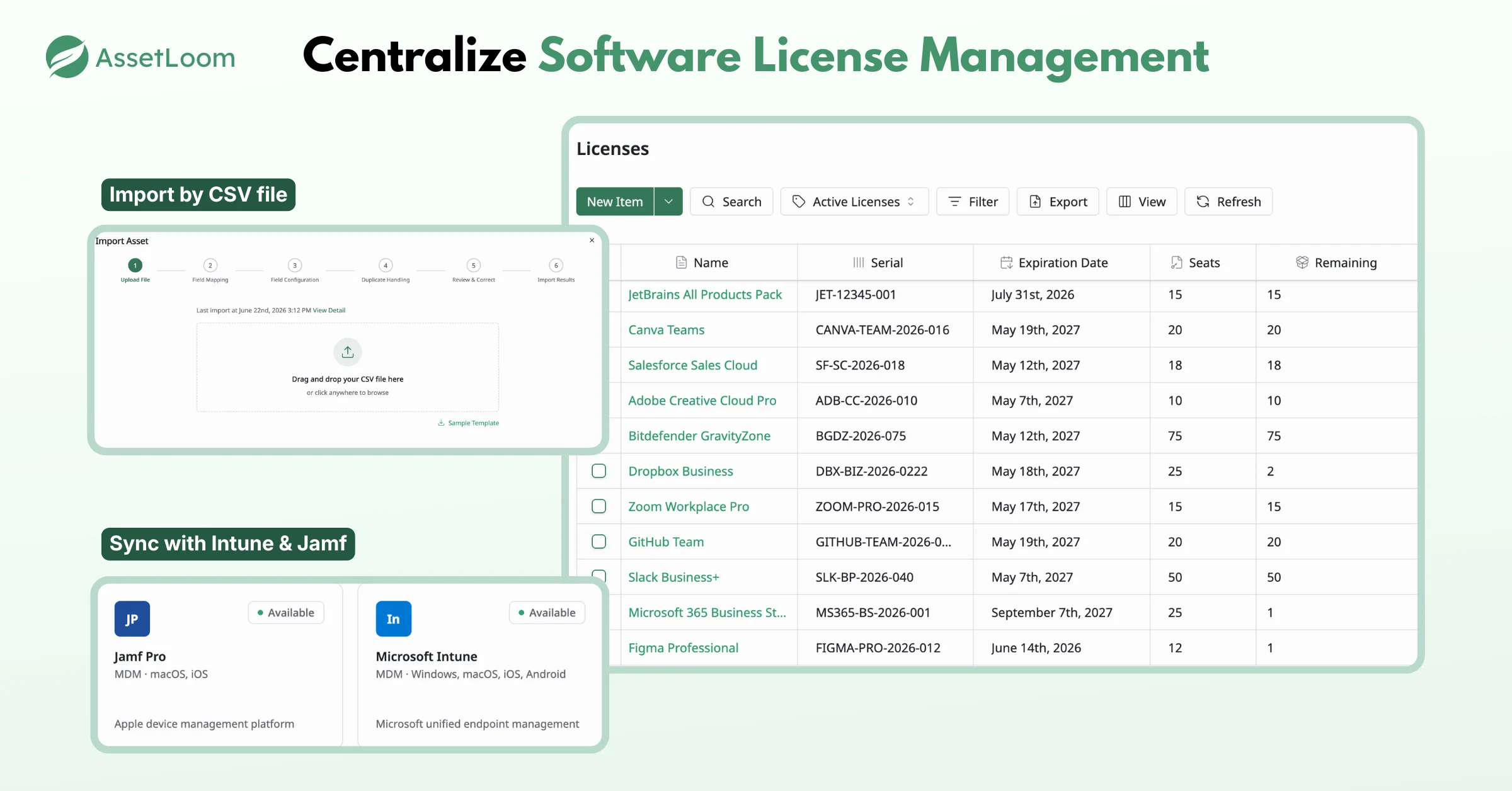
This visibility helps teams:
- Track software licenses more accurately. Keep important license information organized alongside other IT assets.
- Understand ownership and assignment. Know which users, devices, or departments are associated with specific assets.
- Prepare for renewals with confidence. Review available information before renewal dates arrive and avoid paying for forgotten subscriptions.
- Reduce manual tracking. Replace disconnected spreadsheets with a centralized asset management system.
Final Thoughts
Software contracts are more than just documents you sign and store away. They define how your company uses technology, who is responsible for each tool, and how you manage costs over time.
By understanding key contract terms, tracking renewal dates, and assigning clear ownership, you can avoid unnecessary expenses and make better decisions about the software your business relies on.
Still tracking licenses and renewals across spreadsheets and email threads? AssetLoom helps you manage software licenses, assets, and renewal information in one place, with Microsoft Intune and Jamf Pro integrations. Start with AssetLoom’s free plan and get better visibility into your IT environment today.