What is an IT Asset Management Tool and Why Do You Need One?
Struggling to manage your IT assets? Discover how an IT Asset Management tool can save you money, improve efficiency, and enhance security.
Ever feel like your IT department is a runaway train, with lost laptops, outdated software, and a constant struggle to keep track of everything? You’re not alone. Many organizations, big and small, grapple with the challenge of managing their IT assets effectively. But there’s a solution: IT Asset Management (ITAM). And at the heart of successful ITAM lies the powerful tool that brings order to the chaos: the IT Asset Management Tool.
What is an IT Asset Management Tool?
An IT Asset Management (ITAM) tool is software that helps organizations track and manage all their IT assets in one place. This includes hardware, software, licenses, cloud resources, and even network devices.
Think of it as a command center for your IT environment. With the right tool, you can quickly see:
- What assets you own
- Where those assets are located
- Who is using them
- Their condition and performance
Instead of digging through spreadsheets or chasing down devices, everything you need is stored in a single, organized system.
ITAM tools usually come with a set of features that make day-to-day IT management easier. Common capabilities include:
Asset Discovery (Automated and Manual)
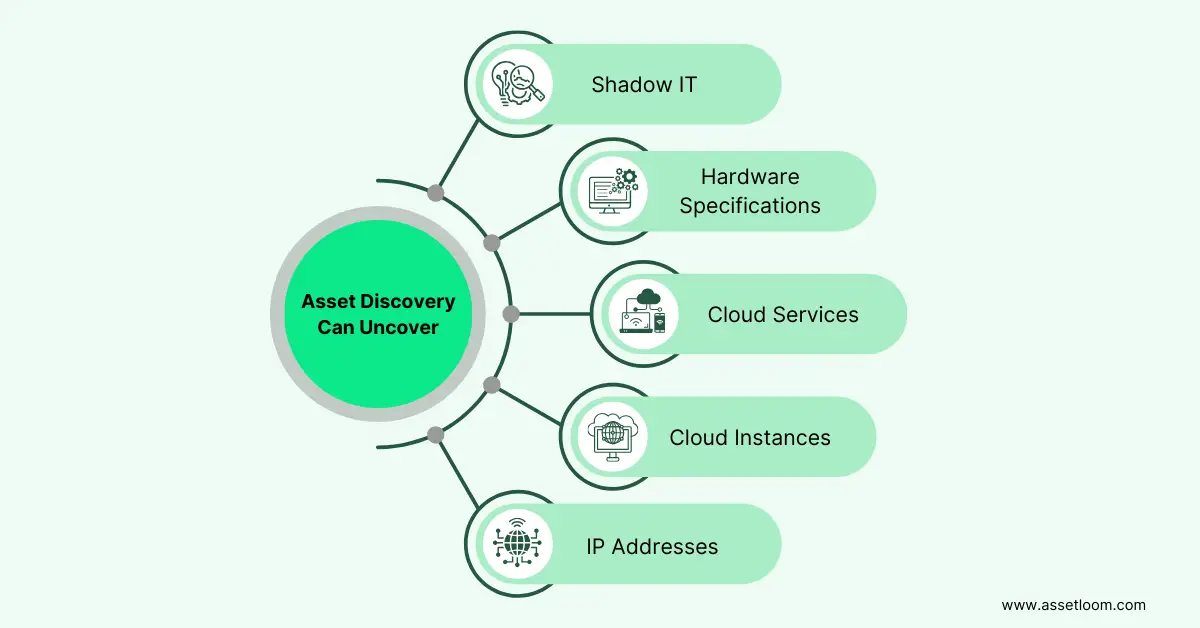
Asset discovery is one of the key features of an IT Asset Management tool. It helps identify and track devices across your network.
- Automated Discovery: Modern ITAM tools can automatically discover connected devices across a network without requiring teams to manually create every asset record. For example, an agentless network scanner, such as AssetLoom Network Scanner, can collect information such as device names, IP addresses, MAC addresses, vendors, open ports, and device types, then export the discovered data for importing into the asset inventory.
- Manual Discovery: For assets that can’t be automatically detected, such as specialized equipment or cloud resources, manual discovery allows you to add them manually.
A strong discovery process collects detailed information about each asset, including:
- Hardware specifications
- Software versions
- Serial numbers
- IP Addresses
- Locations
Lifecycle Management
Lifecycle management is an essential feature of any IT asset management tool. It tracks an asset’s journey from start to finish:
- Procurement: Managing purchase orders and vendor details
- Deployment: Installation and configuration
- Maintenance: Repairs, upgrades, and regular maintenance
- Disposal: Retirement, recycling, and secure disposal
Effective lifecycle management helps:
- Optimize asset usage
- Reduce downtime
- Ensure proper disposal to protect the environment and data security
- Track depreciation for financial reporting
Modern ITAM platforms can extend this process beyond basic tracking by connecting lifecycle events in one place. For example, AssetLoom allows teams to track asset assignments, check-in/check-out activities, maintenance history, depreciation information, and retirement status throughout an asset’s lifecycle.
Inventory Tracking and Management
This feature provides a centralized repository of all asset information. It should offer robust search and filtering capabilities, allowing you to quickly locate specific assets based on various criteria. Beyond basic inventory, advanced tools offer configuration management, allowing you to track changes to asset configurations and revert to previous states if necessary. This is crucial for troubleshooting and maintaining system stability.
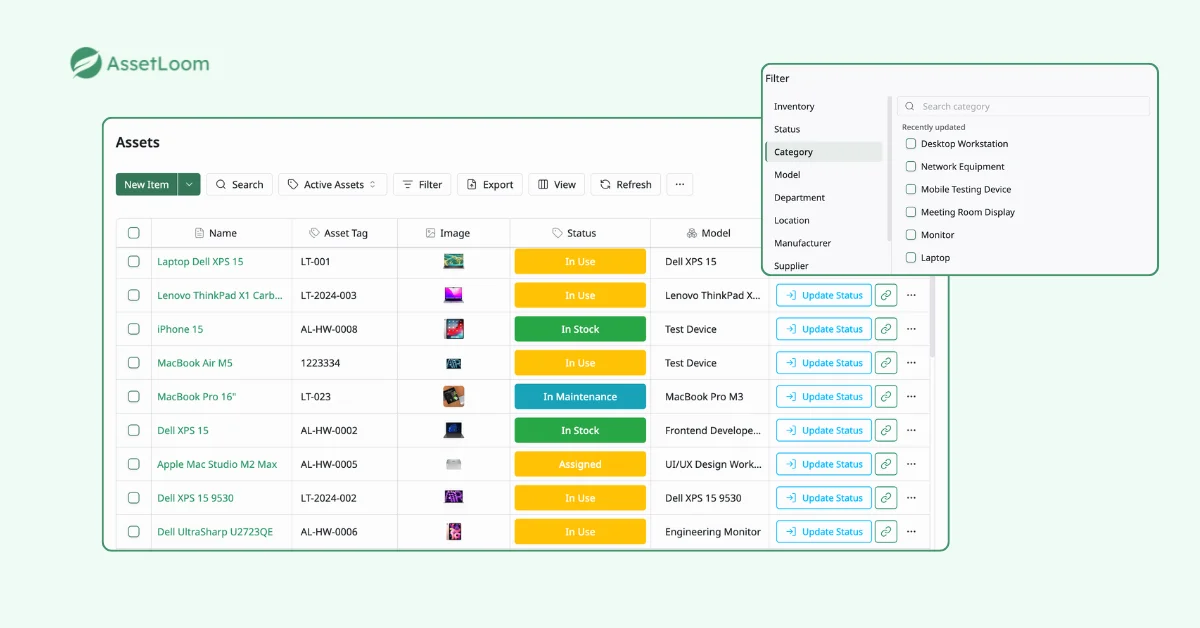
Advanced filters in AssetLoom
License Management
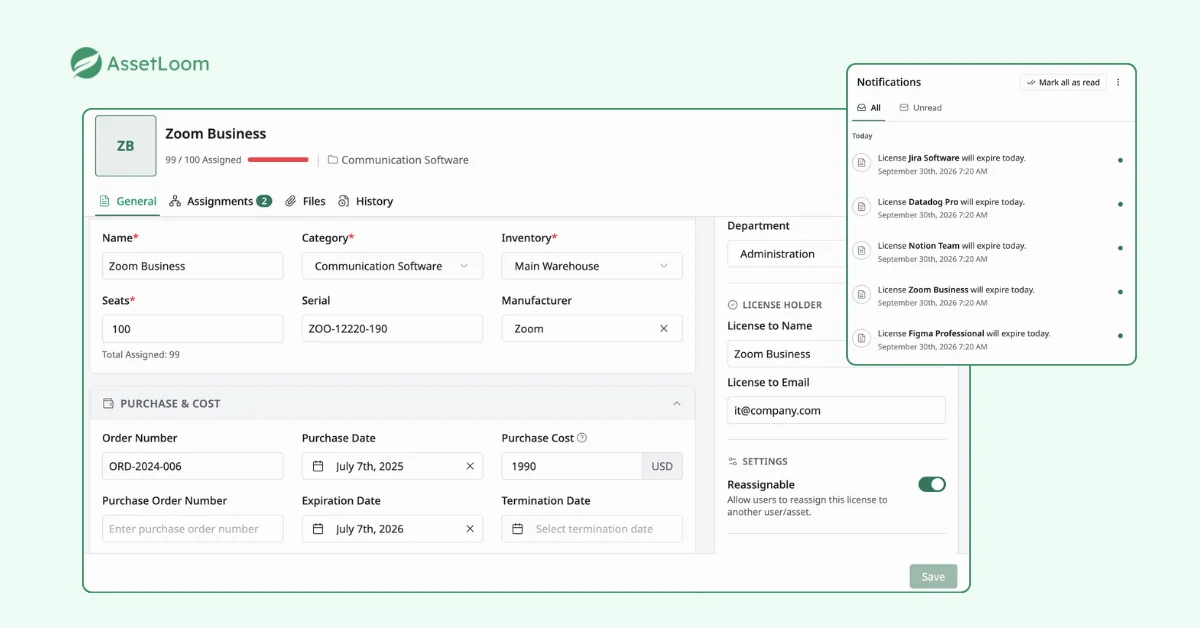
License management is crucial for software compliance and cost control. The tool should track:
- Software licenses
- Usage
- Expiration dates
With effective license management, businesses can avoid costly software audits and prevent overspending on unused licenses. For example, AssetLoom helps teams organize software license information alongside other IT assets, allowing them to track license details, ownership, status, and renewal information in one place.
Software Deployment and Patching
Automating software deployment and patching saves time and reduces the risk of human error. Advanced features include automated patch management, ensuring that all systems are up-to-date with the latest security patches, minimizing vulnerabilities. This also ties into compliance and security.
Reporting and Analytics
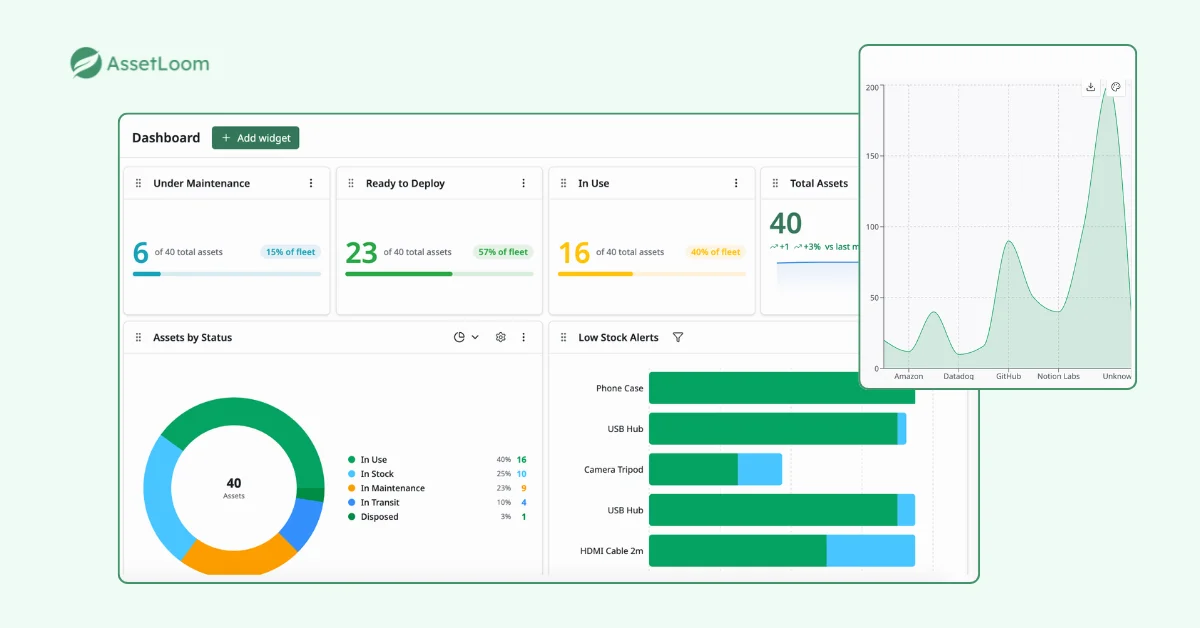
A solid ITAM tool offers customizable reports and dashboards that provide detailed insights into asset usage, performance, and costs. Good reporting goes beyond simple lists and helps with:
- Identifying underutilized assets
- Forecasting future needs
- Optimizing IT spending
- Capacity planning and resource allocation
For example, AssetLoom can provide visibility into asset distribution, inventory status, maintenance activities, lifecycle trends, and upcoming renewals. These insights help IT teams identify underutilized assets, plan replacements, and make better purchasing decisions.
Actionable insights from reporting ensure better decision-making and more efficient management of IT resources.
Compliance Tracking
This feature helps organizations comply with industry regulations (e.g., HIPAA, GDPR) and internal policies. Compliance tracking should include audit trails, documenting all changes made to assets. It should also provide alerts and notifications when assets fall out of compliance.
Financial Management
This integrates ITAM with financial processes. This includes tracking asset costs, calculating depreciation, and managing IT budgets. It helps organizations understand the total cost of ownership (TCO) of their IT assets and make informed financial decisions.
Why Do You Need an IT Asset Management Tool?
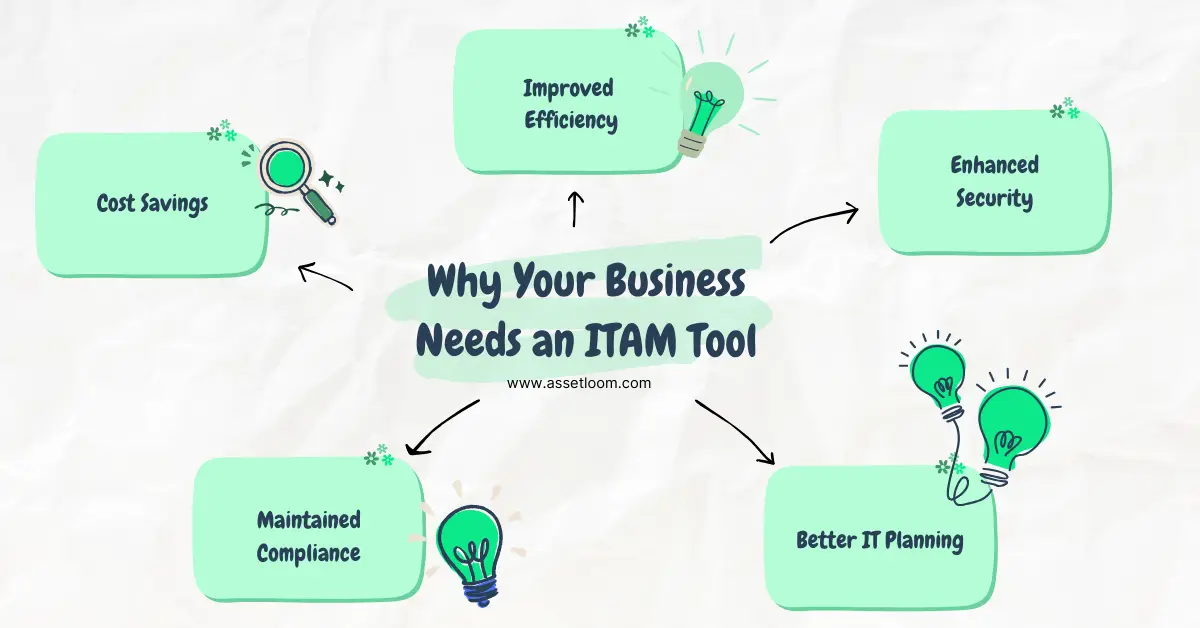
You might be asking, “Do I really need an IT asset management tool?” The answer is yes! ITAM tools offer benefits that can greatly improve your organization’s efficiency, reduce costs, and strengthen your security. Let’s take a closer look at the key advantages.
Cost Savings
One of the biggest reasons to invest in an IT asset management tool is cost savings. ITAM helps you:
- Eliminate redundant purchases
- Optimize software license usage
- Manage asset lifecycles proactively
By cutting waste and making smarter spending decisions, you can free up budget for other important projects. Proactive maintenance and timely upgrades also help reduce maintenance costs. Plus, having clear visibility into your IT assets can give you more bargaining power with vendors, helping you secure better contracts.
Improved Efficiency
IT asset management tools smoothen operations by automating tasks that were once manual and time-consuming. This frees up your IT team to focus on more strategic work. Some key benefits:
- Faster problem resolution
- Quicker troubleshooting with easy access to asset data
- Optimized resource allocation, ensuring assets are used efficiently
These improvements reduce downtime, boost productivity, and make the most of your IT resources.
Enhanced Security
Security is a top priority in today’s digital world. ITAM tools enhance your security by:
- Identifying and fixing software vulnerabilities to prevent cyberattacks
- Helping with incident response by quickly isolating compromised systems
- Ensuring proper disposal of retired assets to protect sensitive data
With better tracking and management, your security posture is much stronger.
Compliance and Auditing
Staying compliant with industry regulations and software licenses is critical. ITAM tools simplify compliance by:
- Providing accurate, easily accessible asset information
- Reducing the stress of audits with detailed audit trails
- Helping you avoid penalties for non-compliance
These tools ensure your organization meets all necessary regulations without the risk of legal issues.
Better IT Planning and Decision Making
Good IT planning starts with accurate data. ITAM tools give you up-to-date information on your existing IT infrastructure, which helps with:
- Forecasting future needs
- Analyzing trends to guide decisions
- Aligning IT investments with business goals
With these insights, you can make better, more informed decisions about IT purchases and strategies.
Who Needs an IT Asset Management Tool?
The truth is, pretty much everyone can benefit from effective IT asset management, and therefore, an ITAM tool. While IT departments are the most obvious beneficiaries, other departments also gain significantly:
- IT Departments: Streamlined operations, improved efficiency, and enhanced control over the entire IT infrastructure.
- Finance Departments: Accurate budget planning, cost control, and optimized IT spending.
- Procurement Departments: Efficient asset acquisition, reduced waste, and better vendor management.
- Compliance and Legal Teams: Simplified audits, ensured compliance with regulations, and reduced legal risks.
Even individuals managing multiple devices and software subscriptions can benefit from basic ITAM principles.
FAQs
1. How do companies prepare before implementing an IT asset management tool?
Before adopting an ITAM tool, organizations should review their current asset data, identify existing tracking processes, and define what information needs to be managed.
This may include cleaning up outdated records, standardizing asset information, assigning ownership responsibilities, and deciding which workflows should be automated.
2. Can IT asset management tools integrate with other business systems?
Yes. Many ITAM tools can connect with other systems used by organizations, such as endpoint management platforms, procurement systems, HR systems, and service management tools.
These integrations help keep asset information synchronized and reduce the need for teams to manually update records across multiple platforms.
3. How can ITAM tools help with employee onboarding and offboarding?
ITAM tools can support employee lifecycle processes by helping teams assign equipment during onboarding and recover assets during offboarding.
For example, IT teams can track which devices are assigned to each employee, verify returned equipment, and update asset status after a role change or departure.
4. What is the difference between IT asset inventory and IT asset management?
IT asset inventory focuses on recording what assets exist, where they are located, and their basic information.
IT asset management covers the broader lifecycle of those assets, including procurement, ownership, maintenance, financial tracking, compliance, and retirement. Inventory is one important part of a complete ITAM process.
5. How do ITAM tools support remote and hybrid work environments?
ITAM tools help organizations manage assets that are distributed across different locations, including home offices, branch offices, and remote employees.
By maintaining centralized records of asset ownership, location, and status, IT teams can better support employees, manage equipment returns, and maintain visibility even when devices are not physically in the office.
Bottom Line
An IT Asset Management tool is more than a database of devices. It helps organizations understand what they own, where assets are located, who is responsible for them, and how technology resources are being used.
The right ITAM solution depends on your organization’s size, processes, and goals. However, modern teams increasingly need tools that combine asset discovery, lifecycle management, automation, and reporting to maintain accurate visibility.
Ready to take control of your IT assets? Explore AssetLoom and discover a modern IT asset management platform built to help teams track, manage, and optimize their technology environment.