September 2026 Release: Sync Your Intune and Jamf Pro Device Inventory to AssetLoom
Automatically sync device inventory from Microsoft Intune and Jamf Pro into AssetLoom. Cut manual updates and keep asset records accurate and audit-ready.
AssetLoom’s first integration release brings automated device synchronization to IT asset management, connecting Microsoft Intune and Jamf Pro directly with AssetLoom.
By bringing device data from existing management platforms into a centralized asset inventory, AssetLoom helps IT teams reduce manual updates, maintain accurate records, and gain better visibility into the devices they manage.
What’s New in The September Release?
With Microsoft Intune and Jamf Pro integrations now available, AssetLoom introduces a set of capabilities designed to keep device inventory accurate and easier to manage.
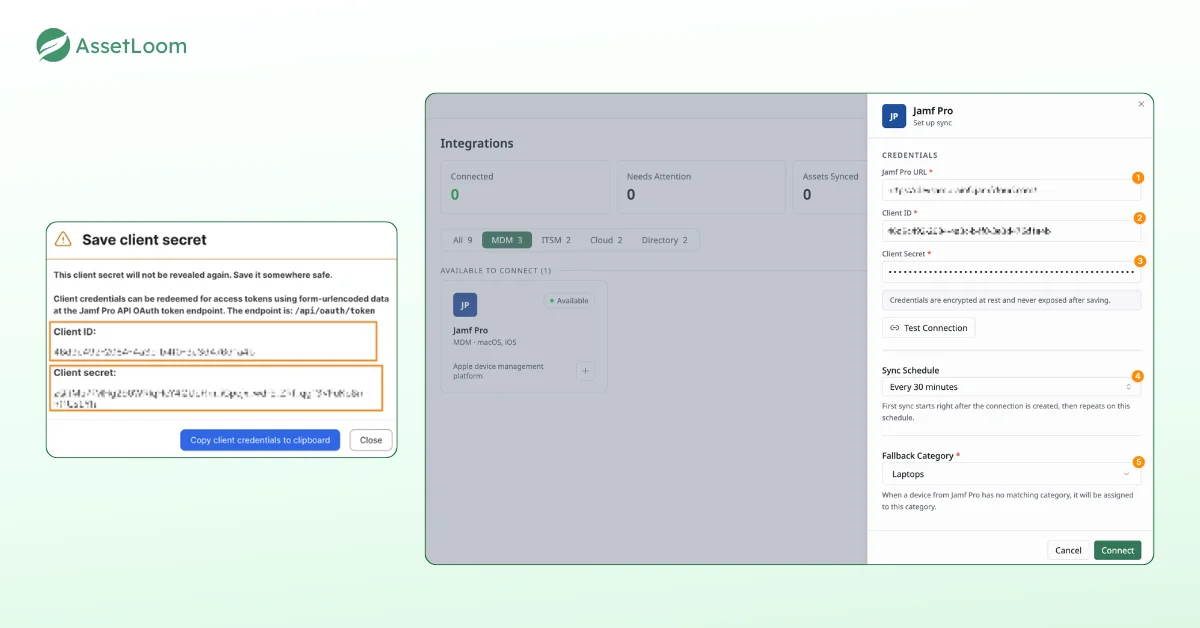
1. Secure MDM Connection
Connect AssetLoom with your device management platform, such as Microsoft Intune or Jamf Pro. The connection uses read-only access, allowing AssetLoom to retrieve device information without making any changes to your existing MDM environment. After administrator approval, AssetLoom can securely access and sync device data from your connected platform.
2. Automatic and On-Demand Sync
Once connected, AssetLoom keeps your asset inventory updated through scheduled or on-demand synchronization.
- Scheduled syncs automatically update device information based on your configured schedule.
- Sync Now lets you manually trigger an update whenever you need the latest data.
- New devices are added as assets automatically, while existing assets are updated with the latest information from your MDM platform.
This keeps your inventory aligned with your device management system without requiring manual updates.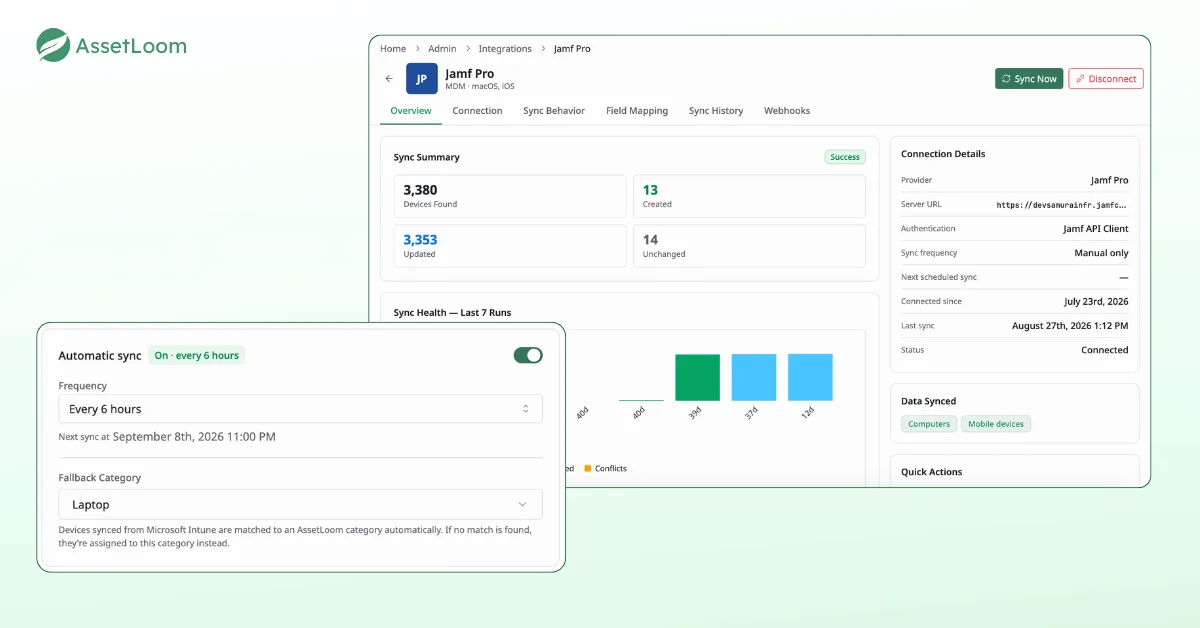
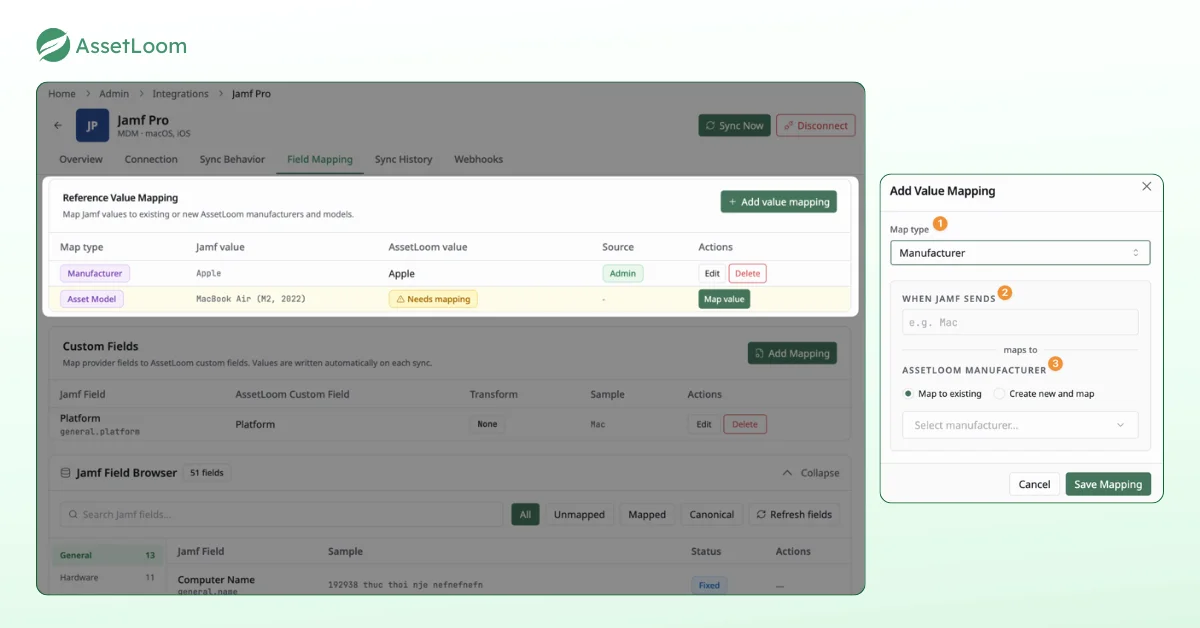
3. Flexible Field Mapping
AssetLoom automatically maps essential device fields such as device name, serial number, manufacturer, and model, allowing teams to start syncing without additional field configuration. For additional data beyond the default fields, teams can map information from Microsoft Intune or Jamf Pro into AssetLoom custom fields, ensuring asset records match their existing workflows and reporting needs.
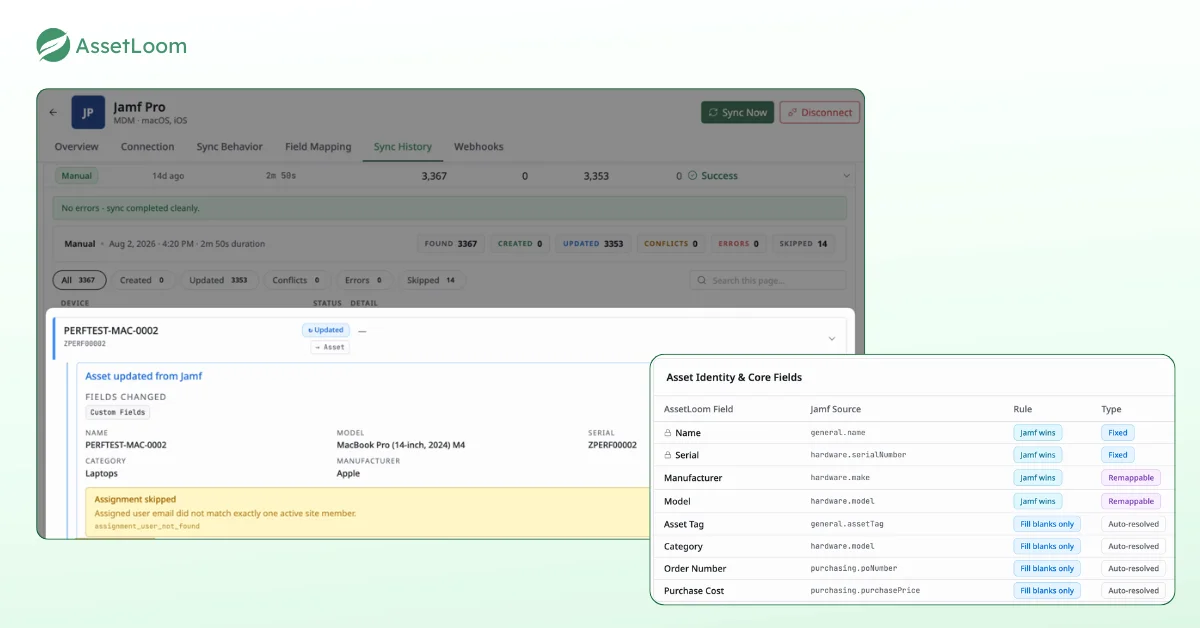
4. Sync History and Faster Updates
Every synchronization run is recorded in AssetLoom, giving teams visibility into sync activity, processed devices, and any issues that may require attention.
For Jamf Pro users, webhook-based notifications provide faster updates by sending device changes to AssetLoom as they happen instead of waiting for the next scheduled sync.
Ready to connect your MDM platform? Head to the AssetLoom Integration Hub for more information.
The Problem AssetLoom Integrations Solve
Before this release, device data managed in Intune or Jamf Pro had no direct path into AssetLoom, and that gap showed up in ways most IT teams recognize:
- Ghost assets: A laptop retired in Jamf Pro could keep appearing as an active asset in AssetLoom.
- Mismatched ownership: A device reassigned to a new employee in Intune could still list the previous owner.
- Slower answers: Simple questions, like how many endpoints the organization actually owns, meant checking multiple consoles by hand.
These gaps tend to surface at the worst possible moments, during an audit, a security review, or an employee offboarding, when teams need accurate answers quickly. By syncing device data automatically, this release removes the manual reconciliation step that used to sit between what’s true in the MDM platform and what’s recorded in AssetLoom.
Getting Started With AssetLoom Integrations in Three Steps
Setting up a Microsoft Intune or Jamf Pro integration takes three simple steps:
- Connect: Authorize AssetLoom to access your Microsoft Intune or Jamf Pro environment using read-only access. After administrator approval, AssetLoom can retrieve device information without making changes to your MDM platform.
- Map fields: Core device fields such as name, serial number, manufacturer, and model are mapped automatically. You can also map additional Intune or Jamf Pro data into AssetLoom custom fields to match your team’s tracking needs.
- Auto-Sync: Keep your inventory updated through scheduled synchronization or trigger a manual sync whenever needed. New devices are added automatically, while existing assets are updated with the latest information.
Ready to see it in action? Check out the AssetLoom Integration Guides to get started.
What’s Next: More Integrations Coming Soon
Microsoft Intune and Jamf Pro are just the starting point. AssetLoom is building out a broader integration ecosystem, connecting the IT systems organizations already run with the asset management workflows built around them. Here’s what’s planned next:
- MDM: Kandji
- Directory: Azure AD / Entra ID, Google Workspace
- ITSM: ServiceNow, Jira Service Management
- Cloud: Amazon Web Services, Google Cloud
Future integrations will follow the same principles introduced in this release: secure read-only access, automatic syncing, and control over how data is added to your asset records. As AssetLoom connects with more systems, your inventory becomes easier to maintain with less manual work.