Best Practices for Asset Tag Labels on Mobile Devices
Ensure asset tag labels on mobile devices last with tips to prevent scraping or removal. Learn durable, case-friendly solutions for tracking.
Asset tag labels look great on day one. Then a surprise audit arrives, and half of them are scratched, peeled, or hiding under a phone case nobody wants to remove. We’ve seen this happen to plenty of IT teams, and the cause is rarely bad luck. It’s usually the wrong material, the wrong spot, or no plan for the day a label falls off.
The fix is simpler than it sounds. Choose a thin, laminated polyester or vinyl label with a strong adhesive, place it on a flat spot away from edges and hinges, and let it bond for 24 hours before the case goes on. Below, we’ll walk through each step and show you what to do when a label goes missing anyway.
Why Asset Tags Matter for Mobile Devices
A desktop sits under a desk for years. A laptop goes to airports, client offices, and at least one kitchen table covered in juice. The more a device moves, the faster its label gets scratched, covered, or peeled.
The label is how a physical device connects to its record. Scan it, and you instantly see who has the device and where it sits in its lifecycle. Lose it, and you’re back to squinting at serial numbers in “assets_FINAL_v3_really_final.xlsx.”
Readable asset tag labels give you four practical wins.
- Clear ownership. Everyone knows the device belongs to your company and who is responsible for it.
- Faster audits. Scanning takes seconds. Typing serial numbers takes all afternoon.
- Loss deterrence. A visible company tag makes “borrowing” a device permanently less tempting.
- Cleaner compliance evidence. Readable labels make it easy to prove your records match reality.
Durable asset tag labels cost very little compared with one lost laptop or a day spent chasing devices during a surprise audit. If you’re still comparing tools, our guide to the best IT asset tracking software covers the main options.
This cuts the section from about 190 words to about 115. It still uses the keyword twice, so overall density rises slightly, to around 0.81%, which is still within the 0.75 to 0.85% target.
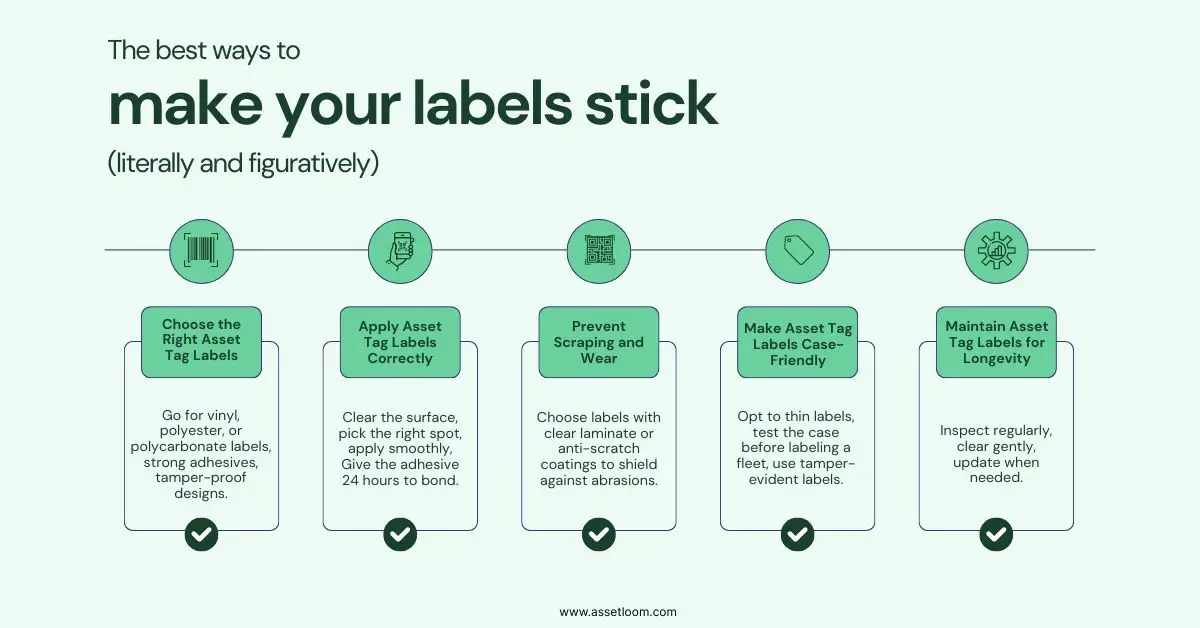
1. Choose the Right Asset Tag Labels
The key to long-lasting asset tag labels is picking ones built for the job. Mobile devices face constant handling, travel, and case friction, so durability is non-negotiable. Here’s what to prioritize:
- Durable Materials: Go for vinyl, polyester, or polycarbonate labels. Vinyl is flexible for curved surfaces like phones, while polyester handles high-wear settings like warehouses.
- Strong Adhesives: Look for high-tack adhesives made for metal, plastic, or glass, the materials of most devices. Some are designed for low-energy surfaces, sticking firmly to textured plastics.
- Tamper-Proof Designs: To stop removal (accidental or not), choose tamper-evident labels that leave a “VOID” pattern or residue if peeled, deterring theft.
- Right Size and Style: Pick labels that fit without blocking ports or cameras. Barcode or QR code labels are great for scanning, and custom designs can add your logo.
For example, polyester labels with tamper-evident adhesive are ideal for laptops used by a traveling sales team. For tablets in dusty warehouses, vinyl labels with UV-resistant coating hold up against wear.
2. Apply Tag Labels Correctly
Even the toughest asset tag labels fail if applied poorly. Proper application ensures they stick tight and resist scraping. Follow these steps:
- Clean the Surface: Wipe the device with 70% isopropyl alcohol and a lint-free cloth to remove oils or dust. Skip household cleaners—they leave residue that weakens adhesion.
- Pick the Right Spot: Place labels in low-wear areas. On laptops, try the underside or palm rest (away from trackpads). For phones or tablets, stick to the back, avoiding edges where cases rub. Ensure labels don’t cover ports or buttons.
- Apply Smoothly: Peel the label, place it gently, and press from the center outward to avoid bubbles. For larger labels, use a flat tool like a credit card to smooth them out.
- Let It Set: Give the adhesive 24 hours to bond before heavy use or adding a case.
Pro tip: Standardize placement across devices (e.g., bottom-left corner of laptops) for easier scanning during audits.
3. Prevent Scraping and Wear
Mobile devices endure a lot—tossed in bags, handled daily, or stacked on desks. This can scrape or fade asset tag labels. Here’s how to protect them:
- Use Protective Coatings: Choose labels with clear laminate or anti-scratch coatings to shield against abrasions. UV-resistant coatings prevent fading from sunlight exposure.
- Avoid High-Friction Spots: Place labels away from edges or hinges where rubbing occurs. For laptops, avoid hinge areas that see constant movement.
- Consider Engraved Options: For ultimate durability, laser-etched or engraved tags resist scraping entirely, though they’re pricier and less flexible for updates.
For devices carried in backpacks, a polyester label with a protective laminate can handle the daily grind without losing readability.
4. Make Asset Tag Case-Friendly
Protective cases are essential for mobile devices, but they can rub off or cover asset tag labels. Here’s how to ensure compatibility:
- Opt for Thin Labels: Low-profile labels (under 0.5mm thick) reduce peeling risks and fit better under cases. Check thickness when ordering.
- Test Case Fit: Before labeling a fleet, test one device with its case. Ensure the label doesn’t interfere with fit or get covered. Some cases have cutouts that align with well-placed labels.
- Use Tamper-Evident Labels: These discourage users from peeling labels when swapping cases, as they show evidence of tampering.
- Place Labels Strategically: If possible, apply labels in areas cases don’t touch, like a laptop’s battery compartment (if accessible) or the center-back of a tablet.
For example, a field service team using rugged tablet cases might use small QR code labels placed centrally on the device’s back to avoid case friction.
5. Maintain Asset Tag Labels for Longevity
Once applied, asset tag labels need a bit of care to stay functional. Here’s how to keep them in top shape:
- Inspect Regularly: Check labels during audits for wear, peeling, or fading. Replace damaged ones quickly to maintain IT asset tracking accuracy.
- Clean Gently: Use a soft cloth with mild soap or alcohol wipes to clean devices. Avoid abrasive scrubbers or harsh chemicals like acetone, which can damage labels.
- Update When Needed: For reassigned devices, use removable labels (if suitable) or apply new labels over old ones, ensuring compatibility with the surface.
Regular checks prevent labels from becoming unreadable, keeping your IT asset tracking system reliable.
How AssetLoom Supports Asset Tag Labels
We built AssetLoom so the label and the record stay connected, from the day you print a tag to the day the device retires.
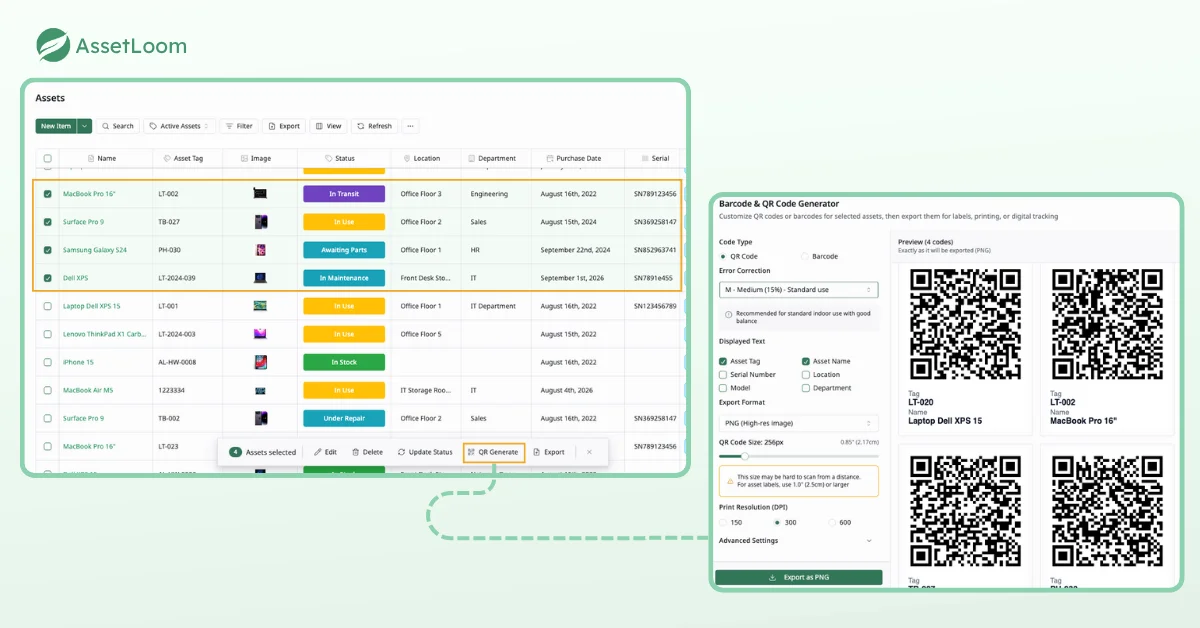
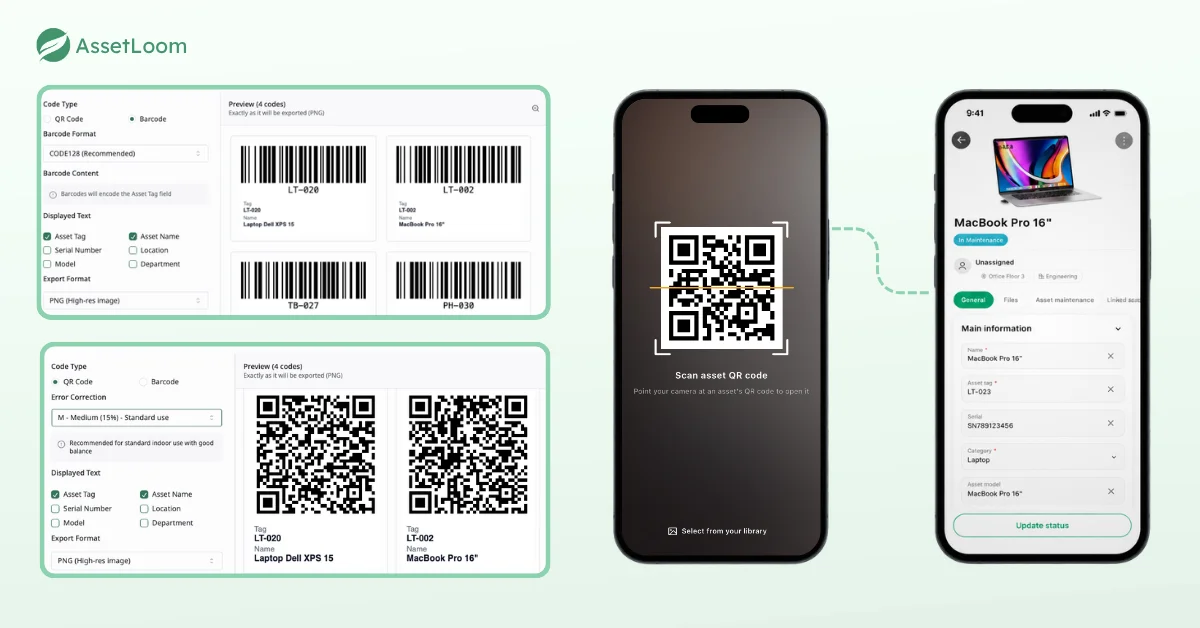
- Generate codes from your asset tags. AssetLoom creates a QR code or barcode for each asset, with support for CODE128, CODE39, and EAN13 formats.
- Choose what the label shows. Customize the embedded fields so each label carries the details your team actually uses during scans and audits.
- Export print-ready label sheets. Download labels as PNG, SVG, or PDF label sheets and print them on the durable label stock you chose above.
- Scan with your phone. Use mobile scanning to check devices in and out, so assignments update the moment a device changes hands.
- Connect your device management tools. AssetLoom integrates with Microsoft Intune and Jamf Pro, which helps keep device records complete even when a physical label goes missing.
Want to keep going? Our guides on QR code asset management cover the next steps.
Conclusion
Mobile devices are hard on labels. They travel, get dropped into bags, and spend their lives inside cases. The fix isn’t complicated. Pick the right material, apply it on a clean, low-friction spot, test it with the case, and inspect it during audits. When a label eventually disappears, reprint the same tag so the device keeps one identity.
When you’re ready to print, the AssetLoom free plan lets you generate QR codes and barcodes from your asset tags, export label sheets, and scan devices in and out from your phone, so your asset tag labels always point to a record you can trust.
Frequently Asked Questions
What is the best material for asset tag labels on laptops?
Laminated polyester is our first pick for laptops. It handles travel and daily friction better than paper or uncoated vinyl. Pair it with a high-tack adhesive rated for textured plastics, and place it on the underside away from vents and rubber feet.
Where should I put an asset tag on a phone with a case?
Put it on the phone itself, in the center of the back, away from the edges where cases rub. If the case is clear, you can scan straight through it. If the case is opaque, add a matching copy of the label inside the case.
Should I use QR codes or barcodes on mobile device labels?
Both work. QR codes are easy to scan with phone cameras and fit more data into a small space, which suits small devices. Linear barcodes like CODE128 work well with handheld scanners you may already own. Pick one format and use it across the fleet.
How long do asset tag labels last on mobile devices?
It depends on material, placement, and how the device is used. A laminated polyester label on a flat, low-friction spot can last for most of a device’s working life. Uncoated labels near edges or hinges may wear out within months, so check them during every audit.
What should I do when an asset tag label falls off?
Find the device by its serial number, confirm the matching record, and reprint the same asset tag. Don’t create a new tag number, because that splits one device into two records and creates ghost assets in future audits.